

7 best alternatives to Flagsmith for feature flagging (2026)
Flagsmith, an open-source feature-flagging and remote-configuration platform, has earned its place in the space. It’s bootstrapped and self-hostable, which is why many engineering teams choose it for their infrastructure. But as your team matures and feature flagging becomes a core part of your delivery infrastructure, you’ll need more advanced capabilities like automated rollbacks and feature diagnostics to deploy safely.
Unfortunately, Flagsmith is a small, self-funded business with fewer resources and funds than its competitors. As a result, Flagsmith lacks some important capabilities that customers need as their use of feature flagging matures, including:
- Limited AI assistant integrations compared to larger vendors. While Flagsmith does expose an MCP endpoint, it does not currently ship opinionated skills or workflows for common IDE agents like Cursor, Claude Code, or Codex.
- Less comprehensive diagnostic and debugging workflows, making it harder to quickly troubleshoot issues.
- Fewer built-in safeguards for progressive delivery, such as opinionated guardrails, automatic rollback based on key metrics, and guided rollout for product and SRE teams.
- No concept of “smart” feature flags tied directly to metrics in a data warehouse, so you need to build your own experimentation/analytics stack.
- Limited native experimentation capabilities, especially for organizations that need advanced statistical methods and governance.
As you scale, these limitations impact your ability to deploy code while tying feature flags to business or technical metrics.
If you’re looking for a Flagsmith alternative, we’ll walk you through seven platforms that could help you use feature flags for use cases beyond remote configuration.
What is Flagsmith?
Flagsmith is an open-source feature flag and remote configuration platform. It’s BSD-3-Clause licensed and bootstrapped, which means there’s no VC pressure shaping the roadmap.
The platform pairs two things engineers usually wire together themselves: feature flags and remote configuration. You can do the following:
- Turn features on for a percentage of users
- Target by attribute or segment
- Ship multivariate variants
- Schedule rollouts
- Store arbitrary key-value pairs alongside your boolean flags
These help engineers use the platform for server-driven UI configuration and basic A/B testing without needing a separate config service.
You can deploy Flagsmith using its cloud-only model (SaaS or private cloud) or the self-hosted on-premises version, which is available only to Enterprise users. It’s a well-loved option, with G2 users rating it 4.8/5 for its flagging features, ease of use, and friendly support.
The platform uses a volume-based model that depends on the number of API requests you make. The free tier covers 50,000 API requests per month with unlimited flags, while paid plans start at $45/month for the Start-Up plan and $300/month for the Scale-Up plan. There’s an Enterprise option with custom pricing.
It’s ideal for solo developers and mid-market engineering teams in regulated industries. But if you need it for use cases beyond basic feature flagging, you’ll need a different platform.
Why engineering teams look for Flagsmith alternatives
Flagsmith does feature flags and remote config well. The reasons engineering teams shop for alternatives almost always trace back to what Flagsmith intentionally doesn’t do. Here are a few reasons why:
- No advanced feature flagging capabilities: Flagsmith doesn’t offer advanced flagging features like automated rollbacks or guardrail metrics monitoring that monitors the behavior of the feature in real time and automatically rolls the feature back if something goes wrong.
- No automated rollouts: It doesn’t support automated rollouts based on certain thresholds. So, you’ll have to rely on an external pipeline to automate this process using its “Scheduled Flags” feature.
- Fragmented analytics stack: In the same vein, your experiment data isn’t stored in your data warehouse. Everything related to your flags lives in Flagsmith, while the analytics data lives somewhere else. As a result, reproducibility depends on the integrations that sit between these tools. At the moment, Flagsmith doesn’t offer out-of-the-box integrations with warehouses like Snowflake or BigQuery, which can create issues while analyzing experiment data.
- No AI-native flag workflows: Flagsmith doesn’t ship explicit patterns for controlling AI features through feature flags. If you're versioning prompts, swapping models, or adjusting chatbot UX in production, you end up wiring it together yourself. Plus, it offers limited AI support via its MCP and doesn’t offer “skills” out of the box.
- Request-based pricing scales unpredictably: Flagsmith charges by API request volume rather than per seat. Pricing is free for 50,000 requests per month and steps up to 1M on the $45 Start-Up plan. But any overage can cost $7 per additional 100,000 requests. If you have a high-traffic website or tend to run more experiments or API requests, it can compound quickly.
- Lack of decisioning workflows: Flagsmith doesn’t connect rollout to result. You can split users into variants, but the platform has no way to iterate on metrics mid-experiment or backfill them when the goal definition shifts. Also, any collision detection between overlapping experiments has to live elsewhere.
- Requires patchwork to get value: If you want to understand how your deployments affect actual business metrics, you’ll spend time and effort engineering it. Many users say that using the platform is easy, but getting value beyond mere feature flagging is a task. You need to use Webhooks to make it fit into your workflows and expand its functionality.
- No built-in statistical engine: Flagsmith handles bucketing (splitting users into variants), but the actual analysis happens somewhere else. The platform doesn’t ship a results UI, and statistical methods like CUPED variance reduction or sequential testing live entirely in your analytics stack. If you want to know whether a feature actually moved a metric, you have to wire up an analytics partner like Amplitude or Mixpanel to do the math – or choose a feature flagging platform that has built-in product analytics.
- Limited integration capabilities: As of May 2026, the platform has only 16 native integrations with tools such as Terraform, Dynatrace, Jira, and GitHub. Anything else needs to be integrated using Webhooks. But many users point out that the lack of important integrations, such as Vercel, limits its use. Also, platforms like Jira don’t have a native integration if you use the on-premise version.
What to look for in a Flagsmith alternative
Before you start comparing platforms, decide what actually matters to you. In our experience, here are a few factors that matter for engineering teams:
- Open source availability and license: MIT, Apache 2.0, or BSD-3? The license shapes what you can do with the code, as it decides how you can deploy and redistribute the code.
- Viability of self-hosting: Does the self-hosted version have the same capabilities and integrations as the cloud version? If not, you might miss out on key features for the sake of compliance.
- Predictable pricing: While most feature flagging tools charge based on the number of events, choose a platform that has a base charge for a defined number of events. It makes your monthly bill more predictable, especially if you have a steady traffic rate and predictable usage. You could also look at seat-based pricing as it scales with your team’s size.
- Governance and change management: The more teams that can flip a flag, the more governance you need. Look for features such as approval workflows, audit logs, role-based access control (RBAC), scheduling workflows, etc. Many platforms gate these behind enterprise features, so cross-check before signing up.
- SDK coverage and developer experience: Choose a platform with SDKs for every language in your stack, as it’ll save your team from having to build wrappers or run services to bridge gaps. Also, evaluate the initialization workflow. Some SDKs require a network call on every evaluation, which adds latency to every request your application serves. Others evaluate locally from a cached payload and avoid your hot path entirely.
- Warehouse-native analytics: If your data already lives in a warehouse such as Snowflake or BigQuery, a warehouse-native platform can query your data directly. This means all of your feature flagging metrics can live in the same data warehouse you’re already using. It’ll keep your metrics consistent and prevent duplication across your analytics pipeline.
- AI application control: Does the platform let you use flags to manage AI features without a redeploy where you can swap models or adjust app behavior at runtime? If your team ships AI-powered features, you should be able to act on any regression almost immediately.
- Data sovereignty and compliance: Some industries require user data and experiment assignment data to never leave your infrastructure. If you’re in fintech or healthtech, look for full self-hosting, compliance certifications your regulators require, and clear data residency provisions.
- Built-in experimentation and statistical analysis: Does the platform compute results internally with methods like Bayesian inference, frequentist testing, CUPED, and sequential analysis, or does it require external analytics for results? If not, you’ll have to add a few more tools to analyze the results.
- Acquisition and roadmap stability: Because feature flag SDKs are in every service in your codebase, migration becomes a painful process. If another company acquires your platform, the roadmap can shift, and the actual flagging product could fall by the wayside.
Best alternatives to Flagsmith for feature flagging
Each platform below gets a deep dive into what it does, how it stacks up against Flagsmith, and where it earns a spot on your shortlist.
Here’s a quick overview of the 7 best seven best alternatives to Flagsmith for feature flagging.
1. GrowthBook
GrowthBook is an open-source feature flagging and experimentation platform that connects directly to your data warehouse. You can think of GrowthBook as two products inside one MIT-licensed codebase: a fast feature flag platform with 24 SDKs and sub-millisecond local evaluation, and a production-grade experimentation engine that runs against the warehouse you already use.
Both halves share the same flag and the same warehouse-defined metric, so you never need to reconcile data between systems. We believe that your application should never depend on GrowthBook being available. Flags evaluate from a locally cached payload, so if GrowthBook’s cloud goes down, your app keeps shipping the right experience.
That’s why teams like Dropbox (3 billion+ daily flag evaluations on self-hosted GrowthBook), Khan Academy, Sony, Pepsi, Wikipedia, Mistral, and Upstart run GrowthBook in production at scale.
As one G2 reviewer put it:
“What I like best about GrowthBook is that it gives teams a practical way to manage feature flags and experiments without making the workflow overly heavy. The interface is generally clear, and it is useful to have experimentation, rollout control, and analysis connected in the same environment. That makes it easier to move from idea to test to decision with more structure and less back-and-forth between teams. I also appreciate the flexibility on the integration side, because it can fit into an existing data stack rather than forcing a completely closed setup. From an ROI perspective, that matters a lot, since it allows teams to get value from experimentation and progressive delivery without necessarily committing to a much larger platform than they need.”
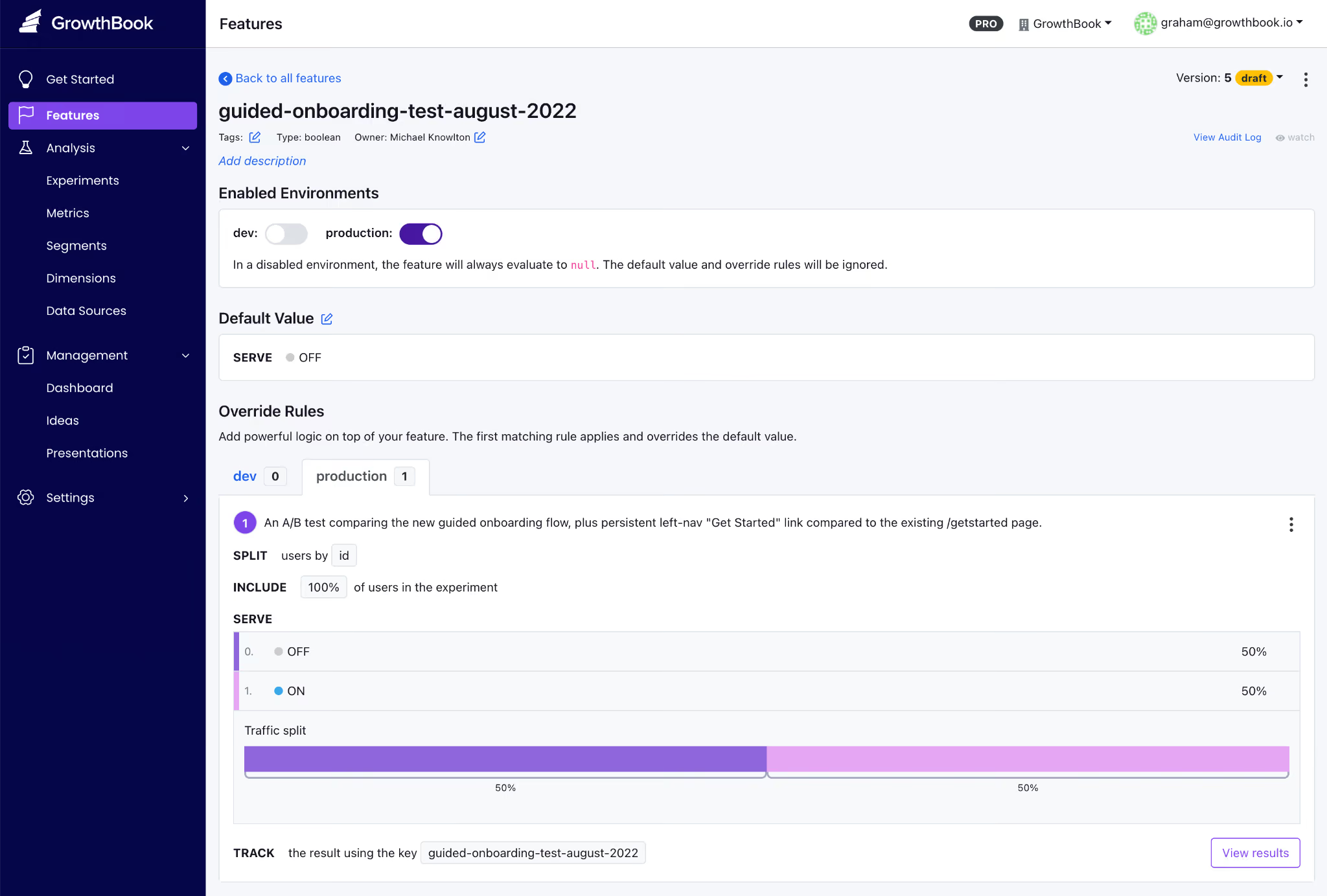
GrowthBook’s key features
Here’s how GrowthBook’s capabilities stack up:
Pros of GrowthBook
- Rich control over feature flag creation, deployment, and clean-up right from your AI coding tool of choice.
- Create feature flags that give users full control over AI-powered apps, including chatbots and advisors. You can manage models, prompts and the user experience all without redeploying code.
- Smart feature flags, ramped rollouts, and auto-rollbacks all based on any metric stored in your data warehouse. Tie feature flags to any business or observability metric so that you can ship AI-coded features quickly and safely.
- You get flags and experimentation on a single platform, so you don’t have to reconcile data across multiple vendors. And you can also load experimental data from another platform into GrowthBook to run more advanced tests.
- The platform is very easy to use and implement, irrespective of whether you’re a technical or non-technical user.
- You can see the SQL queries under the hood, so to speak, so if you need to audit the platform, it’s not an issue. You can also audit the stats engine on GitHub when your data team wants to verify the math.
- Your pricing scales with team size, not traffic, so that you can run unlimited experiments without renewal surprises.
- The platform is known for its strong customer support that is responsive and technically adept at solving complex problems.
Drawbacks of GrowthBook
- You’ll get the most out of the experimentation features if you already have a data warehouse. GrowthBook Cloud now offers a Managed Warehouse, but self-hosters still need to set one up if they don’t have one.
- You’ll need some onboarding time to learn some of the advanced feature flag capabilities, for example, if you’re new to JSON payloads or advanced targeting.
- You’ll need an Enterprise license for SSO/SAML, SCIM, holdout experiments, and cross-experiment insights, though the core flagging and experimentation capabilities stay free in the OSS edition.
How GrowthBook compares to Flagsmith
Both platforms are open source, support self-hosting, and offer a strong developer experience. But the difference shows up after the flag goes live:
- GrowthBook wins for engineering and data teams that need strong feature flagging, statistically rigorous A/B testing, and compliance.
- Flagsmith wins for teams whose primary use case is remote configuration, or who want native integrations with Amplitude, Segment, and Mixpanel.
Who is GrowthBook best for?
Engineering and data science teams at growth-stage or enterprise companies who already have a data warehouse and want flag management plus real experimentation in one open-source platform. Or smaller engineering teams/solo developers who are looking for a robust feature flagging platform for simpler use cases like decoupling deployments from releases.
It’s also a very strong option for companies in regulated industries like fintech, healthtech, edtech, and AI software, where data sovereignty is non-negotiable.
2. LaunchDarkly
LaunchDarkly is the category-defining enterprise feature management platform and an incumbent in the space. It was founded in 2014, but as of May 2026, its primary focus is “runtime control for AI-era software.” So now the platform is built around feature flags, Guarded Releases, experimentation add-ons, and AI Configuration management for fine-tuning models.

If your evaluation criteria require support for specialty platforms like Apex, Erlang, and Haskell or enterprise governance depth, LaunchDarkly is usually the safest default. The platform holds a G2 Score of 99 and a 4.5/5 rating across 700+ G2 reviews. However, its two recent acquisitions have completely reshaped the product. In February 2025, Houseware added warehouse-native analytics, and in April 2025, Highlight added observability with session replay.
The ultimate tradeoff for engineering teams is a lack of transparency and ballooning costs. Also, LaunchDarkly is a SaaS-only product, priced on a hybrid model that scales only with service connections and monthly active users—making it viable only for enterprises.
LaunchDarkly key features
Here’s a list of features LaunchDarkly offers:
Pros of LaunchDarkly
- The platform is known for its robust feature management and for decoupling deployments from releases, which remains one of its biggest use cases.
- Many users praise the ease of use, and, specifically for feature flagging, the setup is easy. However, it has several other features and the navigation can get complicated at first.
- Flag propagation across SDKs is near real-time, with changes reaching every environment in seconds.
- It also offers granular targeting and segmentation, as well as robust analytics that let you see how a flag evaluates in each environment.
Drawbacks of LaunchDarkly
- The biggest complaint is about pricing, as it scales based on the number of service connections and monthly active users. In fact, some users have reported that contract costs almost doubled at renewal, making the process very opaque.
- When you create a new flag, you always have to name the true/false values to avoid switching it on for everybody. Without governance in place, this could result in incidents.
- There’s no self-hosted or on-prem option, which is a non-starter if you’re in a regulated industry with strict data residency requirements.
- Experimentation is a paid add-on at $3 per 1,000 MAUs, in addition to the actual pricing tier’s cost. If your primary use case is experimentation, it can get expensive quickly.
How LaunchDarkly compares to Flagsmith
Both platforms offer enterprise-grade feature flag management but ultimately target different market segments. While LaunchDarkly leads in depth and is focused on enterprise companies, Flagsmith focuses solely on feature flagging and caters to solo developers or mid-market companies.
- LaunchDarkly wins for large enterprises that will use every governance feature and have the budget to absorb annual contracts of $50,000–$200,000.
- Flagsmith wins for teams that need deployment flexibility, predictable per-seat economics, or compliance constraints that make self-hosting non-negotiable.
Who is LaunchDarkly best for?
Large enterprises and Fortune 500 engineering organizations that need the deepest governance, the widest SDK breadth, and the most mature flag management UX in the category. It’s particularly strong if you’re shipping AI features and want runtime model control via AI Configurations.
3. Statsig
Statsig is an experimentation-first platform that bundles feature flags, A/B testing, product analytics, and session replay into a single product. It was established in 2021 by Vijaye Raji (formerly an engineer at Facebook) and quickly grew on the strength of warehouse-native experimentation and a free tier with unlimited feature flags.

All said and done, the product has gone through massive changes in the past few months. In September 2025, OpenAI acquired Statsig for $1.1B, and founder Vijaye Raji became CTO of Applications at OpenAI. Then, in May 2026, Amplitude announced a partnership to take over the Statsig brand, customers, code, and roadmap. The original engineering team stayed at OpenAI. In fact, even industry coverage is negative, with some publications referring to the partnership as “the code without the talent.”
Statsig key features
Here's how Statsig’s capabilities stack up:
Pros of Statsig
- Statsig offers unlimited free feature flags across all usage levels, charging only for analytics events.
- The statistical engine is included on every paid plan and offers advanced experimentation capabilities such as CUPED variance reduction, sequential testing, contextual bandits, and SRM detection.
- Since it was built mainly for experimentation, the analysis module is quite robust. For example, you can define custom user dimensions for each exposure, making it easier to analyze behavior.
Drawbacks of Statsig
- Statsig is in a mid-acquisition transition, with the brand and customers moving to Amplitude while the engineering team stays at OpenAI. The product’s stability and roadmap are still a question mark. There’s no fully self-hosted option even though it offers a warehouse-native version to keep your data in the warehouse.
- The platform has a steep learning curve, especially if you have non-technical teams using it for everyday analysis.
- Backfilling metrics mid-experiment requires workarounds, which limit flexibility when goal definitions shift.
- Many customers report that Statsig SDKs automatically capture a wide range of metrics that can dramatically increase the Statsig subscription fees as the company charges per event.
- Some customers have complained about the lack of flexibility around feature flags, especially if they’ve already created the feature flag and then want to tie it to an experiment.
How Statsig compares to Flagsmith
Even though both these platforms offer feature flags, the use cases are different:
- Statsig wins for teams that want flags and experimentation in one product. At this point, only existing Amplitude customers are likely to take on the risk associated with a product that has no engineers. Given the Amplitude acquisition, customers should expect that Statsig product analytics, and session replay features will be discontinued in favor of equivalent features with Amplitude.
- Flagsmith wins for teams that need open-source self-hosting, transparent pricing, and an independent roadmap.
Who is Statsig best for?
Teams that want a unified cloud platform spanning feature flags and experimentation. Customers should assume that product analytics and session replay will be phased out, in favor of the equivalent Amplitude features. Only existing Amplitude customers are likely to consider Statsig at this time, and even they should proceed with caution.
4. PostHog
PostHog is an open-source, all-in-one developer platform that bundles product analytics, feature flags, session replay, A/B testing, surveys, error tracking, and an AI assistant into one MIT-licensed product. It was founded in 2020 by James Hawkins and Tim Glaser and now serves 190,000+ customers.
The platform’s main pitch is that they make dev tools for product engineers. Since it offers a multi-product suite, feature flags are not the platform’s core focus.

PostHog key features
Here’s how PostHog’s capabilities stack up:
Pros of PostHog
- PostHog has the most generous free tier in the category, covering 1M analytics events and 1M flag requests per month with no credit card required.
- Many users praise its analytics suite, which covers modules such as product analytics, web analytics, LLM analytics, revenue analytics, and group analytics.
- The user interface is also easy to navigate—making it a good fit for early-stage and non-technical users.
Drawbacks of PostHog
- PostHog is generally not considered a good fit for mid-sized or large companies. The product has generally not been built with larger enterprises in mind.
- Feature flags are not a primary offering for the company, so it is only a fit for more lightweight use cases
- The experimentation engine doesn’t include advanced methods like CUPED variance reduction or sequential testing. It’s only meant for basic experimentation.
- The self-hosted edition is only recommended for ~300K events/month; at production scale, PostHog steers you to their cloud product.
- It’s comparatively more complicated to self-host the software because its production deployments require ClickHouse, Kafka, Postgres, Redis, and multiple application services.
- Some users report that the setup can be tricky initially because there are many features. It needs better onboarding, and some teams even took months to implement it.
How PostHog compares to Flagsmith
The key difference between the two platforms is the product focus and market segment:
- PostHog wins for early-stage and YC-style teams that want analytics, flags, and replay in a single product, with a generous free tier.
- Flagsmith wins for teams that want a focused flag platform with enterprise-flag governance and the option to self-host at scale.
Who is PostHog best for?
Early-stage product engineering teams and YC-style startups that want analytics, feature flags, session replay, and surveys in one cloud product with a generous free tier. Particularly strong if you're building consumer-facing software where event-based pricing works in your favor.
5. Unleash
Unleash is one of the largest open-source feature management platforms in the category, primarily focused only on enterprises. Founded in Oslo, Norway, Unleash is trusted in production by enterprises like Visa and Samsung. The core platform is Apache 2.0 licensed and self-hostable at production scale on Docker or Kubernetes.
At the moment, its positioning leans into “FeatureOps,” which is basically the ability to manage feature flag changes as formal change events. But it’s more so for teams shipping AI-generated code these days.
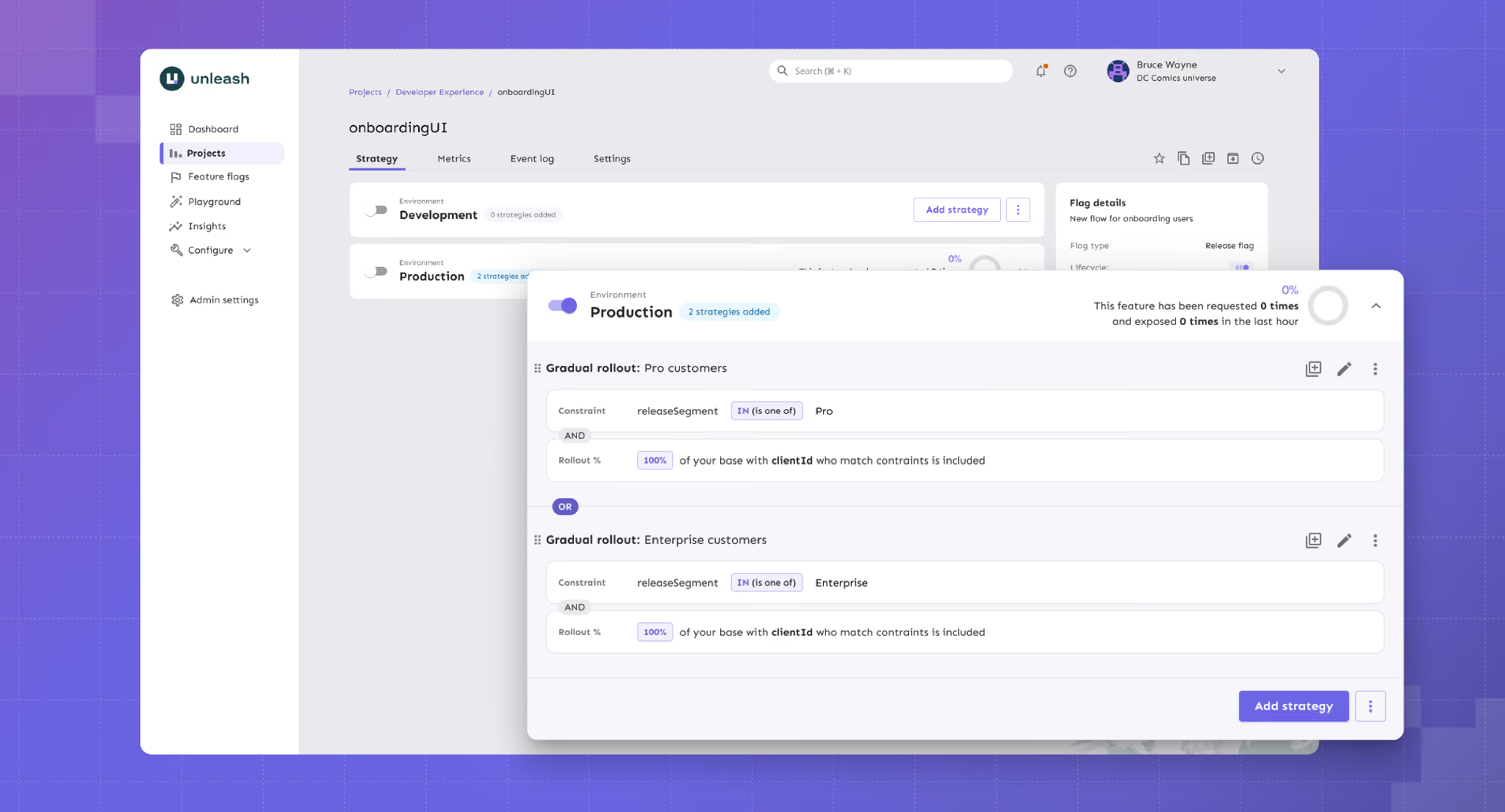
Unleash key features
Here's a list of capabilities Unleash offers:
Pros of Unleash
- It uses an API-first approach and also lets you automate provisioning and configuration, which is ideal for complex microservice architectures.
- Enterprise governance is a strength, with change request approvals, granular RBAC, full audit logs, and FedRAMP-ready infrastructure all available.
- From a setup perspective, many users compliment how easy it is to set up and navigate if they have to integrate with other platforms.
- Many users also say that the customer support is excellent, with no push to upgrade to paid plans constantly.
Drawbacks of Unleash
- Per-seat pricing on the managed tiers is among the highest in the OSS segment. And there’s no viewer-only seat option for read-only users, so that the costs can scale quickly.
- You can’t create multiple projects to manage feature flags in the open source version. As you scale, it could be a huge bottleneck for flag management.
- There’s no built-in experimentation analysis. Your flag variants are supported, but the actual statistical analysis requires an external tool.
- Some users report that self-hosting multiple instances tends to add operational overhead as their architecture scales and matures. It might not be the best option for growing teams.
How Unleash compares to Flagsmith
Both Unleash and Flagsmith are open-source feature flag platforms with strong self-host options. But it comes down to what you need to prioritize:
- Unleash wins for enterprise platform teams that need to self-host with strong open-source governance and FedRAMP-ready compliance.
- Flagsmith wins for teams that need real-time flag updates, identity-aware targeting, or remote configuration as a primary use case.
Who is Unleash best for?
Enterprise platform engineering teams in regulated industries that need self-hosting at production scale, plus mature governance. For example, change request approvals, audit logs, air-gapped deployments, and FedRAMP-ready infrastructure.
6. Split (by Harness)
Split is now Harness Feature Management & Experimentation (FME) as a result of Harness’s June 2024 acquisition of Split Software. Split was founded in 2015 and built its reputation around a statistically rigorous feature management platform. Now, it’s a part of the broader Harness CI/CD platform and is just one part of a multiproduct platform.
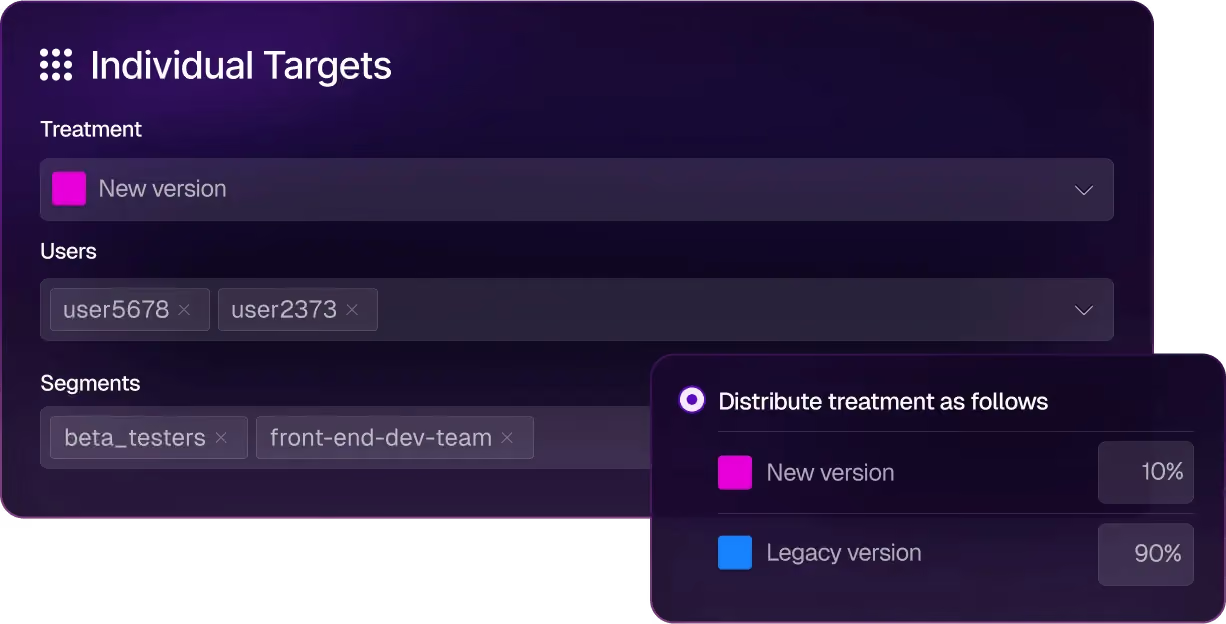
Split (by Harness) key features
Here’s how Harness FME’s capabilities work:
Pros of Split (by Harness)
- Since Harness is known for its CI/CD capabilities, most users recommend it for that purpose, especially because of its AI-based features.
- It uses real-time streaming and delivers sub-second flag evaluation, which matters for live experiments and progressive rollouts on consumer traffic.
Drawbacks of Split (by Harness)
- Some users describe it as a “jack of all trades” because of its recent acquisition, which means some features are simply not mature enough for the price tag.
- There’s no self-hosted or on-prem option, so if you’re in a regulated industry, it could pose a compliance risk.
- They don’t publish pricing on the website, and it can get very complicated and expensive because each product module has its own restraints and pricing tiers.
- Users report that the product can be quite unstable and that internal transitions can even slow down their implementation process.
- Some users find the customer support less responsive compared to other platforms they use.
How Split compares to Flagsmith
Now, both these platforms compete in the enterprise feature management space, but it comes down to the depth and breadth of features they offer:
- Split wins for enterprises already on Harness CI/CD who want “good enough” feature flags, and experimentation, bundled with observability in one DevOps platform.
- Flagsmith wins for teams that need self-host, predictable per-seat pricing, or independence from a CI/CD vendor’s roadmap.
Who is Split by Harness best for?
Split is best for enterprise engineering organizations that are already running on Harness CI/CD and want feature management and experimentation natively integrated with their existing deployment pipeline. If you can live without experimentation capabilities like sequential testing and attribution modeling, Harness could be a good fit.
7. Eppo
Datadog Experiments (formerly Eppo) following Datadog’s May 2025 acquisition. Eppo launched out of stealth in 2022 and raised $47.5M before Datadog acquired it for a reported $220 million in May 2025. The original version of the product was designed for data science teams that use SQL-first metric definitions and need warehouse-native experiment analysis.
But since the acquisition, Eppo has been integrated into Datadog’s Product Analytics, RUM, Session Replay, and broader observability suite.

Datadog Experiments key features
Here’s a list of features Eppo offers:
Pros of Datadog Experiments
- You can run various experiments, and the platform offers advanced capabilities, such as contextual bandits and geographic incrementality testing (Geolift).
- The platform’s customer support is known for being very responsive and for incorporating feedback into its roadmap.
- The user interface is easy to navigate, even when you’re setting up complex experiments. The same applies to the results dashboard, too.
Drawbacks of Datadog Experiments
- Feature flag management is a small part of the Datadog Experiments platform, which is why it lacks advanced flag governance features like lifecycle management.
- Pricing is opaque because it has no free tier or free trial, and the median annual contract sits around $45,000.
- You can’t group experiments by user properties or product type, which is a basic experimentation feature.
- It’s warehouse-native, so it makes assumptions about underlying data models in your warehouse. You have to adjust things to make sure you get the right results.
- The platform is designed for dedicated data teams, so it can create bottlenecks when engineers or product managers want to run experiments independently.
How Datadog Experiments compares to Flagsmith
Both platforms include feature flags, but they have different priorities altogether:
- Datadog Experiments wins for product teams that want feature flagging and experimentation capabilities that can be easily connected with Datadog observability metrics. These customers should be willing to trade off integration with the Datadog observability stack in exchange for more robust feature flag management.
- Flagsmith wins for engineering teams that need a focused feature flag platform with self-hosting, predictable pricing, and an independent roadmap.
Who is Datadog Experiments best for?
Product teams at growth-stage and enterprise companies that are already Datadog customers. These customers should prefer tight integration with the Datadog observability stack over the more advanced feature flag management capabilities offered by other vendors.
Choose the right Flagsmith alternative based on your needs
All in all, Flagsmith hasn’t stopped being a strong feature flagging tool. If your team needs remote configuration and on-premise deployment, it’s still the right answer. But that’s where the buck stops. If you need more robust features or have different use cases for feature flagging, you can consider choosing any of the following platforms:
- If you want strong feature flagging capabilities for AI-native development, GrowthBook is the best choice. It’s open-source and has launched advanced feature flagging capabilities such as Ramp Schedules, automated stale flag cleanup, approval flows, AI MCP, and granular targeting capabilities. These features let you take full control of the traditional and AI-led development process—helping you ship features faster while reducing deployment risk.
- If experimentation is the gap, GrowthBook and Statsig are the strongest options. Although GrowthBook wins because it’s open-source, it offers warehouse-native experimentation from the get-go, and you can be sure you’re using a stable product with a clear roadmap.
- If you need the deepest enterprise governance, LaunchDarkly is the safest default because of its feature set, however GrowthBook is a close second coming in at about half the price of LaunchDarkly
- If you’re already on Harness CI/CD or Datadog, consider using Split (by Harness) or Datadog Experiments, as you’ll benefit from their ecosystems.
- If you are a start-up and want analytics, flags, and replay in one cloud product with a generous free tier, PostHog is a strong choice.
- If you need a self-hosted platform with advanced governance for feature flagging, Unleash and GrowthBook are strong options.
If you need an open-source feature flagging platform with built-in warehouse-native experimentation, give GrowthBook a shot. You can spin up GrowthBook for free or run the self-hosted edition on your own infrastructure.
Related articles
.avif)
Ready to ship faster?
No credit card required. Start with feature flags, experimentation, and product analytics — free.

