

Ship A/B tests at the speed of thought
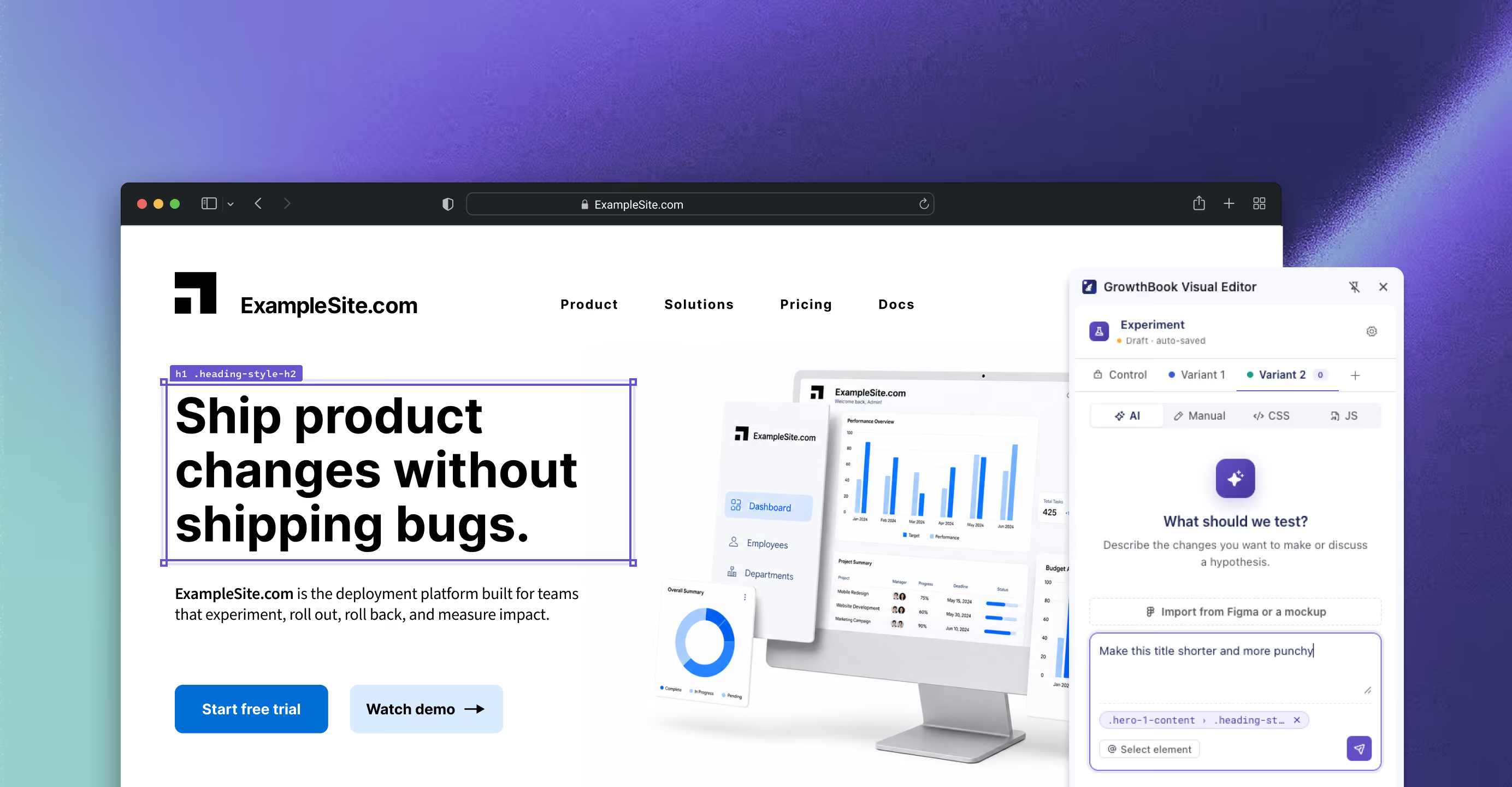
Describe the change. Watch it happen. GrowthBook's AI Visual Editor turns plain English into production-ready experiments. No CSS, no dev ticket, no flicker.
Trusted by 4,000+ companies worldwide





AI-powered visual editor
Prompt-powered website changes
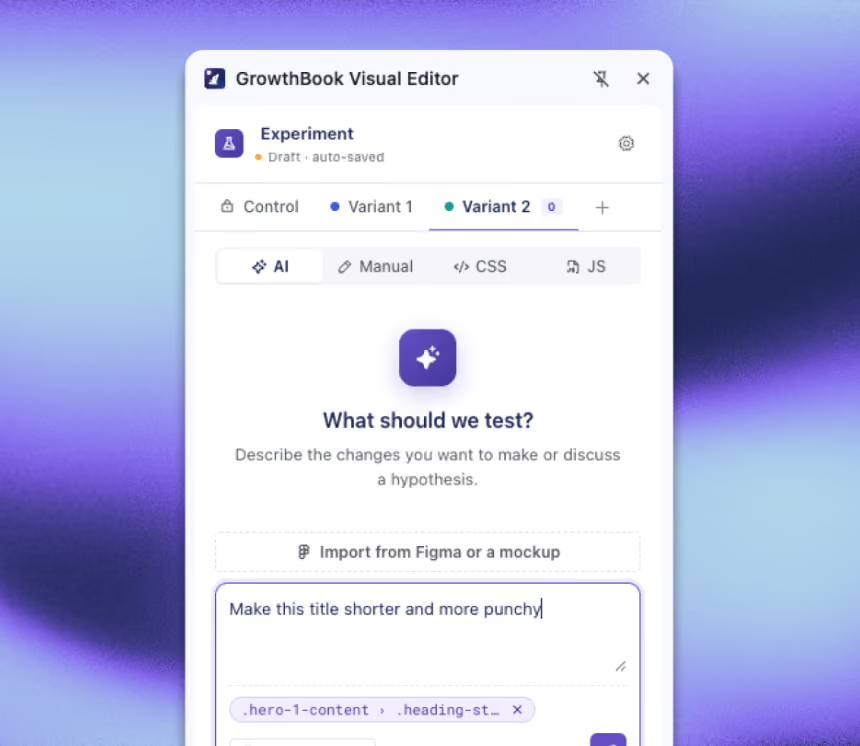
Type what you want in plain language and the AI translates it into real DOM edits: copy, styles, layout, images, even custom CSS and JS. Ask for "a few fun alternative headlines" and pick your favorite from the options it generates. No CSS selectors, no inspector spelunking.
AI suggested improvements
This is the part nobody else has. The AI Visual Editor is connected to your GrowthBook history, so when you start a new test, it can draw on what's already worked. "Try something like the pricing CTA test that won last quarter" isn't a fantasy; the AI can look it up and adapt it. Every experiment makes the next one smarter.
Manual element editor
The page renders exactly as your users see it. Manual controls for text, typography, layout, spacing, background, links, inputs, and video sit alongside the AI for when you want precise, point-and-click control.
Image generation and manipulation
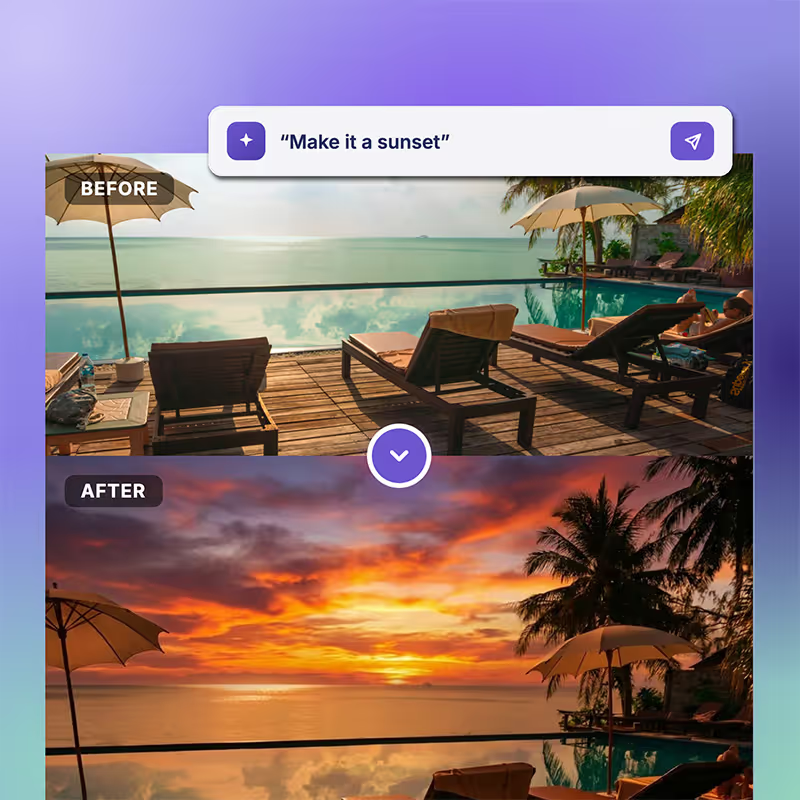
Need a new hero image, a fresh product shot, or a background that matches the season? Generate it from a prompt. You can even manipulate the current image and request changes without leaving the editor. (Powered by your org's choice of Gemini, GPT Image, Imagen, or Grok.)
Preview and edit
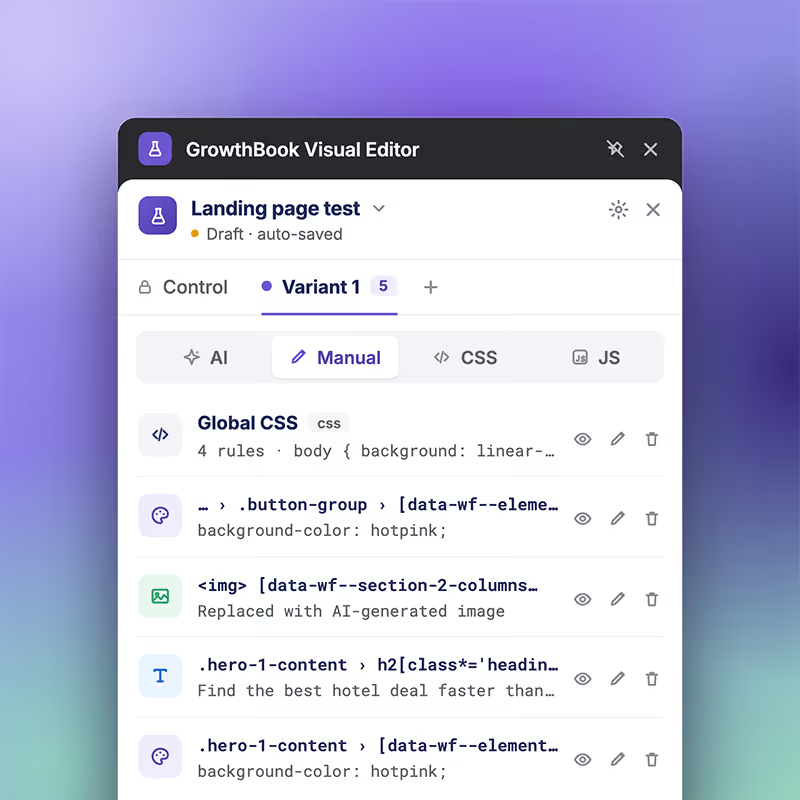
Complete transparency into every change the editor is making. Preview, QA, edit or delete any change before making them live
Multi-language & dark mode
The only visual editor with dark mode! Also support Spanish, Portuguese, and German.
Unlock your team's creativity
Prompt first UI
Simply describe any change you want to make. Ask for suggestions, rearange the page, or replace or generate new images all from a prompt interface.

Image generation and manpulation
Ask the AI to change images, or select any image (or background image) and ask for alternatives.
Manual WYSIWYG no-code editor
Click on any element and get a full set of styles and content to edit.

Full change list and complete transparency
Any change can be previewed, the changes are shown in full as to how they will target your page. Simply view, edit, or delete. Preview, QA, and ship with confidence.
Effortless experimentation
Install the Chrome extension
Install the extension from the Chrome store
Log into GrowthBook
Log into your GrowthBook account (if you're not already)
Create experiments
Open the extension and create experiments on your site!
One warehouse-native platform for modern product development
Experimentation
Feature Flags
Product Analytics
“GrowthBook gave us a modern experimentation and release platform that actually fits how Dropbox works. We can run analytics directly on our data lake, roll features out safely in stages, and support teams across different stacks without duplicating data or tooling.”
GrowthBook gives us a way to standardize experimentation while respecting the way Wikimedia projects actually work: open source, self-hosted, privacy-first, and deeply integrated with our existing data infrastructure.
"A/B testing GenAI features has been an absolute game changer. Experimentation went from feeling like a speed bump to becoming a safety net."
“People only see the wins, but there’s actually greater value in avoiding losses. We’ve stopped changes that could have cost millions.”
“GrowthBook has changed the way we think about experiments... It allowed us to uplevel our code, speed up decision-making, and focus on what we do best.”

GrowthBook is the only platform that lets us automate analysis at this level. It gives us the flexibility to measure accurately and the speed to help teams learn every day.

"Experimentation is core to how Fyxer runs. GrowthBook gives us a way to measure what’s happening, learn from wins and losses, and avoid shipping every risky idea to 100%."
“Experimentation showed what customers actually do rather than what we assume they’ll do.”
“Being able to turn a feature on and off with a flip of a switch is fantastic... That’s so much easier than having to do a deploy or a roll-back.”

“We don’t need any code changes, we don’t need an app release. We just configure the new tests and launch right away.”

"We are always experimenting now. It’s a natural part of product development. This is due to GrowthBook and the ease of usage both in the UX and in the seamless integration with Snowflake/DWH."

"GrowthBook's results speak for themselves. Every time we do a test, we see benefits for our audiences and our partners. These posters are our one shot, and we wouldn't want to fly blind."

“GrowthBook lets us build experiments exactly how we want. The ability to target based on culture and geography, as granular as needed, is a major win for us.”
GrowthBook gives us a way to standardize experimentation while respecting the way Wikimedia projects actually work: open source, self-hosted, privacy-first, and deeply integrated with our existing data infrastructure.
GrowthBook is the only platform that lets us automate analysis at this level. It gives us the flexibility to measure accurately and the speed to help teams learn every day.
"A/B testing GenAI features has been an absolute game changer. Experimentation went from feeling like a speed bump to becoming a safety net."
FAQs
A developer only needs to install the SDK/script tag once to configure your GrowthBook instance. After that, install the Visual Editor Chrome extension and start running no-code experiments right away. No technical skillset required.
GrowthBook minimizes flicker by running visual changes through the same SDK you already use (no separate blocking script required). If you're using SSR or Edge SDKs, changes are applied before the page loads, eliminating flicker entirely.
No. GrowthBook’s SDK loads async and evaluates everything locally with no blocking network requests, and uses stale-while-revalidate caching. That means it won't hurt any of your core web vitals. Visual Editor changes also aren’t indexed by search crawlers. Once a test wins, implement it in code for SEO and long-term performance.
Preview changes instantly as you build to see exactly what users will experience. Each variant includes a detailed list of changes you can review, edit, accept, reject, or iterate on directly from the Chrome extension or within the GrowthBook UI.
The AI Visual Editor is ideal for testing headlines, CTAs, copy, styling, and layout on static or server-rendered pages. The kind of changes marketing and product teams want to ship quickly without waiting for a deploy.
No. The Visual Editor is built for non-technical users to easily run experiments via AI prompt. There is no coding or technical expertise required. Advanced users can optionally add custom CSS or JavaScript.
Yes. GrowthBook’s AI can help generate experiment ideas, refine hypotheses, summarize results, rewrite copy in different tones, and recommend future tests based on historical learnings.
Yes. Every visual change is fully inspectable and can be previewed in draft before anything goes live. Once a variation wins, the recommended path is to promote it into code or a feature flag. Role-based permissions and audit logs give engineering full oversight.
Ready to ship faster?
No credit card required. Start with feature flags, experimentation, and product analytics — free.

