GrowthBook 5.0 makes experimentation easier, faster, and safer at every stage.
Scott Bailey
Jul 24, 2026
x
min read
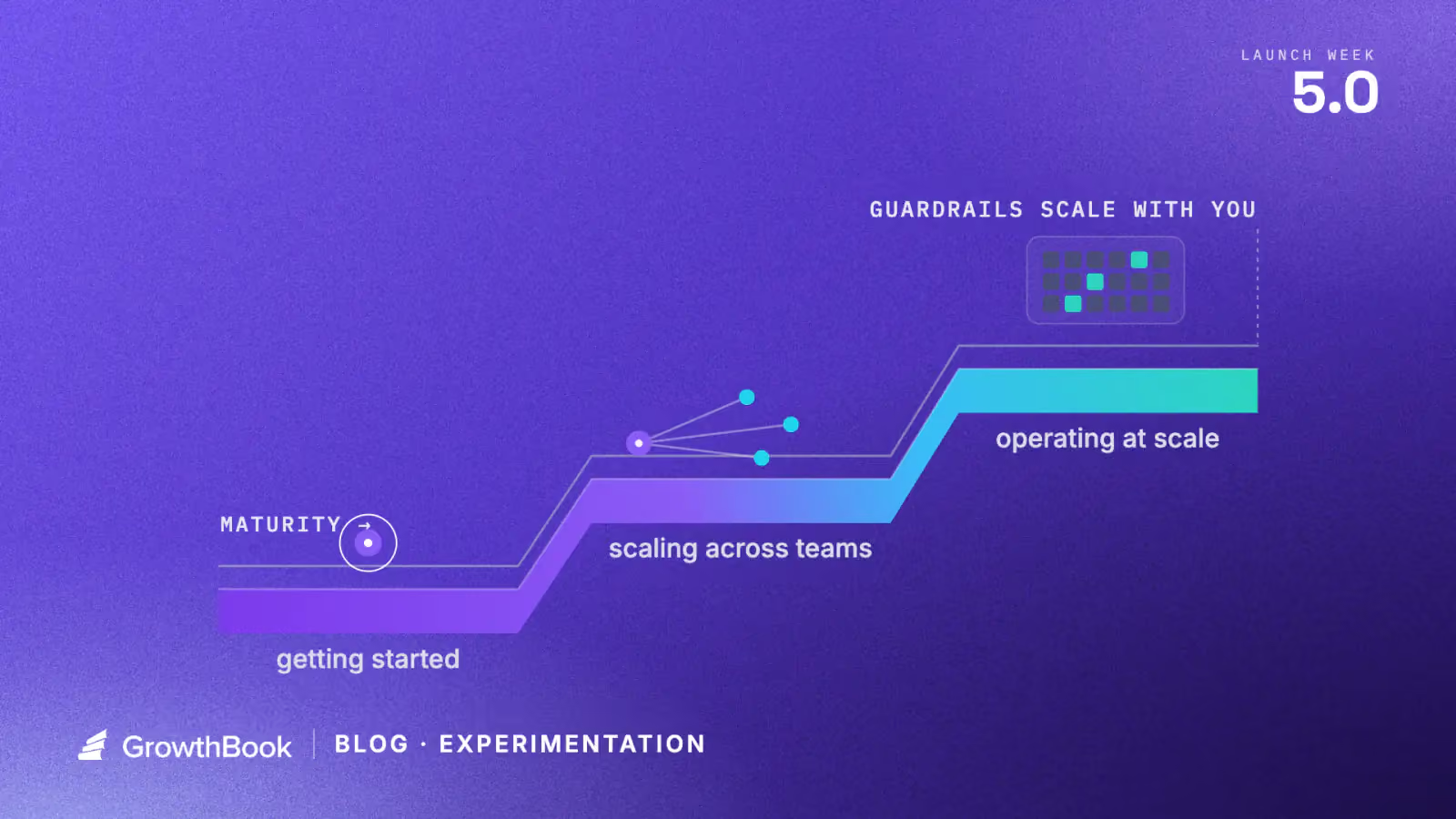
Every team that runs experiments wants to run more, faster. The difference between teams is where friction lives.
Consider two teams. The first team is finishing its first dozen experiments. Their process works, technically, but they run all experiments through two or three technical staff they trust. Experiments feel complex and high-stakes, and they worry that a bad customer experience could set the company back. The second team runs hundreds of experiments every day, against a warehouse with petabytes of data. They have the opportunity of fast, high-scale experimentation, but every analysis run has compute costs that equal real time and money. They need infrastructure to match their opportunity.
Different stages produce different friction.
GrowthBook 5.0 meets friction at every stage, making it easier to experiment when you’re building the habit, faster and more efficient at the frontier, and safer all along.
Starting an experiment should be easy
One of the biggest barriers to early teams is an empty experiment creation screen, especially when it’s long and involves more complex, technical options.
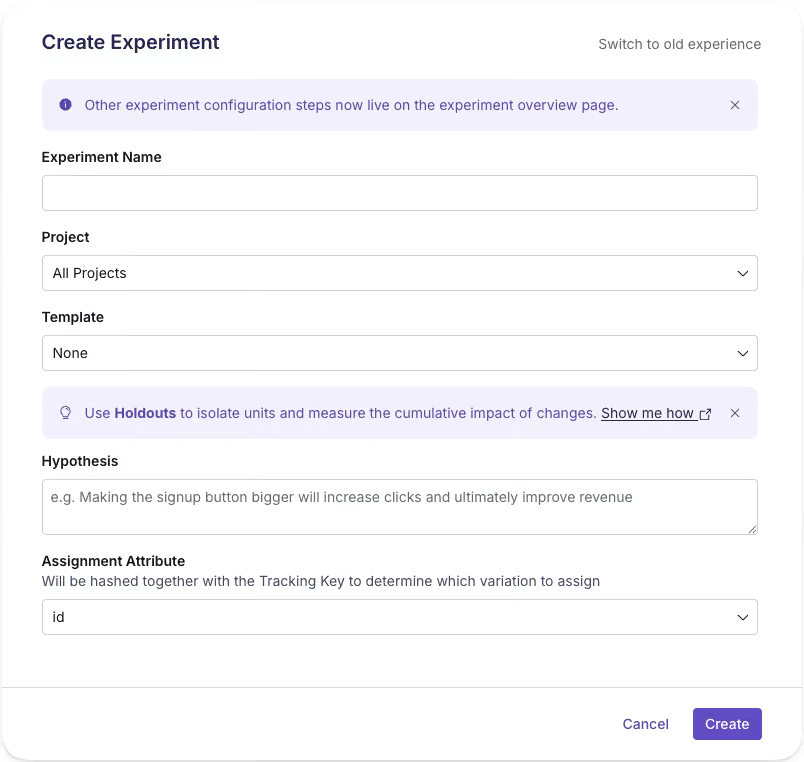
In 5.0, we cut the experiment creation flow from 23 fields to 5. The rest of the options move to the experiment overview page. You can write a hypothesis, set up experiment assignment, and share the draft to your team in the time it used to take to scroll through the previous version.
The streamlined experiment creation flow
We ran an experiment as we rolled this out, and there’s a surprisingly large effect. More people can create an experiment without feeling like they need to be an expert, and with sensible defaults, starting doesn’t mean shipping something accidentally.
Making experiment creation “cheaper,” with less time and expertise invested, makes it easier to imagine running more experiments and building a broader culture of experimentation. A thin experiment, with just the minimum fields, becomes a shared surface your team can edit and learn in together. Experimentation begins as collaboration rather than a handoff.
More hands, same standards
As the team grows and experimentation velocity increases, more and more people kick off experiments. You have an experimentation process that works, and you want more of it. More teams want to experiment, but a small handful of experts is still a bottleneck. Ideas for experiments might abound, but the organization is short on the people needed to push experiments from beginning to end.
Scaling experimentation means handing more people, more operations, the keys without giving up control of what ships. GrowthBook 5.0 helps.
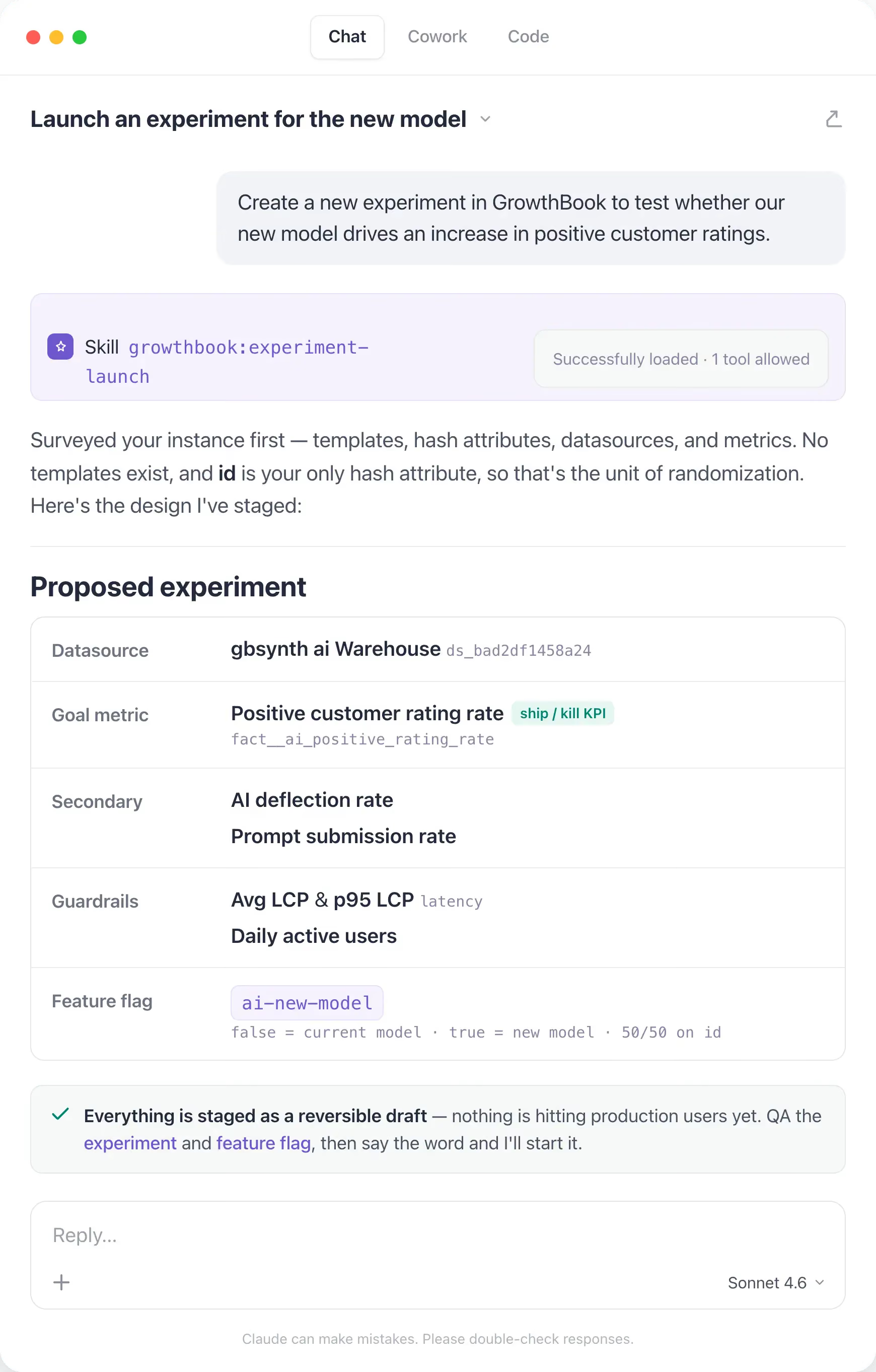
More people can create. AI agents can now operate GrowthBook, which means anyone, through their code editor or with our new in-app AI Assistant, can brainstorm and create experiments, launch them, and check results with natural language. The new AI Visual Editor opens another door for teams, like growth and marketing, who prefer a point, click, and prompt experience. With the slim experiment creation flow and reusable templates, it’s so much easier to set up an experiment now and build on an existing experimentation program.
Creating an experiment through Claude
Guardrails travel with tests. Opening the door for more experimentation only helps your org if your best practices and processes stay in place for everyone. Our new custom hooks let teams codify their own rules and run checks for every experiment before it starts, automatically. Mandatory custom fields make sure every experiment is categorized and filled before it’s ever created. Linked feature flags mean a teammate still reviews production changes before launch. These checks live with the experiment, and are present and documented in GrowthBook.
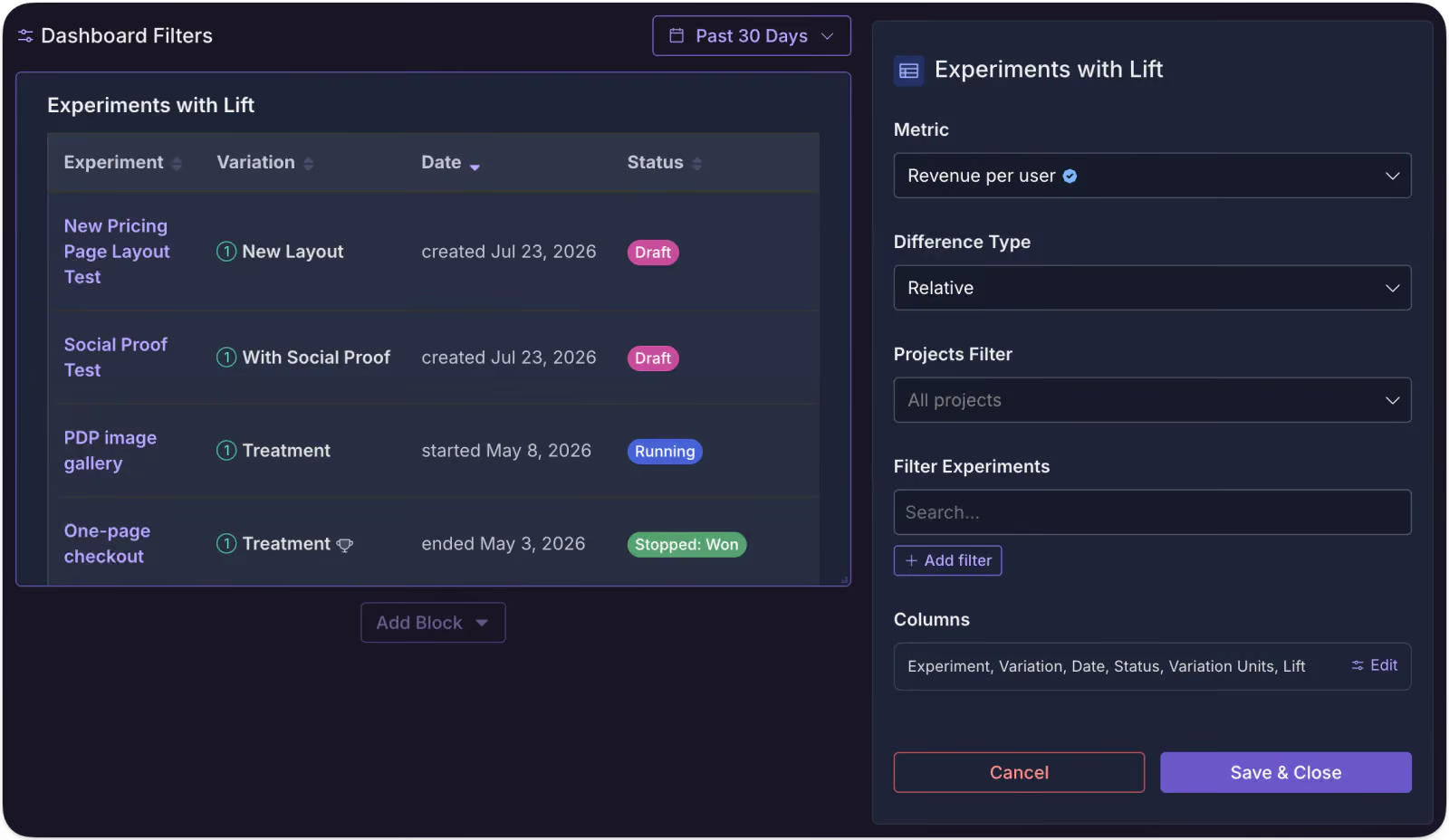
Shared understanding builds shared commitment. Experiments that finish and features that roll out without others knowing can help a business, but they don’t help build shared knowledge and experimentation culture. We now have new meta-analysis experiment blocks for dashboards, so your team can have better oversight of what’s running, win percentages, lift, and scaled impact. Everyone in the org can learn, and, hopefully, be inspired to experiment also.
Using experiment meta blocks to understand impact on a metric
You don’t have to be at your desk to launch. GrowthBook 5.0 supports scheduled starts for experiments. You can kick off a test without being live at your computer. It sounds like a small thing, but as you scale and coordinate more and more experiments, control like this is what keeps a program manageable, right up until the next constraint takes over: compute.
Solve for people and trust, though, and a new limit appears: the volume of experiments you can now run starts to outgrow the infrastructure running them, and the bottleneck shifts from who can experiment to what your compute can afford.
Where compute is the constraint
At the frontier of experimentation scale, the bottleneck becomes compute. Data-rich environments give you the raw material for fast, accurate results, but can come with a bill to match. Teams that run hundreds of experiments a day against high-volume warehouses need infrastructure that meets their opportunity without equally large bills or compromises on velocity.
We think two techniques are highly relevant for these teams: quantile treatment effects (like the effect of a change on your p99 latency) and CUPED, which uses pre-experiment behavior to cut noise and bring results faster. Neither technique is new, but there’s a challenge to running them efficiently with a warehouse-native platform when data is large and quickly changing.
GrowthBook 5.0 includes major performance improvements with both approaches. For quantiles, we use KLL sketches to gather an event-level histogram into a single column that doesn’t grow as events pile up, which keeps quantiles cheaper at volume and even allows for pre-aggregations in the warehouse to be consumed by GrowthBook. For CUPED, we can now run a nightly pre-aggregation of each experimentation unit’s history, and since GrowthBook holds metric definition in our semantic layer, it refreshes only summaries that go stale when a definition changes.
We’ve seen >80% reduction in wall time for an experiment update, faster individual runtimes for experiments, and overall reduction in compute, which leads to lower warehouse bills. We’ll write about this in more detail later, but if you’re experimenting and analyzing at petabyte scale, come talk to us.
A platform you never outgrow
Everything in this post moved as you grew: the friction of starting, the bottleneck of people, the ceiling of compute. Safety is the one thing that didn't.
With GrowthBook 5.0, you can run experiments a little more easily, a little faster, with as much safety as ever, so you can make more chances to really learn about your product and users. That’s the real goal of experimentation: knowing instead of guessing, and building a better product for the people who use it.
Want to hear from our co-founders and engineers how we’ve made feature flagging and experimentation better? Come to our live Office Hours on July 30, 9am PT, and we’ll answer any questions you have.
Thank you! Your submission has been received!
Oops! Something went wrong while submitting the form.
5.0
Experiments
Product Updates
Experimentation friction changes as you grow. GrowthBook keeps pace.
Scott Bailey
July 24, 2026
Feature Flags
Featured
Product Updates
5.0
Feature flag governance — GrowthBook 5.0
Alyssa Nicoll
July 23, 2026
5.0
Analytics
Releases
GrowthBook 5.0: Product Analytics is now generally available
Jeremy Dorn
July 22, 2026
5.0
AI
Releases
Experiments
Featured
AI Visual Editor: opening up experimentation for growth and marketing teams
Graham McNicoll
July 21, 2026
5.0
AI
Product Updates
Featured
Your agents can operate GrowthBook now
Jeremy Dorn
July 20, 2026
Releases
5.0
Featured
GrowthBook 5.0: Build, ship, and improve at scale
Jeremy Dorn
July 20, 2026
Subscribe to the Uplift
Ready to ship faster?
No credit card required. Start with feature flags, experimentation, and product analytics — free.


.avif)