Experimenting on websites with a visual editor always has its pros and cons. But what if you could get all the positives of visual editors with none of the negatives? That’s what we’ve enabled with our new Edge SDKs. This article goes over some of the problems and how our new Edge worker SDKs solve them.
A video summary of this article
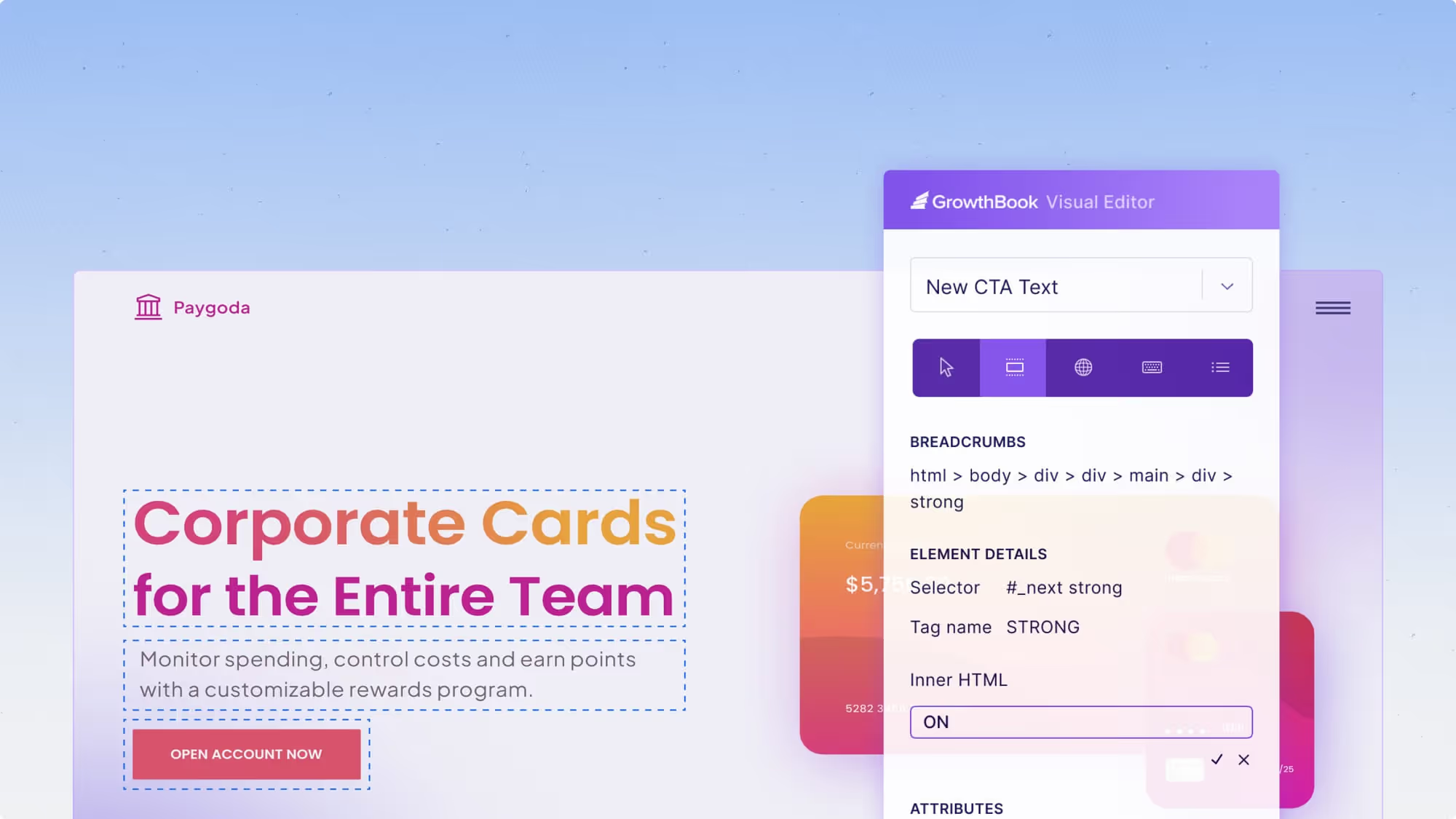
Client-side experimentation with a visual editor enables non-technical users to experiment with changes to a website. It makes optimizations super easy to launch. Open up the website with your visual editor, click on the elements you want to change—like headlines, CSS, images, and even Javascript—and launch the experiment. The experiments are instantly live with no code changes required.
Changes are applied while the page is loading or after the page completely loads. This leads to the first problem with visual editors- they can cause the page to flicker or flash as the experiment is loaded. While this might seem pretty minor, it can affect the validity of the results. If the page loading is very slow, the user may not even see the experiment variant, or even with normal loading, the flashing can cause users to pay more attention to that area, or get irritated about the flickering, which may affect the validity of the results.
The second problem is that some of the visual experiment scripts can slow down page load speeds. In some cases, the visual experiment Javascript that is loaded onto the page can be quite large and possibly even load other frameworks like jQuery, which can further increase load time.
Furthermore, many visual editors, including GrowthBook's editor, have an 'anti-flicker' feature. This feature actually hides the entire page as it loads in the background, and then when the experiment has loaded or it's taken more than N seconds (where N is typically 3 to 5 seconds), it will show the page. This will slow down the apparent page rendering time for your users. Slower connections can cause users to stare at a white page instead of seeing the page start to load, which may increase bounce rates or other behaviors affecting results.
Finally, some of the most popular experimentation javascript libraries can be blocked by ad-block scripts, resulting in users never seeing your experiment. As a best case, this can cause experiments to be underpowered, but since ad-block users tend to be more technical, it's not a random sampling of users and can bias results.
Pro
Con
Extremely easy
Flickers as it loads
WYSIWYG editor
Slows page rendering
No engineering required
Ad-blocked
So how do we fix this?
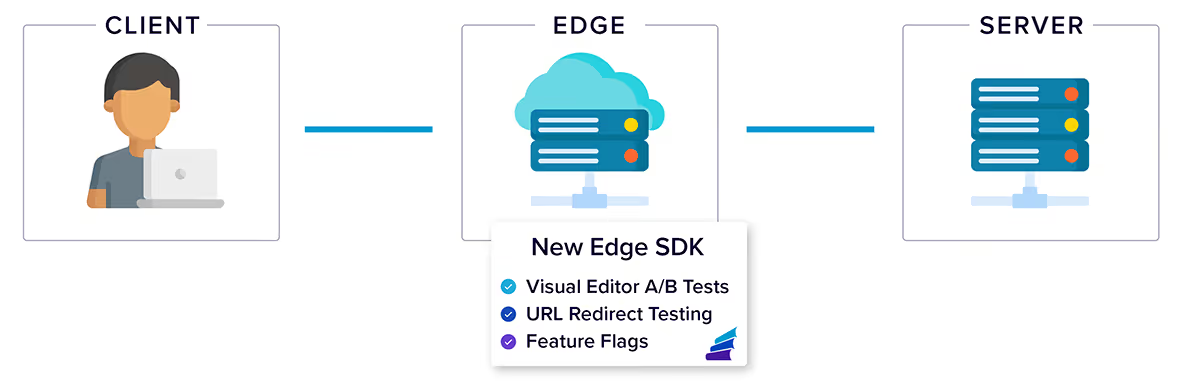
We take advantage of CDN edge workers. CDNs, or content distribution networks reduce latency and increase performance by caching your site on a global network of servers. In this context, the edge is the closest cache server to your client. Many CDNs let you run code on these edge servers; these code runners are called ‘edge workers’.
With edge workers, we can render our experiment variants directly to the HTML served from the edge to the client. This means that the webpage delivered to the client has the experiment baked into it, so when the client receives the page, there is no flickering, the page loads without any delays, and the experiment is not susceptible to ad-blockers.
Diagram showing GrowthBook Edge Worker SDK rendering experiment variants directly in HTML served from the CDN, eliminating flickering and ad-blocker issues
Our edge worker SDKs not only unlock visual experiments without compromise but also enable URL redirect experiments and the use of feature flags on the edge. It really is quite magical.
Example for Cloudflare Workers
Here is an example of just how easy it is to set up GrowthBook's Edge SDK with Cloudflare.
Set up environment variables to integrate GrowthBook with your worker and to specify your destination site’s URL in the `wrangler.toml` file:
PROXY_TARGET="https://internal.mysite.io" # The non-edge URL to your website
GROWTHBOOK_API_HOST="https://cdn.growthbook.io"GROWTHBOOK_CLIENT_KEY="sdk-abc123"GROWTHBOOK_DECRYPTION_KEY="key_abc123" # Only include for encrypted SDK Connections
OPTIONAL: Further optimize by implementing caching for the GrowthBook API:
Eliminate all calls to the GB API by caching the API payload using a Cloudflare KV store and pointing our SDK Webhook to populate the KV store when things change
Or… Keep it simple and have the Edge app use a KV store for payload caching
Running it on Cloudflare. For testing:
npx wrangler dev
Or when you're ready to deploy:
npx wrangler deploy
Then adjust the DNS if needed to point to the right location.
Thank you! Your submission has been received!
Oops! Something went wrong while submitting the form.
Experiments
Product Updates
3.0
Better visual editor experiments
Graham McNicoll
June 4, 2024
Releases
Product Updates
3.0
GrowthBook version 3.0
No items found.
May 22, 2024
Analytics
3.0
Product Updates
Experiments
Bayesian model updates in GrowthBook 3.0
Luke Smith
May 20, 2024
Subscribe to the Uplift
Ready to ship faster?
No credit card required. Start with feature flags, experimentation, and product analytics — free.