The Uplift Blog

GrowthBook Version 2.6
We’re back from Thanksgiving with a new version of GrowthBook! Version 2.6 contains many highly requested features and improvements and results from a lot of hard work from the team and community. Check out some of the highlights below.
Custom Pre-Launch Checklists for Experiments

Top experimentation teams empower everyone at their company to design and launch their own A/B tests. Removing a centralized bottleneck is great for velocity, but also tends to lower the overall quality of the experiments. With our new Customizable Pre-launch Checklists, you can now enforce your organization’s best practices around experiment design without slowing things down. There are a number of predefined options, such as requiring a hypothesis or screenshots, as well as the ability to add your own custom ones, such as creating a Jira ticket or alerting the support team. This feature is available to our Enterprise customers, and you can read more about it on our blog: https://blog.growthbook.io/custom-prelaunch-checklists
Saved Groups Improvements

We’ve completely revamped Saved Groups and made them a first-class citizen for targeting feature flags and experiments to your users. In addition to Inline Groups, where a list of ids is added directly in the GrowthBook UI, there is now support for a new type — Runtime Groups, where group membership is determined within your application and passed into the GrowthBook SDK at runtime. We have much more planned for Saved Groups in the future, so stay tuned! You can read about the new improvements in our docs: https://docs.growthbook.io/features/targeting#saved-groups
Teams

You can now organize your GrowthBook users into teams, each with its own set of permissions! When combined with projects, this gives Enterprises a really powerful way to manage their organization at scale. Teams are also fully integrated into our SSO and SCIM offerings so they can easily be synced from Okta, with more Identity Providers coming soon. Read more about teams in our docs: https://docs.growthbook.io/account/user-permissions#teams
Stale Feature Flag Detection
Feature flags are a fantastic way to reduce risk during deployments, but they can also be a source of technical debt. It’s common for engineers to forget to remove feature flags from code that aren’t being used anymore. In this release, we added basic stale feature flag detection to help address this problem. There is a new “Stale” column on the Features page that will highlight features we think are good candidates for cleanup (with a reason that appears on hover). Read more about this feature and our future plans on our blog: https://blog.growthbook.io/stale-feature-flag-detection
Easier Installation on Low-Code Platforms

For users of low-code platforms like Shopify or Webflow, you can now drop a single script tag on your site and launch your first experiment within minutes using our Visual Editor. This pre-bundled script tag handles everything for you automatically — it stores a unique anonymous cookie ID for the user, sets helpful targeting attributes such as deviceType and UTM params, and sends events to Segment.io and GA4/DataLayer when available. View our dedicated guides for Shopify and Webflow for more info.
Other improvements
- Feature Flag Drafts Refactor
- SDK Connections now support multiple projects
- Visual Editor improvements
- View absolute and scaled impact on experiment results
- Tons of bug fixes and smaller improvements
Plus many more changes and bug fixes, which you can read about here: https://github.com/growthbook/growthbook/releases

Announcing GrowthBook 2.5
GrowthBook 2.5 may be our biggest release to date! This packed release includes metric fact table support, SCIM integration for Okta, remote evaluations for JavaScript/React SDKs, data pipelining mode for Snowflake and BigQuery, AI copy suggestions in the visual editor, and more. See the full list below.
This release reflects a ton of hard work from our team and the community and we could not be more excited to hear what you think. Our primary focus is building the best feature flagging and A/B testing platform that allows companies to adopt and scale an experimentation-driven software development process.
Metric Fact Tables

Fact Tables are a brand new way to create Metrics in GrowthBook. Every analytics event usually results in several very similar metrics. For example, when an order is placed, you may want to know how many people ordered, how much they spent, what percent of orders used a coupon code, and more. With Fact Tables, you define the SQL for getting order data once and can quickly create tons of metrics on top of this without writing any code.
We have a lot planned for Fact Tables in the near future, including some massive SQL performance/cost improvements and the ability to easily add dimension slices for metrics. Stay tuned!
SDK Remote Evaluation Mode

When we first built the client-side GrowthBook SDKs, we took a radically different approach from other feature flagging tools — all evaluations happened locally on a user’s device. This had huge performance benefits (extremely cacheable) and much better data privacy (no user PII sent to 3rd parties). There is a downside, though — your users can see all the business logic and experiments that you’re using to assign feature flag values.
With this release, we’re adding a new Remote Eval option to our JavaScript and React SDKs where feature evaluation happens on a back-end server and your users only see their own personalized result. The most exciting part is that we found a way to preserve many of the benefits of local evaluation! Evaluation happens entirely on your infrastructure, so you can still have amazing performance and privacy. We’ll be adding support to mobile SDKs soon and adding more deployment options.
SCIM Support for Okta

SCIM, or System for Cross-domain Identity Management, is an open standard that allows for the automation of user provisioning. Any of our Enterprise customers using Okta for SSO can now add and remove users from GrowthBook directly from within the Okta UI. Support for other identity providers is coming soon.
Data Pipeline Mode
We added a new option for BigQuery and Snowflake to enable Data Pipeline Mode. In this mode, GrowthBook will write some intermediate tables back to your data warehouse while analyzing experiment results. This can drastically reduce the query cost, especially for teams that run a lot of experiments, each one with tens or hundreds of metrics. We’re adding support for other data warehouses soon.
AI Copy Suggestions

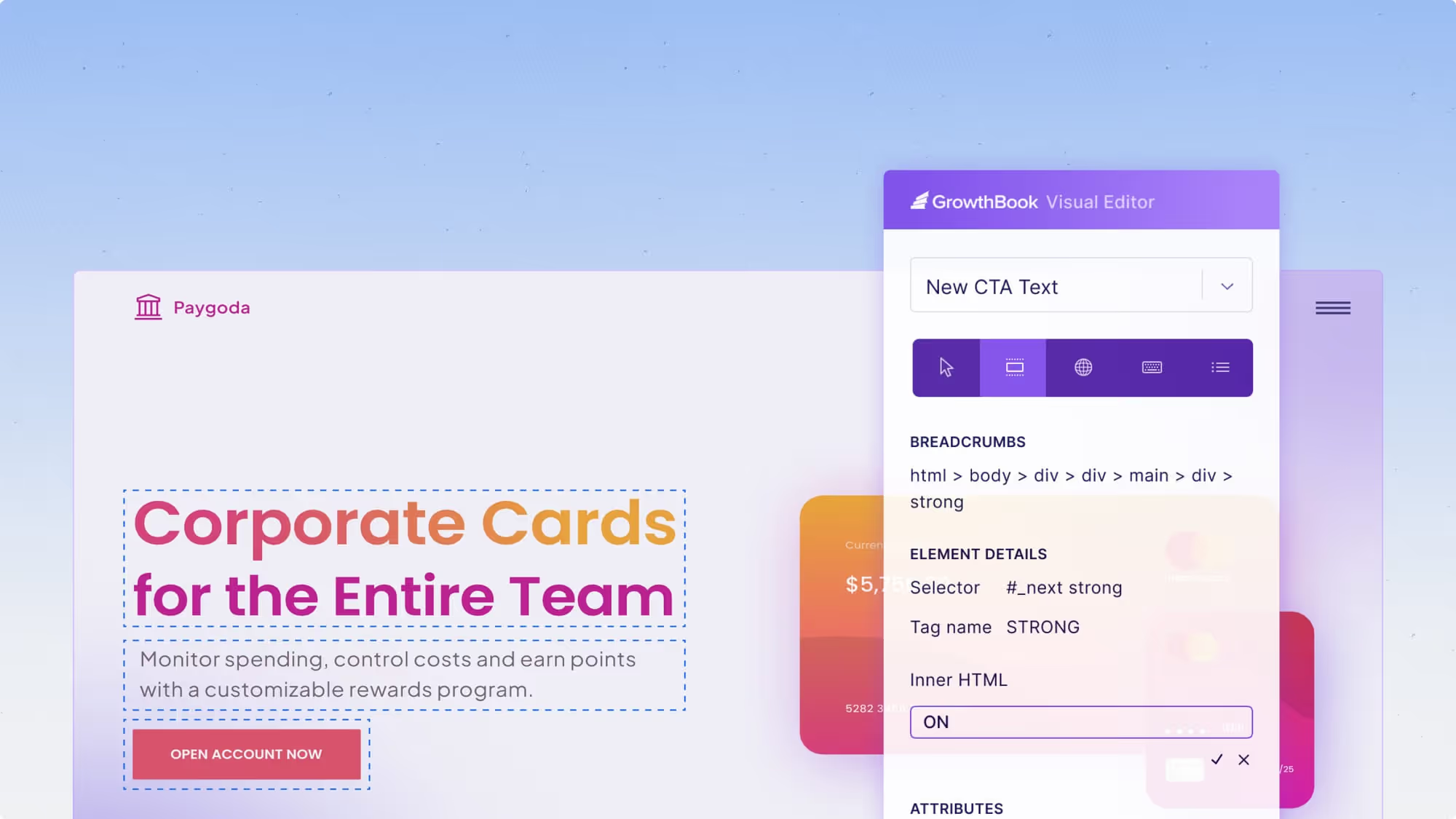
Enhance your written content using GPT-powered AI. Transform human-readable text into any desired emotion effortlessly. Our visual editor just got better with the inclusion of AI powered copy suggestions. Simply click on any text element, and then have the AI suggest alternative copy. Give it a try, you might be surprised with some of the improvements it suggests!
Simulations and User Archetypes

When setting up feature flag values, it is helpful to know that you’ve set up the rules correctly for the users you’re targeting. With Simulations, you can now easily see how rules will be applied to users by setting the attributes. We will also show debug information about why each rule is used or skipped. And, as many teams have specific sets of users they often target features to, you can now save sets of attributes as an ‘Archetype’ to quickly see what values they will get.

Feature flag rule testing is free for everyone, while Archetypes are available to our enterprise customers.
API Endpoints for Feature Flags
We’ve added REST endpoints that allow you to create, edit, and toggle feature flags via our API. We’re excited about all of the use cases this unlocks and can’t wait to see what the community builds! You can read more about these endpoints in our API docs: https://docs.growthbook.io/api#tag/features
Multi-organization Deployments

GrowthBook has Projects, which let you group together related feature flags and experiments. Companies often use this to give each team or product its own space. Some larger Enterprises need an additional layer to represent their complex business structure, which is why we now offer self-hosted Multi-Organization deployments. Organizations in GrowthBook share a common SSO identity provider, but are otherwise completely isolated from each other. Users in GrowthBook can belong to one or more organizations and can easily toggle between them in the top nav. Along with this change comes a dedicated Super Admin page and REST API endpoints to manage your deployment.
Other Changes
- Improved experiment velocity graphs, with the ability to segment by status, results, or projects.

- Experiment search improvements
- Snowflake query tagging for easier cost accounting
- Stats engine selection for experiments
Plus, there are many more changes and bug fixes which you can read about here: https://github.com/growthbook/growthbook/releases

GrowthBook Version 2.4
We’re excited to announce the latest release of GrowthBook! Version 2.4 includes significant UI improvements, more powerful feature flag experiments, built-in sample data, a Datadog integration guide, and much more. Here are the highlights:
Redesigned Experiment Page V2
We continued listening to your feedback and iterating on the experiment page. This release contains a ton of changes, including:
- A new tabbed layout to quickly switch between overview info and the results
- Vertical stacking of results when there are 3+ variations (no more horizontal scrolling!)
- Clear CTAs at the top of the page to start an experiment, ramp up traffic, and make a decision
Feature Flags + Experiments = Better Together

We’ve made massive changes behind the scenes to integrate Feature Flags and Experiments better. You can now have multiple Features controlled by a single Experiment, more control over the Experiment lifecycle, and combo experiments that use both Feature Flags and our Visual Editor. This background work will enable much more in the future, so stay tuned!
Datadog Integration Guide

By integrating GrowthBook and Datadog, you can set up custom workflows to automatically toggle Feature Flags based on changes in your Datadog metrics. For example, roll back a release if error rates increase. You can find the guide in our docs, here.
Improved Onboarding & Built-in Sample Data

It’s now much quicker and easier to set up a new GrowthBook account from scratch. If you aren’t ready to connect GrowthBook to your application and data yet, there’s a built-in sample dataset that includes metrics, experiments, and feature flags (with an easy cleanup button when you’re done). And once you’re ready to fully integrate GrowthBook, we've streamlined the database connection and SDK integration processes.
Additional Features and Improvements
- BigQuery performance and cost improvements
- Full Handlebars support for SQL template variables
- Self-hosted Docker image now supports multiple platforms (x86 + arm)
- New documentation organization
- New organization setting to specify a default data source
- Real-time streaming support in the Java SDK
Plus, there are many more changes and bug fixes which you can read about here: https://github.com/growthbook/growthbook/releases

GrowthBook Version 2.3
We are thrilled to announce the launch of our latest GrowthBook version, packed with a host of new features and enhancements! This version includes a redesigned experiment page, automatic metric creation, a new CDN, OpenTelemetry support, and more. Here are some of the highlights in this update:
Redesigned Experiment Page and Left Nav
We listened to your feedback and improved the design of the experiment results page and adjusted the structure of the left navigation. The top of the experiment page now gives all the context you need to understand exactly what was tested, including any linked feature flags. This section can also collapse to focus on the results. Check it out, and let us know what you think! We have some more big changes planned for the experiment results section in the next release, so stay tuned!
Automatic Metric Discovery with Segment, Rudderstack, or GA4

For users of these popular event-tracking tools, we can now automatically detect and create metrics for your tracked events, including all SQL. This feature can be accessed when adding a new data source or by viewing the details of an existing data source. Soon, we will be adding support for additional event trackers, such as Amplitude. Read more about this feature on our engineering blog here.
New Cloud CDN with Real-Time Purging and Streaming

We migrated our CDN from GrowthBook Cloud to Fastly, resulting in faster response times and greater reliability. This also allowed us to enable instant purges and real-time streaming for everyone. When a feature is published, it is available globally in under one second, and updates are automatically streamed to supported SDKs (JavaScript/React only for now; more will be coming soon).
For self-hosted users, we are working on documentation to help you configure your own CDN to get many of the same benefits.
Percentile Capping (Winsorization)

Since the beginning, GrowthBook has supported capping metric values to remove outliers and reduce variance in experiments (also known as Winsorization). Previously, it required custom analysis outside GrowthBook to determine the best capping value to use, but with GrowthBook’s new support of percentiles, this process is now much simpler and less error-prone.
Observability for Self-Hosted GrowthBook Instances (OpenTelemetry)

For our self-hosted users, we have integrated OpenTelemetry into GrowthBook. With this integration, you can easily monitor the health and performance of your GrowthBook instances in production. Learn how to configure this with our instructions in the docs.
Import from LaunchDarkly

Migration from LaunchDarkly to GrowthBook is now easier than ever! Easily transfer features, projects, and environments from LaunchDarkly directly from within GrowthBook from the new “Import Your Data” page in the Settings menu.
Additional Features and Improvements
- Optional confirmation step for feature kill switches
- New REST API endpoints for metrics and experiments
- SQL performance improvements (up to 40% in some cases!)
- Improved experiment presentations
Plus many more changes and bug fixes, which you can read about here.

New Feature: Save Time with Automatic Metric Generation!
In the fast-paced world of software development, staying ahead of the competition and continuously improving your product is crucial for success. One of the most powerful tools at a software company's disposal is feature flagging and experimentation. These practices allow teams to release new code with confidence, gather valuable data, and make data-driven decisions to optimize key performance indicators (KPIs). However, before an organization can make experimentation a core activity, they need to go through the time-consuming process of building a robust metrics library.
Automatic Metric Generation, a new feature in GrowthBook, jump-starts this process. Teams using Segment, Rudderstack, and Google Analytics 4 (GA4) can automatically have tracked events turned into metrics for use in GrowthBook.
How Automatic Metrics work
Before we hop into exactly how GrowthBook can automatically generate metrics for your organization, we need to outline how GrowthBook works. At its core, GrowthBook handles data a bit differently than other feature flagging and experimentation platforms: instead of organizations sending event data to GrowthBook, GrowthBook operates on a bring-your-own-warehouse model. Meaning, you continue to track your events as normal and connect GrowthBook directly to your data warehouse, and GrowthBook will query it directly via safe, read-only queries.
This not only simplifies your event tracking but also eliminates the need to store tracked events in multiple places, resulting in much lower storage costs.
GrowthBook's warehouse-native structure, paired with the well-documented schemas used by Segment, Rudderstack, and GA4, allows us to identify unique events tracked and use those to automatically create metrics.

Example: An organization tracks page_view and purchase events via Segment, which are sent to the events table. GrowthBook can then automatically create two metrics from each event tracked by Segment.
countmetrics: This metric sums the number of each type of event fired per user. For example, how manypage_viewevents did this user have in total?binomialmetrics: This metric counts whether a user fired at least one of these events. For example, was this user someone who fired anypurchaseevents or not?
Automatic Metric Generation is currently only available with GrowthBook Data Sources connected to Segment, Rudderstack, and GA4. Additionally, GrowthBook only identifies unique events that your application has tracked in the last 7 days.

When it comes to metrics, we know that you ultimately know your organization and your users best. So you can always preview the underlying SQL for an automatically generated metric, and once created, you can always edit the SQL just as you would a normal metric. You are also free to create new, more complex metrics yourself!
Give it a try

See what metrics GrowthBook can create for your organization in three easy steps.
- Confirm you have a Data Source in GrowthBook that receives events from Segment, Rudderstack, or GA4.
- On the Data Source page, click the
Discover Metricsbutton. - Follow the on-screen prompts to preview which metrics can be automatically generated for you.
We are working to expand automatic metrics to additional event trackers and data source types, so keep an eye out for updates.
Join our User Slack if you have any questions.
Not a GrowthBook member? Try it out, completely free today.
Have an idea to make this better, or another feature of GrowthBook - submit a GitHub issue.

GrowthBook Version 2.2
We are pleased to announce the release of version 2.2. This version includes improvements to the Visual Editor, secure feature values, JSON validation, semantic version targeting support, and more. Find out more below.
Visual Editor — JS injection and CSS property editing
This release expands the types of A/B tests you can create with our Visual Editor. You can now run custom JavaScript per variation to make complex changes to the page. Plus, you can now edit CSS properties (font size, color, etc.) for an element directly without needing to manipulate class names.
JSON Schema Validation

One of the really powerful ways to use GrowthBook is as a remote configuration tool. You can pass down entire JSON objects to your application and make changes without a new deploy. However, typing JSON into a text area can be very error-prone. With version 2.2, you can now attach a JSON Schema to a feature flag to validate every value before saving. This feature is available to Enterprise customers.
Secure Targeting Attributes

There are times when you want to target feature flags to specific users, but don’t want their IDs or emails exposed in the JSON payload when using our client-side SDKs. You can now mark any attribute as a “secure string,” which will apply SHA256 hashing to the values in targeting conditions before sending the JSON payload to our SDKs. For additional protection, we even allow you to specify a unique salt for your organization. You must enable this feature in your SDK Connections for it to take effect. This feature is available for Pro users.
REST API Permissions
As we add more REST endpoints to programmatically interact with your GrowthBook data, there’s been a growing need for more fine-grained permission controls for API tokens. This release adds two new token types to accomplish this.
First, any user can now create their own Personal Access Tokens, which will assume their current role when used. If the user’s role changes in the future (or if they are removed from your organization), their access tokens will be updated immediately to reflect the changes. Personal Access Tokens are accessible from the user drop-down menu.
Second, admins can now create Read-only Tokens on the API Key settings page. These are great for scripts that don’t need write access, such as one that syncs experiment results into your data warehouse. You can now confidently build on top of GrowthBook without the risk of accidentally deleting or modifying something in your account.
Custom Currencies
By popular request, we’ve added the ability to adjust the currency shown within GrowthBook for revenue metrics. You can select any global currency from the drop down on the General Settings page.
FullStory Integration

Users of FullStory who have set up a data destination to BigQuery or Snowflake can now use that data for metrics and experiment results from within GrowthBook. This event source is in beta and may require some small adjustments.
MongoDB 6.0 Support
We updated our internal drivers for MongoDB, so you can now use GrowthBook with the latest MongoDB 6.0.
-As part of this upgrade, we did have to drop support for super old MongoDB versions (version 3.4 and lower). In some rare cases, you may also have to adjust the query string options in your MongoDB Connection URL. See here for more details.
Other Features and Improvements
- Version string comparison operators in client-side SDKs (semantic versioning)
- Lots of UI and SDK bug fixes
- Tons of new commands in the GrowthBook CLI
Plus many more changes and bug fixes, which you can read about here: https://github.com/growthbook/growthbook/releases

GrowthBook Version 2.1
This May we released a new version of GrowthBook. In Version 2.1, we’ve added sequential testing support, multiple testing correction, element reordering in the visual editor, SDK improvements, and more. Read about all the new developments we’ve been up to.
Sequential Analysis and Multiple Testing Correction
With experimentation, the more ways you look at a test, the more likely you are to see a significant result when there really isn’t one (a false positive). This is especially an issue for Frequentist statistics and p-values. We added 2 optional settings to help combat this. For the Multiple Testing Problem (adding lots of metrics and dimensions to an experiment), we let you specify a p-value correction method — either Bonferroni or Benjamini-Hochberg. For the “peeking problem” (looking at results too early), we let you enable Sequential Analysis to ensure p-values are always valid.
Visual Editor Improvements: Multi-page experiments and element reordering

GrowthBook’s visual editor continues to improve in 2.1. It now supports running experiments across multiple pages (e.g., changing both a landing page and the next page in the funnel). We also added the ability to reorder elements on the page, expanding the types of experiments that non-technical users can run without engineers.
Major SDK updates for PHP, Python, Ruby, Kotlin, and Java
We’ve been hard at work updating our many SDKs to support the latest GrowthBook features, including encrypted feature flags and built-in fetching and caching. We’ve also greatly improved the code quality and developer experience. For example, adding typed Ruby support (with RBS), snake case APIs for Python, better debug logging in PHP, and more.
Saved Groups API
Saved Groups let you easily target feature flags to user groups. Until now, the only way to update this list of users was through the GrowthBook UI. Now, there are new REST API endpoints so you can update the lists programmatically (e.g. add a company id to your “paid users” group when they start a subscription).
Project-scoped Stats Engine
In some larger organizations, there may be some teams that prefer Bayesian statistics and others that are more comfortable with Frequentist. Now, you can configure the stats engine on a per-project basis. We plan to add many more project-scoped settings in the future, so stay tuned.
Exportable audit logs
For larger organizations, auditing events that happen on the GrowthBook system is important for accountability and compliance. With this new Enterprise feature, you can now easily download a complete list of all the changes that have been made on the GrowthBook platform.
Other Features and Improvements
- Stats engine adjustable per project
- Data source schema browser in SQL editor
- Redis support within the GrowthBook Proxy
And many more changes and bug fixes, which you can read about here: https://github.com/growthbook/growthbook/releases

Visual Editor 2.0
We're proud to announce the upcoming release of our brand-new Visual Editor! Soon, you'll be able to design A/B tests on your website directly in your browser, ship the tests to production, and analyze the results, all without writing a single line of code.
The History
We launched our original Visual Editor in Beta last year. This first version was more of a proof of concept to gauge community interest and determine whether we wanted to invest in it going forward. The answer was clear - people really want this feature.
We had been planning to work on Visual Editor 2.0 later this year, but with the sunset of Google Optimize, we decided to accelerate our plans and give the 250,000 Optimize users a compelling, affordable alternative that can work with their existing Google Analytics data.
What is Changing?
This new Visual Editor was completely rewritten from scratch. Below are the major improvements available at launch. More importantly, our new design and architecture will enable us to iterate rapidly and add more features in the coming months.
- Chrome Extension instead of IFrames. By switching to a browser extension, we were able to fix a whole host of bugs and security issues associated with IFBy switching to a browser extension, we were able to fix a whole host of bugs and security issues associated with iframes. Also, this lets you try out the visual editor on your live site without deploying any code first.
- Integrated with our JavaScript and React SDKs
Instead of a separate<script>tag, the visual editor is now fully integrated into our JavaScript and React SDKs. This means you can share a single implementation for both visual experiments and feature flags. It also means you can enjoy faster load times and fewer flickers! - Powerful Assignment and Targeting Rules
You can now use the same assignment and targeting system that powers our world-class feature flagging platform for your visual experiments. Plus, our URL targeting is now more intuitive and powerful with support for wildcards and multiple rules.
JavaSThis is just the start. We have a ton more planned for the Visual Editor in the future, including the ability to inject custom javascript, re-order elements on the page, and run multi-page experiments!
When can I use it?
We're putting the final touches on the Visual Editor now and expect it to be fully ready to use next week. At first, the Visual Editor will only be available to GrowthBook Pro and Enterprise customers, but we're working on a way to let everyone try it out for free. Stay tuned for more info!

CUPED for Faster Experimentation in GrowthBook

There are many ways to improve the speed of your experimentation program. One of the easiest is variance reduction via regression adjustment, often called CUPED (short for Controlled Experiment Using Pre-Experiment Data).
To get started using CUPED with GrowthBook, head over to our documentation.
How does it work?
There are many blog posts and papers on how CUPED works to increase experiment velocity. These are excellent resources that include motivation, intuition, code examples, and evidence of impact.
Rather than rehash the nitty-gritty, let's focus on a high-level example:
Imagine you're running an experiment that looks to increase sales in your online store. You release a new feature in the checkout experience and measure the total value of all purchases by each user. Some users will make large purchases, others small purchases, and others will make no purchases. In your experiment analysis, you'll average purchase across all users in variations A and B and compare the averages.
Because these users are so different, you will have considerable uncertainty about the average. However, imagine you knew how much each user spent on your site in the month before the experiment. CUPED lets you use that information to adjust purchasing behavior during the experiment, taking away the part that can be easily explained by past behavior!
You can read more about our exact implementation and how it works in our documentation. In a nutshell, we fit a very simple linear model to the pre-experiment (or pre-experiment exposure) data and use it to adjust the post-exposure data, reducing its variance.
How can you make the most of CUPED?
Measure experiment effects on leading metrics
To best take advantage of CUPED, make sure to estimate effects on predictable, repeated metrics that are leading indicators of key metrics. The more predictable metrics will likely benefit from greater variance reduction.
Why? The correlation between pre- and post-exposure data for metrics that users generate less frequently will tend to be lower. Using our example above, if we don't have reliable historical purchase data for users, then that data won't provide a big advantage in reducing variance. However, if we know how many items a user views on our site on each visit, that might be a leading indicator of purchasing and may be more strongly correlated over time.
The figure below illustrates the difference in variance reduction from CUPED across different levels of correlation between pre- and post-exposure data. Variance reduction is the difference between the orange and green distributions; the smaller spread of the green distribution indicates that we have reduced variance after using CUPED to adjust metric values. You can see that the variance reduction is greater in the right panel, where the correlation is 0.7.

Correlation will tend to be higher for more frequent metrics, like engagement metrics, than for less frequent ones, like purchase behavior, and thus CUPED will do more to improve analyses of those more frequently produced metrics.
This advice is not unique to CUPED; the idea of using leading metrics to get faster answers from experiments is widespread. It's worth noting that the value of leading metrics increases with the availability of CUPED.
Understand your metric behavior and set the right lookback window
GrowthBook uses a (customizable) 14-day lookback window; this is the period before a user is exposed to an experiment that we use to compute their pre-experiment metric totals. The following figure shows you how this works for users who are exposed to the experiment at two different time periods.

We will roll up the green days and use them as the pre-exposure measure to adjust the data from the blue days (post-exposure data).
GrowthBook is highly customizable; you can adjust this lookback window (the green area) using the CUPED settings, and you can adjust the post-exposure conversion window (the blue area) using Conversion Windows and Conversion Delays.
We recommend reviewing your metrics to determine whether there is sufficient user behavior at regular intervals to use this 14-day window, or if you need to set a longer lookback window. If the events are rare, you may find that setting a larger lookback window is more beneficial for variance reduction.
Collect data early
Set up and collect metric data before you start experimenting. CUPED only works if you have data on your users from the period before your experiment starts. If you start collecting data as early as possible, you're more likely to have data available for CUPED to work with.
How does this work for users exposed to the experiment across? Sadly, this means that CUPED will not work well for experiments involving new users or for metrics that are only collected after experiment exposures
In those instances, you are free to use the customizable settings in GrowthBook to turn CUPED off for an experiment or an individual metric. While leaving CUPED on will rarely make your variance worse, it does require scanning more days of your metric source data, and turning it off for metrics it cannot help could improve query performance.
What's next?
More sophisticated adjustment
Initially, GrowthBook uses only the pre-exposure data for the analysis metric in the regression adjustment, but future refinements to incorporate dimensional data, auxiliary metrics, and more complex models are possible.
With great power comes great responsibility
CUPED enables faster experimentation, but it does not resolve the "peeking" problem (for a discussion of this in both the Frequentist and Bayesian frameworks, see: http://varianceexplained.org/r/bayesian-ab-testing/). In Q2 of 2023, GrowthBook will add sequential testing to the Frequentist engine to help mitigate the problem, both with and without CUPED.
Ready to ship faster?
No credit card required. Start with feature flags, experimentation, and product analytics—free.