

How to safely ship AI features that can hallucinate

Every LLM you ship will hallucinate.
Not occasionally, not in edge cases — structurally, as a property of how probabilistic text generation works). The question isn't whether your AI feature will produce a confidently wrong output. It's whether your deployment architecture will catch it before it reaches users at scale.
This article is for engineers, PMs, and data teams who are actively building or shipping AI features and need a concrete safety architecture — not model theory. It walks through four layers of protection, in the order you should build them:
- Guardrail metrics: how to define the signals that detect hallucination damage before it shows up in business KPIs
- Staged rollouts: how to use feature flags and percentage ramps to limit how many users a bad output can reach
- Human review and deterministic fallbacks: how to build review gates that prevent high-stakes outputs from reaching users unverified
- Continuous monitoring: how to detect hallucination drift weeks after launch, when the model hasn't changed but the outputs have
Each section covers the specific implementation decisions — thresholds, ramp schedules, flag configurations, metric types — that separate teams who ship AI features safely from teams who find out something went wrong from a customer complaint.
The article is structured sequentially: pre-launch instrumentation first, rollout controls second, review architecture third, and post-launch monitoring last.
Why hallucinations are a deployment problem, not just a model problem
There's a comfortable assumption embedded in how most teams approach AI feature development: that hallucinations are a model quality issue, and that the next version of the model will be better. This assumption is wrong, and building a deployment strategy around it is how teams end up with fabricated information reaching users at scale.
The more accurate framing — and the one that should drive every architectural decision you make before shipping an AI feature — is that hallucinations are a systemic, expected failure mode of large language models. Not a defect. Not an edge case. An expected output of a system that generates probabilistic text rather than retrieving verified facts.
Hallucinations in production don't look broken — that's what makes them dangerous
The working definition matters here. A hallucination is not a generic AI error or a system failure — it's a response that contains false or misleading information presented as fact, delivered with the same confidence and fluency as accurate information.
IBM describes it as a phenomenon where an LLM "perceives patterns or objects that are nonexistent or imperceptible to human observers, creating outputs that are nonsensical or altogether inaccurate."
That last part is what makes hallucinations particularly dangerous in production: they don't look broken. A hallucinated shipping address, a fabricated policy citation, a confidently wrong medical recommendation — none of these trigger an error state. They pass through your system looking like valid output, and they reach users before any downstream signal tells you something went wrong.
IBM traces the structural causes to overfitting, training data bias, and model complexity. These are not defects in a specific model version that a patch can fix. They are properties of how LLMs are built. Symbolic AI systems generally do not produce hallucinations — but the moment you choose an LLM, you are choosing a system that structurally generates them.
Why this is an expected failure mode, not an edge case
Hallucinations have been a documented failure mode in probabilistic language systems since the 2000s, first appearing in statistical machine translation). The phenomenon predates the current generation of LLMs by decades, which should tell you something about how likely it is to be solved by the next model release.
There's an active debate in practitioner communities about whether "hallucination" is even a meaningful term — one framing holds that all LLM output is technically a hallucination, and we simply find some of it useful. That's a philosophical position worth understanding, but it's not operationally useful.
For the purposes of shipping AI features, hallucination means the specific case of confident fabrication: the model asserting something false as though it were true. That's the failure mode you need to engineer around.
Wikipedia's framing is instructive here: detecting and mitigating hallucinations poses significant challenges for) "practical deployment and reliability" of LLMs — not for model research. The research community has already located this problem in the deployment layer.
When deployment architecture is missing, the model takes all the blame
The evidence from organizations that have shipped AI features without adequate safeguards is consistent. When Google's Bard incorrectly claimed that the James Webb Space Telescope had captured the first images of an exoplanet, the model wasn't broken — it generated a plausible-sounding response to a query.
When Meta pulled its Galactica LLM demo after it produced inaccurate and sometimes prejudiced outputs, the model was doing what LLMs do. When Microsoft's Sydney chatbot produced deeply strange outputs about its own emotional states, the underlying system was functioning as designed.
In each case, the model was not the failure point. The missing layer was the deployment architecture that should have caught, contained, or flagged those outputs before they reached users.
IBM's healthcare example makes the stakes concrete: an AI model that misidentifies a benign skin lesion as malignant doesn't fail loudly — it produces a confident, well-formatted output that triggers unnecessary medical intervention.
The question isn't whether it will hallucinate — it's whether your architecture can contain it
If hallucinations are structural and expected, then the question changes. It's no longer "is this model accurate enough to ship?" It's "have we built the infrastructure to contain the damage when it hallucinates?" — and it will.
The causes IBM identifies (overfitting, training data bias, model complexity) are not things a product team controls. What you do control is the deployment architecture: the guardrail metrics that detect quality degradation, the staged rollout strategy that limits blast radius, the human review checkpoints that catch high-stakes outputs before delivery, and the monitoring systems that surface drift over time.
Those aren't optional safety theater. They're the engineering response to a known, structural property of the systems you're building on.
Every section that follows in this article is a specific implementation of that response.
Guardrail metrics must be defined before launch, not after the first incident
Most teams shipping AI features already have dashboards. They're tracking engagement, session length, conversion rates, support ticket volume. The problem is that none of those metrics are designed to catch a hallucination spike before it becomes a customer complaint.
By the time aggregate conversion drops, the damage is already distributed across thousands of sessions. You needed a signal three days ago.
Guardrail metrics are the instrumentation layer that closes that gap — but only if you define them before launch, not after something goes wrong.
Guardrail metrics hold a floor; standard KPIs raise a ceiling — they are not the same signal
The distinction matters. Standard goal metrics measure whether a feature is working as intended — whether it's moving the needle on the outcome you care about. Guardrail metrics measure whether the feature is not breaking something you can't afford to break. You're not trying to improve them. You're trying to ensure they don't regress.
GrowthBook's documentation frames it this way: guardrail metrics are ones "you want to keep an eye on, but aren't trying to specifically improve." Their job is to hold a floor, not raise a ceiling. If you're shipping an AI-powered product recommendation feature, your goal metric might be add-to-cart rate. Your guardrail metrics are the signals that would tell you the feature is actively causing harm — even if add-to-cart hasn't moved yet.
The gap between those two signal types is where hallucination damage accumulates. Standard KPIs measure aggregate outcomes. They don't surface output quality degradation until the degradation is widespread enough to move a business metric.
Research on AI safety monitoring suggests binary pass/fail checks miss the majority of safety-relevant failures — the kind of subtle, intermittent hallucinations that don't trigger hard errors but do erode user trust session by session.
The right guardrail metrics sit closest to output quality, not business outcomes
The right guardrail metrics for an AI feature are the ones that sit closest to output quality and user response. That means tracking signals like user correction rates (how often users edit or override AI-generated content), escalation rates (how often AI-handled interactions get kicked to a human), session abandonment immediately following an AI response, and downstream error rates in systems that consume AI outputs — like order management or fulfillment pipelines.
These are leading indicators. They surface hallucination-related degradation before it reaches conversion metrics or support queues. If users are abandoning sessions at an elevated rate right after your AI assistant responds, that's a quality signal, not a traffic anomaly.
At the model output level, faithfulness scores — like the 0–10 scale used in CrewAI's hallucination guardrail or the 0.0–1.0 accuracy scores in NVIDIA's NeMo framework — can feed into your rollout monitoring as upstream signals. They don't replace deployment-level guardrails, but they can serve as early warning inputs if you're logging them.
One practical caution: keep the guardrail metric set focused. Choosing too many guardrail metrics increases false positive rates and creates alert fatigue. Aim for a small number of metrics that are genuinely proximate to hallucination risk for your specific feature.
Breach thresholds should default to zero: any statistically certain harm is a failing rollout
This is where most teams overthink it. The right default threshold is zero: as soon as there is statistical certainty that a metric is being harmed at all — even by a small amount — the rollout should be marked as failing. There's no manual calibration of "how much harm is acceptable" for a regression direction.
The statistical method behind this matters. Safe Rollouts in GrowthBook use one-sided sequential testing. The practical benefit: you can check the data at any point during the rollout without the results becoming unreliable.
With a standard A/B test, checking results early and often inflates your false positive rate — you start seeing "significant" results that aren't real. Sequential testing is designed for continuous monitoring, so the guardrail analysis is valid whether you look at it on day one or day seven. You don't have to wait for the monitoring window to close before acting on a regression.
The Metric Boundary visualization shows the confidence interval bound over time. When that bound crosses zero, there is enough statistical certainty that the rollout is harming the metric. That's the trigger.
Wiring guardrails to automated rollback
Defining metrics and setting thresholds is only useful if a breach actually stops the rollout. The mechanism that closes that loop is automated rollback — and it needs to be configured before you start the rollout, not scrambled for after a guardrail fires.
GrowthBook's Safe Rollouts include an Auto Rollback toggle that automatically disables the rollout rule when a guardrail metric fails significantly. The rollout runs as a short-term comparison between the control value and the new AI feature value, with guardrail analysis running continuously throughout the monitoring period. The specific ramp mechanics — how the percentage exposure increases over time — are covered in the staged rollouts section below.
Guardrail metrics in this setup are pulled directly from your connected data warehouse. GrowthBook connects directly to your existing data warehouse — Snowflake, BigQuery, Redshift, Postgres, and more — running analysis without requiring a separate event pipeline. The guardrail metrics you're monitoring are the same data your business already uses — no instrumentation duplication, no reconciliation problem.
The status indicators to watch during a rollout are straightforward: "Guardrails Failing" means a regression has been detected and action is required; "Ready to Ship" means no regressions were found and the monitoring duration has completed; "No Data" after 24 hours means something is wrong with the setup and needs investigation before proceeding.
The point of all of this is that customer complaints are a terrible hallucination detection system. They're lagging, they're incomplete, and by the time they surface a pattern, the feature has already been live at scale for days. Pre-defined guardrail metrics with automated rollback are the mechanism that lets you ship AI features without treating your users as the monitoring layer.
Staged rollouts exist to contain hallucination blast radius before it reaches your full user base
When an AI customer service agent at an ecommerce brand directed a customer to ship three devices to a truck stop — because it had hallucinated a shipping address — the damage wasn't contained to a test environment. It happened in production, to a real customer, with real consequences.
In a separate incident at the same company, the agent told a customer it had already dispatched a replacement product. It hadn't. The customer service team only found out when the complaint escalated. The head of customer service's response was unambiguous: "I have zero confidence moving forward. I'm turning it off today."
Both incidents share a structural cause that has nothing to do with the underlying model. The AI feature was exposed to the full user population with no mechanism to limit who experienced a bad output, no automated signal that something had gone wrong, and no way to contain the damage before it scaled. That's the blast radius problem — and staged rollouts are the primary engineering response to it.
Why shipping to 100% of users is the highest-risk pattern for AI features
Traditional feature bugs tend to be deterministic. If a button is broken, it's broken for everyone, and it's reproducible. You can catch it in QA or in the first few minutes of a canary deploy. AI hallucinations don't work that way. They're probabilistic, input-dependent, and often only surface under specific conditions that don't appear in testing — but do appear at scale.
A hallucination that occurs in 0.5% of conversations is invisible in a 50-user beta. It becomes 500 incidents per day at 100,000 daily active users.
When you ship an AI feature to your entire user base simultaneously, you have no control group, no contained observation window, and no early signal before the damage is widespread. Hallucinations are "a runtime problem, a delivery problem, and a product trust problem" — meaning the harm happens in production, not in testing, and it compounds with every additional user exposed before you catch it.
A controlled exposure sequence turns a full launch into a contained observation window
The practical alternative is to treat every AI feature launch as a controlled exposure sequence. GrowthBook's Safe Rollouts implement a fixed ramp schedule: 10% → 25% → 50% → 75% → 100%, with the ramp completing within the first 25% of the configured monitoring window.
If you set a four-day monitoring duration, you reach full exposure by the end of day one, but you have three additional days of full-population monitoring with automated guardrail checks running against your defined metrics.
Before the percentage ramp even begins, targeting conditions let you restrict the rollout to a specific user segment — internal employees, beta users, or a lower-stakes account tier — evaluated against SDK attributes. This gives you a first gate that's entirely separate from the percentage progression: you're not just limiting volume, you're limiting which users are exposed at all.
The rollout runs as a short-term A/B test, with a control group receiving the existing experience and the rollout group receiving the AI feature, so you have a comparison baseline rather than just absolute numbers to reason about.
Feature flags as kill switches
The staged ramp is only half the mechanism. The other half is what happens when something goes wrong mid-rollout. GrowthBook's Auto Rollback toggle, configured per Safe Rollout rule, automatically disables the rollout rule when a guardrail metric crosses the significance threshold — no manual intervention required.
When it's disabled, teams retain manual control and can disable the flag themselves when they see a signal. Either way, the flag is the kill switch.
The contrast with the incidents described above is instructive. Those fabricated responses persisted until customer complaints escalated because there was no automated detection and no kill mechanism in place. The architecture assumed the AI would behave correctly, rather than assuming it might not and building accordingly.
Connecting rollout gates to guardrail metric thresholds
Safe Rollouts monitor guardrail metrics using one-sided sequential testing, which means rollback can trigger as soon as statistical significance is reached — not at the end of a fixed monitoring window. The failure threshold is always zero: any statistically certain harm to a monitored metric triggers a "Guardrails Failing" status.
The metrics themselves are pulled from your own data warehouse (Snowflake, BigQuery, Redshift, and others), so the same signals your analytics team already tracks — escalation rates, session abandonment, downstream error rates — become the automated gates controlling rollout progression.
This is where the guardrail metrics defined before launch do their actual work. They're not dashboards to check manually; they're the conditions under which the rollout either advances or stops. The staged rollout without connected guardrails is just a slower full launch. The guardrails without the staged rollout have no lever to pull. Together, they give teams the ability to catch a hallucination pattern in a 10% cohort and stop it before it reaches the other 90%.
Industry-wide, this pattern is becoming standard practice. LaunchDarkly's equivalent — Guarded Releases, which went GA in 2025 — and Statsig's Release Pipelines both implement similar ramp-with-guardrail logic. Teams not doing some version of this for AI feature launches are operating without a safety net that the rest of the industry is actively building in.
Human review checkpoints and deterministic fallbacks are what convert model errors into caught errors
The most common framing of production AI failures treats the model as the culprit. The model hallucinated, the model was wrong, the model needs to be improved. This framing is convenient but misleading.
When a hallucinated output reaches a user and causes harm, the model is rarely the only failure point — the architecture around the model is. Specifically, the absence of a review layer between AI output generation and user delivery is what converts a probabilistic error into a production incident.
Hallucinations are, by definition, convincingly plausible. Merriam-Webster defines an AI hallucination as "a plausible but false or misleading response generated by an artificial intelligence algorithm". IBM characterizes them as outputs that are "nonsensical or altogether inaccurate" yet presented as coherent. These outputs don't self-identify as errors. They don't trigger syntax failures or return HTTP 500 codes. They arrive looking correct, which is precisely why automated detection alone is insufficient and why architectural review checkpoints exist.
When human review is non-negotiable
Not every AI output carries the same risk profile. A hallucinated product tagline is embarrassing. The consequences escalate sharply from there: fulfillment failures follow from fabricated shipping addresses, and real financial harm follows from confidently wrong transactional instructions. The cost of a wrong output reaching a user determines how mandatory the review checkpoint is.
The Amazon Q case illustrates how quickly the stakes escalate. During a public preview, Amazon's generative AI assistant experienced severe hallucinations that exposed confidential internal data — including data center locations and internal discount programs.
The harm here wasn't a false fact about an external topic; it was the uncontrolled delivery of sensitive internal information to users who shouldn't have seen it. That's a security and compliance failure, not just an accuracy failure, and it happened because no review layer existed between the model's output and the user's screen.
The categories that warrant mandatory human review before delivery include: customer-facing financial or transactional instructions, shipping and fulfillment data, medical or health-related guidance, legal summaries, and any output that creates a binding or perceived commitment on behalf of the company. For these categories, the review checkpoint is not a quality enhancement — it's a liability control.
Confidence-score gating routes uncertain outputs away from users before delivery
The practical implementation of a review gate starts with a routing decision: does this output go directly to the user, or does it go to a review queue first? Confidence scoring provides the signal for that routing decision.
Most production LLM deployments can surface some proxy for output confidence — whether through model-returned log probabilities, a secondary classifier trained to flag uncertain outputs, or a consistency check that generates multiple responses and measures agreement. The specific mechanism matters less than the architectural principle: outputs below a defined confidence threshold should not be delivered directly. They should be routed to a human reviewer or to a deterministic fallback, depending on the output category and the latency constraints of the feature.
Threshold values shouldn't be universal. A high-stakes output category — shipping instructions, financial guidance — warrants a conservative threshold that routes more outputs to review. A lower-stakes category can tolerate a more permissive threshold. The threshold is a product decision with engineering consequences, and it should be set before launch, not tuned reactively after incidents.
When confidence gates fail and review isn't available, deterministic fallbacks are the last line
When an output fails the confidence gate and human review isn't available in real time, the system needs a fallback that is guaranteed to be correct — even if it's less personalized or less useful than the AI-generated version would have been.
The pattern by feature type: an AI chatbot that can't confidently answer a shipping question should route to a scripted response and a human handoff, not deliver a low-confidence guess. An AI-generated product description that fails a quality check should serve cached, approved copy rather than a potentially fabricated alternative. An AI system handling order instructions should fall back to a rule-based lookup from a structured database — a deterministic source where the answer is known.
The researchers spot-checked papers flagged by GPTZero for AI-assisted content, they found real errors: incorrect author attributions, wrong publication venues.
One commenter noted that a citation error "would be immediately caught by a DOI checker" — pointing directly at the value of deterministic, rule-based verification for facts that can be checked programmatically. Reserve human review for judgment-dependent outputs; use automated deterministic checks for verifiable ones.
Prerequisite flags make review gates a system-level constraint, not an application convention
The architectural challenge with human review is enforcement. Application logic that says "route this to review first" can be bypassed, misconfigured, or simply not implemented correctly under deadline pressure. Prerequisite feature flags solve this by making the review gate a system-level constraint rather than an application-level convention.
GrowthBook's prerequisite flags feature allows one flag to be conditioned on the active state of another, ensuring that a dependent feature can only activate when its parent flag is already enabled. The practical mapping: an "AI response delivery" flag can only be enabled if a "human review passed" flag is active. This means the AI output cannot reach the user through any code path unless the review condition has been explicitly satisfied. It prevents invalid flag state combinations — the exact failure mode that allows unreviewed outputs to slip through in complex systems.
When review identifies a quality problem after delivery has already begun, instant flag deactivation provides the kill switch: the AI feature can be turned off immediately without a redeployment cycle.
Combined with Safe Rollouts that auto-rollback on guardrail metric regression, this creates a layered defense — human review as the intentional gate, automated rollback as the safety net when review capacity is exceeded or a problem is detected in aggregate metrics rather than individual outputs.
The architecture here isn't about distrust of the model. It's about acknowledging that a system designed to generate plausible text will sometimes generate plausibly wrong text, and that the absence of a review layer is what makes that a production failure rather than a caught error.
AI quality doesn't break loudly — it drifts, and outcome-linked metrics are the only way to catch it
Shipping is not the finish line. For AI features that can hallucinate, launch day is when the real monitoring work begins — and most teams aren't ready for what comes next.
The failure mode here is subtle. Traditional software breaks loudly: error logs fill up, alerts fire, on-call engineers get paged. AI quality degradation doesn't work that way. As one practitioner framed it: "AI doesn't fail loudly. It drifts quietly."
A feature that passed every pre-launch check can silently become a hallucination risk weeks later, eroding user trust and downstream outcomes before any alert fires — unless monitoring is explicitly wired to user-facing results.
Why one-time post-launch review isn't enough
The conditions that made your AI feature safe at launch will not stay stable. There are at least five independent vectors through which post-launch quality can degrade: model drift, data drift, concept drift, bias drift, and hallucination drift (hallucination rates increase as prompts change or users start asking questions the model wasn't optimized for). Any one of these can independently degrade output quality without a single line of application code changing.
One of the most underappreciated examples is RAG configuration degradation. Vector databases go stale. Relevance rankings shift. One day your model is answering with precise, grounded context; weeks later it's confidently citing a two-year-old document because the vector index hasn't been refreshed.
The model hasn't changed. The application code hasn't changed. But the outputs have become hallucination-like — and without active monitoring, no one knows.
Outcome-linked metrics reveal when bad outputs are translating into real user impact
There's an important distinction between AI output metrics and outcome-linked metrics. Confidence scores, response latency, and token counts tell you something about model internals. They don't tell you whether hallucinations are actually harming users.
Outcome-linked metrics do: user correction rates, task completion rates, session abandonment after AI responses, escalation rates, and downstream conversion or error rates are the signals that reveal when bad outputs are translating into real user impact. The practical challenge is connecting AI output events to downstream user behavior without building a separate analytics pipeline.
GrowthBook connects directly to your existing data warehouse — Snowflake, BigQuery, Redshift, Postgres, and more — so AI output quality signals can be analyzed alongside all downstream behavioral data in one place. Critically, metrics can be added retroactively. When your team discovers a new quality signal two months after launch — say, a correlation between certain query types and elevated correction rates — you can instrument it without re-running experiments or rebuilding pipelines.
Detecting hallucination drift over time
Drift detection requires a documented baseline. Without capturing hallucination rates, correction rates, and outcome metrics at launch, teams have no reference point for distinguishing normal variance from genuine degradation.
The practical approach: define hallucination rules at launch, score responses against them, collect user feedback signals, and review error pattern spikes on a regular cadence — weekly for high-stakes features. When patterns shift, that's the signal to investigate prompts, update ground truth, and recalibrate thresholds.
GrowthBook's Insights product supports this longitudinal view — tracking cumulative metric performance over time, North Star metric trends, and experiment outcomes across the full history of a feature's deployment. Character.AI uses GrowthBook to compare modeling techniques from the perspective of user outcomes, using that signal to guide post-training research in directions that actually serve the product. That's outcome-linked AI monitoring at scale, not just point-in-time experiment analysis.
Automating responses to quality degradation
Manual review of AI quality metrics is too slow when hallucination rates spike. Automated responses — pausing rollouts, triggering alerts, routing to deterministic fallbacks — need to be wired to metric thresholds before you need them, not after.
Because the AI feature is gated behind a feature flag (as covered in earlier sections), an automated rollback can instantly revert to a safe fallback without a code deployment. This capability — instantly deactivating underperforming features without disrupting user experience — is only available if the flag infrastructure was in place before the degradation occurred.
The monitoring infrastructure described here isn't a separate system bolted on after launch. It's the same guardrail metric instrumentation and feature flag architecture from pre-launch — running continuously, connected to automated responses, and evolving as the feature does. That's the only way to keep a hallucination-prone AI feature safe over time.
The four layers only work as a system — here's what that looks like before and after launch
The through-line of this article is simple: hallucinations are not a model problem you're waiting on someone else to solve. They're a deployment problem you can engineer around right now.
The four layers covered here — guardrail metrics, staged rollouts, human review gates, and continuous monitoring — aren't independent best practices. They're a single system, and each layer depends on the others to work.
Before launch: three things that must be locked in before any AI feature ships
Before you ship anything, you need three things locked in: the guardrail metrics that will tell you something is wrong before your users do, the feature flag that gives you a kill switch, and the fallback behavior that activates when the AI output fails a confidence gate. If any of those three are missing at launch, you don't have a safety architecture — you have a slower full rollout.
For a customer service chatbot, that means: a guardrail metric on escalation rate (defined in SQL against your support data), a feature flag with Auto Rollback enabled, and a scripted fallback response that activates when confidence scoring routes an output to the review queue. Those three things take a day to set up. The ecommerce incidents described in the staged rollouts section happened because none of them were in place.
After launch: the monitoring infrastructure that catches what pre-launch testing missed
The honest tension here is that post-launch monitoring feels like overhead until the moment it isn't. RAG indexes go stale, user query patterns shift, and hallucination rates climb without a single line of code changing.
The teams that catch this early are the ones who documented a baseline at launch and wired outcome-linked metrics — correction rates, escalation rates, session abandonment — to automated responses, not manual dashboards.
The tooling question is secondary — what matters is whether your controls share the same data and kill switch
The tooling question is real but secondary. What matters more is the architectural principle: your rollout controls, your guardrail metrics, and your monitoring should all be connected to the same data and the same kill switch.
GrowthBook connects directly to your existing data warehouse — guardrail metrics run against your existing data warehouse, and feature flags provide instant rollback without redeployment, keeping your rollout controls and monitoring connected to the same data. That's the architecture that prevents your safety system from fragmenting across tools as the feature evolves.
This article was written to be genuinely useful to teams actively building AI features, not to describe an ideal state that no one has time to implement. The architecture here is the one practitioners are actually using.
The tradeoff worth sitting with: more review gates and tighter guardrails mean slower delivery and more operational overhead. That's real. The question is whether that cost is higher than the cost of a fabricated shipping address reaching a real customer, or a confidential data exposure during a public preview. For most teams, the math isn't close.
If you're early in this process and feeling uncertain about where to start, that's a reasonable place to be. This is genuinely hard to get right, and most teams are figuring it out in production.
What to do next: If you haven't shipped yet, start with guardrail metrics — pick two or three signals that sit closest to output quality for your specific feature, define them before launch, and wire them to an automated rollback. If you're already live without that infrastructure, the highest-leverage move is to put the feature behind a feature flag immediately, even if you don't change anything else yet. That single change gives you a kill switch, which is the minimum viable safety layer for any AI feature in production.
Related insights
Related Articles
CLI vs MCP: TLDR, it doesn’t matter as much as you think
Your agent should know how to do the job whichever interface it uses.
Your coding agent can already run terminal commands. Your product manager's assistant can connect to remote tools. Both need to inspect the same experiment, understand the same metric, and prepare changes to the same feature flag.
That creates a familiar question: should you give them a CLI or an MCP server?
The usual answers mix several concerns. A CLI is easy to compose with scripts. MCP gives compatible clients a standard way to discover and invoke tools. Skills can supply the instructions that make either route useful. None of those statements tells you whether the agent knows your release process or can distinguish a draft from a live change.
For GrowthBook, the choice has become smaller. We've built the agent layer around a REST API and reusable workflow skills, then made those available through different interfaces. Your choice of CLI or MCP no longer needs to determine which product workflow your agent can understand.
It still determines how the agent connects, executes requests, and handles credentials. This article explains that distinction, shows the same disabled-flag operation through both routes, and gives you a way to evaluate the integration you actually intend to use.
The debate combines three different questions
Start with a specific job: prepare a release control for a new checkout flow. The agent needs to know which project owns checkout, which environments exist, what the default behavior should be, and whether the proposed flag key already exists.
Choosing an interface answers only part of that job.
How can the agent reach the product?
A command-line interface lets an agent invoke a program in an environment where it has shell access. That program can make authenticated API requests and return data. You can also run the same commands yourself, put them in scripts, and preserve output for inspection.
The Model Context Protocol architecture connects a host application to servers through clients. An MCP server exposes capabilities that a compatible host can discover and call. The host might be a coding environment, a desktop assistant, or another agent application.
These categories overlap. A terminal-based agent can also be an MCP client. A local MCP server can be a process launched by that client. A remote MCP connection can work without the host giving the model a general-purpose shell.
So “terminal agent” doesn't automatically mean “use the CLI,” and “MCP” doesn't automatically mean “remote service.” Ask what access the runtime provides before choosing the adapter.
What procedure should the agent follow?
An API can expose a create operation without teaching an agent when to use it. A syntactically valid feature flag might still have the wrong project, an ambiguous key, or a default value that doesn't match the application.
That's the job of a skill: reusable instructions for a recognizable task. The Agent Skills format gives those instructions a portable structure, including a skill entry point and supporting references. A workflow can describe the context to inspect, the sequence to follow, and the evidence to return.
For the checkout example, useful guidance says to resolve environments, check the permanent key, choose a value type, and create the flag disabled. Merely exposing a create command leaves those decisions to the agent's general knowledge.
Skills are also useful when the right answer is to take no action yet. “Create a flag” and “design an experiment” are related requests, but they can require different objects and sequencing. An agent needs enough product guidance to make that distinction.
What context makes the procedure relevant?
Even a good playbook needs the current product state. The agent should inspect the objects in your GrowthBook organization and, when it is changing application code, the repository's SDK initialization and tests.
Those are different sources of context. GrowthBook supplies flags, experiments, metric definitions, and other authorized product resources. Your coding runtime supplies the application files it can access. An MCP connection doesn't by itself grant repository access, and a CLI doesn't by itself explain your metric definitions.
Evaluate the combination: access to the product, a maintained procedure, and enough context to apply that procedure. A comparison that changes all three at once cannot isolate the effect of CLI versus MCP.
GrowthBook puts the durable parts below the interface
We separated the agent layer into responsibilities that can be reused. The product API exposes operations. Skills explain workflows. The interface connects the agent to those two layers.
This is the architectural shift behind GrowthBook's agent experience. Instead of making every client integration carry its own interpretation of experimentation, we can share the interpretation and change how it is delivered.
The API provides the operations
GrowthBook's REST API makes product objects addressable. An agent can inspect a project, retrieve a flag, or perform an authorized operation against those objects.
The rebuilt API described in GrowthBook 4.4 uses shared schemas to support types, validation, and API documentation. The CLI is generated from the API definition. That reduces the amount of separately maintained command logic needed to expose product operations.
The OpenAPI specification explains the underlying principle: a machine-readable description can represent an HTTP API's paths, operations, inputs, and responses. Generation is useful because it derives another interface from that contract.
Generation doesn't mean any installed binary knows every future endpoint. The generated client still has a version, and your GrowthBook server still has a version. A self-hosted instance can lag behind the public documentation. Treat API compatibility as a deployment fact you verify.
Skills provide the workflow guidance
GrowthBook's feature-flags skill routes requests to more specific workflows. Creating a flag, inspecting dependencies, changing targeting, requesting review, and publishing a revision are separate procedures.
That structure lets the agent load the guidance relevant to the current job. The skill authoring guidance on progressive disclosure supports this approach: keep the entry point focused and place detail in references that are loaded as needed.
The benefit is maintainability as well as context management. A correction to a flag workflow can be made in the maintained skill rather than repeated across a series of tool descriptions and client-specific prompts.
There are two shell concepts to keep distinct. The generated growthbook CLI is a terminal interface to the product API. The skills repository also includes a small gb-call helper for making REST requests. Installing a skill doesn't make that helper a globally available command; its location depends on the installation. Both can reach the API, but their configuration and invocation are different.
MCP provides a thin bridge
The current GrowthBook MCP implementation exposes four tools: growthbook_list_skills, growthbook_read_skill, growthbook_api_read, and growthbook_api_write.
An agent discovers a domain, reads the relevant workflow, then makes API calls. It doesn't need a dedicated MCP tool for every product endpoint. Calls described as gb-call GET in a skill map to the read tool; mutating methods map to the write tool with the same path and body.
The bridge does not run the shell helper. It forwards authenticated requests. Product-side permissions and validation remain important because a small tool surface can still reach many operations.
Shared guidance also has a delivery boundary: the MCP server bundles skills when it is built, using a pinned source revision. A newly edited skill in the repository needs to be included in a subsequent server build before that server supplies it. “Shared source” is a maintainability claim, not a promise of instant synchronization.
Explore the shared flag workflows
Open the feature-flags skill to see the procedures that guide creation, targeting, reviews, and publishing. Bring the same workflow knowledge to the agent interface your team uses.
View the Flag Skill
The same disabled flag can use either route
The practical question is whether the interface changes the job. Let's create a Boolean flag called checkout-redesign, with a false default and every environment disabled.
This is an API example for a sandbox project, not an application integration tutorial. It creates a control object; your application still needs a correctly configured GrowthBook SDK to evaluate it. The feature flag documentation covers the product concepts behind that integration.
Connect and verify before preparing the write
For the terminal route, install the current GrowthBook CLI, configure a Personal Access Token through its interactive setup, and inspect the available command syntax:
Check that the active server and identity are the ones you intend to use. Prefer a tested, pinned CLI version in repeatable automation. Don't include a live token in a command you plan to share.
For an MCP route, the GrowthBook Cloud setup uses the hosted endpoint and browser OAuth. In a client using the documented mcpServers configuration shape, such as Cursor, add:
Complete the browser authorization and confirm tool discovery. Other clients can use a different configuration shape. Self-hosted GrowthBook users should follow the local stdio or self-hosted HTTP instructions rather than point a private instance at the Cloud service.
Next, let the connected agent discover the flag-creation workflow. These are tool-call parameters, shown separately in the order to invoke them:
The returned guidance should describe the prerequisites for creating the flag. If the workflow isn't present, resolve the server's bundled skill version before substituting instructions from an older integration.
Resolve real IDs and construct one payload
The flag-creation workflow checks existing keys, lists projects, and resolves environments. In the MCP client, invoke the read tool with each of these argument objects:
For the CLI route, perform that discovery with the corresponding command groups documented in the CLI command catalog:
Inspect each command's help if your installed version differs. The returned keys, project IDs, and environment IDs are the inputs to the payload below. In MCP, the equivalent read-tool arguments are:
Verify that checkout-redesign isn't taken, identify the sandbox project's ID, and enumerate every actual environment. These read responses determine the payload; don't treat example environment names as a complete inventory of your organization.
Save the following as flag.json, replacing <PROJECT_ID> and the environment keys with the discovered values. This example assumes the only environments are staging and production:
The API represents defaultValue as a string, even for a Boolean flag. Explicitly disabling each environment avoids relying on the organization's default state for newly created flags. Use a PAT for this example so the caller has a user identity for attribution.
Review the permanent key, project, value, and disabled states before submitting. If the intended job is an experiment, route to experiment design first instead of creating an unrelated flag and hoping to connect it later.
Submit once, then read the object back
With the CLI, the create command accepts a JSON body. In a Bash-compatible shell, inspect the request with dry run before submitting:
The first command previews a request; it doesn't prove the server will accept it. Run the second only after checking the preview and approving this creation. In PowerShell, use that shell's file-reading syntax rather than paste the Bash substitution unchanged.
The PowerShell equivalent, using the same reviewed file, is:
The same distinction applies: preview first, approve the specific creation, then submit. Neither command changes the application's deployed code.
Through MCP, call growthbook_api_write with the same payload serialized into its body string. Substitute the same resolved project and environment names:
Choose one creation route. Don't run both against the same key; they target the same product object, and the second creation should encounter an existing key.
Verify through the CLI get command:
Or invoke growthbook_api_read with:
Check the returned key, project, value type, default value, disabled state of every environment, and absence of unintended rules. Report those facts rather than “success.” No targeting or exposure change is included in this example.
Choose the route that fits the runtime
Once the procedure and API operation are shared, the remaining choice is operational. Where does the agent run? What can it execute? How does it authenticate? What does your team need to inspect afterward?
Shell access favors terminal composition
A shell-capable agent can run the CLI alongside repository tools, save structured output, and combine product inspection with local checks. That is useful when the job includes code changes, generated files, or a reproducible script.
For example, a flag audit can produce an inventory file while an engineer separately checks code references. The agent should preserve the association between the GrowthBook key and each repository reference. The final artifact can include both the product state and the proposed code diff.
The shell makes composition available; it doesn't make a workflow safe by default. A script can select the wrong profile or swallow an error. Decide which failures stop the workflow, where outputs are stored, and which steps need a reviewable artifact.
Remote tool access favors MCP clients
MCP is useful when the host already provides a tool connection but doesn't expose a terminal. A PM can inspect an experiment through a compatible assistant without installing a product CLI inside that assistant's runtime.
The MCP authorization specification defines an authorization framework for HTTP transports. GrowthBook Cloud uses browser OAuth, while local stdio configurations use credentials supplied to the process. Those are distinct deployment paths.
MCP also gives hosts a structured description of tools. The tool specification includes annotations such as read-only and destructive hints. Hosts can use those signals in their interaction design, but the signals are not an access-control boundary. The product must still enforce the caller's actual permissions.
Use a small decision table
| Your immediate requirement | Route to consider | What to verify |
|---|---|---|
| Combine product operations with local files and scripts | CLI plus maintained skills | Shell access, profile, installed version, structured output |
| Connect a compatible assistant without a shell | Hosted MCP | HTTP/OAuth support, identity, tools, bundled workflow |
| Keep requests inside a self-hosted deployment | CLI or self-hosted MCP | Network reachability, server version, credentials, trusted app origin |
| Reuse a procedure across different team clients | Shared skills through either route | Workflow revision, API compatibility, expected review artifact |
You can support more than one row. An engineer's CLI and a PM's MCP connection can operate on the same objects with different identities and permissions. Standardizing the workflow is often more useful than standardizing everyone's client.
Compare actual outcomes, not tool counts
Four MCP tools can address a large API. A large CLI command catalog can expose the same operations. Counting entries tells you little about whether an agent completed the intended job correctly.
Likewise, there is no universal token or speed result implied by the architecture. The client, model, instructions, response size, pagination, and number of requests all affect a real run. Measure the work you need instead of importing a result from an unrelated integration.
Keep the evaluation task constant
Use one sandbox project and one bounded task. For a read test, ask each route to find a named flag and identify its enabled environments, current revision, and relevant dependencies. For a write test, use separate temporary keys with the same reviewed disabled-flag requirements.
Give both runs the same expected output. Record whether each identified the correct objects, loaded the relevant workflow, handled missing data, and preserved the boundary between creation and exposure. Measure elapsed time and context consumption only alongside those correctness checks.
If one run gets rich workflow guidance and the other gets only a command name, you're testing the guidance as well as the interface. That can still be a useful product evaluation, but describe what changed.
Test failure behavior deliberately
Try a nonexistent object, an existing key, and a credential without the required permission. The agent should identify the failure and stop the dependent action. It should not invent an ID, silently pick another environment, or reinterpret a permission error as permission to retry with a broader credential.
The revision workflow adds another important test: multiple open drafts. When a chain of changes belongs in one revision, the agent must preserve its version rather than repeatedly ask for whichever draft is latest.
A creation receipt and a publication receipt are different artifacts. If your evaluation only checks that a request returned without error, it can miss the point where a proposed change became live or where a draft failed to include the intended edits.
Record the versions behind the result
Capture the CLI version, server version when available, client configuration, and the skill text or revision used. With MCP, inspect the guidance actually returned by the connected server. With installed skills, inspect the local instructions actually loaded.
That record makes a later regression diagnosable. A changed result may come from new guidance, a client update, a changed API, or different product state. “MCP became worse” is too broad to help you fix it.
Build workflows that survive the next client
The most useful consequence of GrowthBook's design is organizational. Engineers, PMs, and analysts can choose the agent surface that fits their work while referring to the same flags, experiments, and metrics.
An engineer can prepare a disabled flag from a terminal. A reviewer can inspect its draft in the app. An assistant connected through MCP can retrieve the same object and explain its state. The handoff should carry an ID, a revision where applicable, the proposed behavior, and the decision still required.
This is where the CLI-versus-MCP question loses much of its importance. Your release procedure doesn't need to be rewritten around each client. The product holds state; the API exposes operations; skills explain the work; the chosen interface delivers access.
Start with one inspection or sandbox creation. Require the agent to return a concrete object and its verified state. Then add the next workflow only when the current one is reliable enough for your team to review.
GrowthBook's feature flag platform gives that work a common place to live. The durable choice is how you connect release control and measurement to your team's process. CLI and MCP are ways to carry that process into the tools people already use.
Start with a common foundation
Set up GrowthBook for the flags, experiments, and metrics your agents will share. Then choose the CLI or MCP connection that fits each team member's work.
Get Started With GrowthBook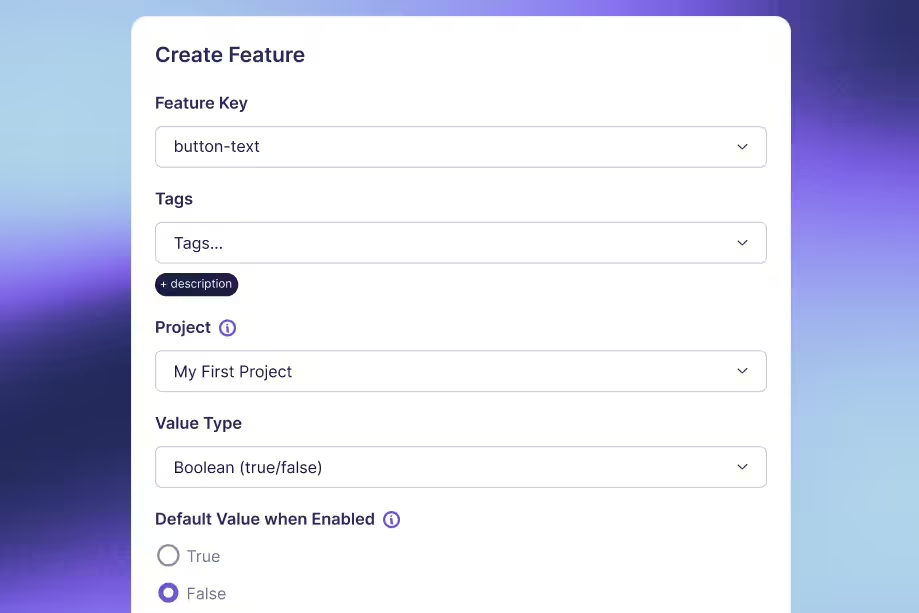
Standard deviation vs variance: Key differences for A/B testers
A metric can have wide user-to-user variation and still yield a precise experiment estimate.
That is why confusing standard deviation with standard error creates bad A/B testing decisions. A dashboard may show that users differ substantially while the average effect is estimated closely enough to guide a release. Those statements can both be true.
Variance and standard deviation describe spread. Variance works on a squared scale; standard deviation takes its square root to return to the metric's original units. Neither is automatically the uncertainty around an experiment result.
For A/B testers, the useful distinction is practical: use standard deviation to communicate outcome variability, use variance in the calculations that combine uncertainty, and inspect the standard error or interval for the treatment effect. Start by making sure all three describe the correct unit of analysis.
Understand the difference in units
Variance uses squared distances
Outcomes above and below a mean have deviations with opposite signs. Simply averaging those signed deviations gives zero. Variance avoids that cancellation by squaring each deviation before combining them.
The sample variance formula is s² = Σ(xᵢ − x̄)² / (n − 1), where x̄ is the sample mean and n is the number of observations. The symbol Σ means to add the terms across observations.
If the outcome is measured in seconds, variance is measured in seconds squared. That is mathematically useful but less intuitive for explaining a product experience. “Variance is 4 seconds squared” does not mean users differ by 4 seconds.
Standard deviation returns to the original scale
Standard deviation is s = √s². A variance of 4 seconds squared corresponds to a standard deviation of 2 seconds. Both describe the same dispersion, expressed on different scales.
Do not define standard deviation as the average absolute distance from the mean. That is a different measure. Squaring deviations gives large deviations more influence, and taking the square root afterward does not undo that weighting.
| Quantity | What it describes | Units for task time |
|---|---|---|
| Variance | Squared dispersion in outcomes | Seconds squared |
| Standard deviation | Outcome dispersion on the original scale | Seconds |
| Standard error of the mean | Sampling variability of an estimated mean | Seconds |
Neither variance nor standard deviation requires a normally distributed population merely to be calculated. Normality matters for particular interpretations and inferential procedures, not for the existence of these summaries when the required moments are finite.
Calculate both from the same observations
Work through a small dataset
Use four synthetic task times: 2, 4, 4, and 6 seconds. This tiny dataset is for arithmetic, not evidence about a real product or a basis for confident inference.
The mean is (2 + 4 + 4 + 6) / 4 = 4 seconds. Deviations from the mean are −2, 0, 0, and 2 seconds. Their squares are 4, 0, 0, and 4 seconds squared, totaling 8.
Treating these observations as a sample, the usual sample variance is 8 / (4 − 1) = 8/3, or about 2.667 seconds squared. The sample standard deviation is √(8/3), or about 1.633 seconds.
This is a useful check on a report. If someone describes the same sample's variance as 1.633, they have probably substituted the standard deviation. If the units are missing, the mistake is much harder to spot.
Choose sample or population formulas deliberately
If those four observations constitute the entire finite population you want to describe, population variance divides by 4: 8/4 = 2 seconds squared. Population standard deviation is √2, or about 1.414 seconds.
The population and sample distinction depends on what you are estimating. Having every recorded event from an experiment does not necessarily make those events the full population of future users or future conditions you care about.
The n − 1 denominator makes the usual sample variance an unbiased estimator of population variance under independent, identically distributed sampling with finite variance. It does not make the square root exactly unbiased for population standard deviation. Nor does it correct biased sampling or dependence between observations.
Verify the calculation with explicit function names
Python's statistics functions distinguish sample calculations from population calculations. With Python 3 installed, this standalone example requires no external packages or data:
The first line of output is 2.667 1.633; the second is 2 1.414. The different denominators explain the difference. Before comparing statistics from two tools, check their sample/population defaults and handling of missing values.
Find the noise you can reduce
Explore practical variance reduction methods, including metric design and CUPED, and the conditions that make each approach useful.
Read the Variance Reduction Guide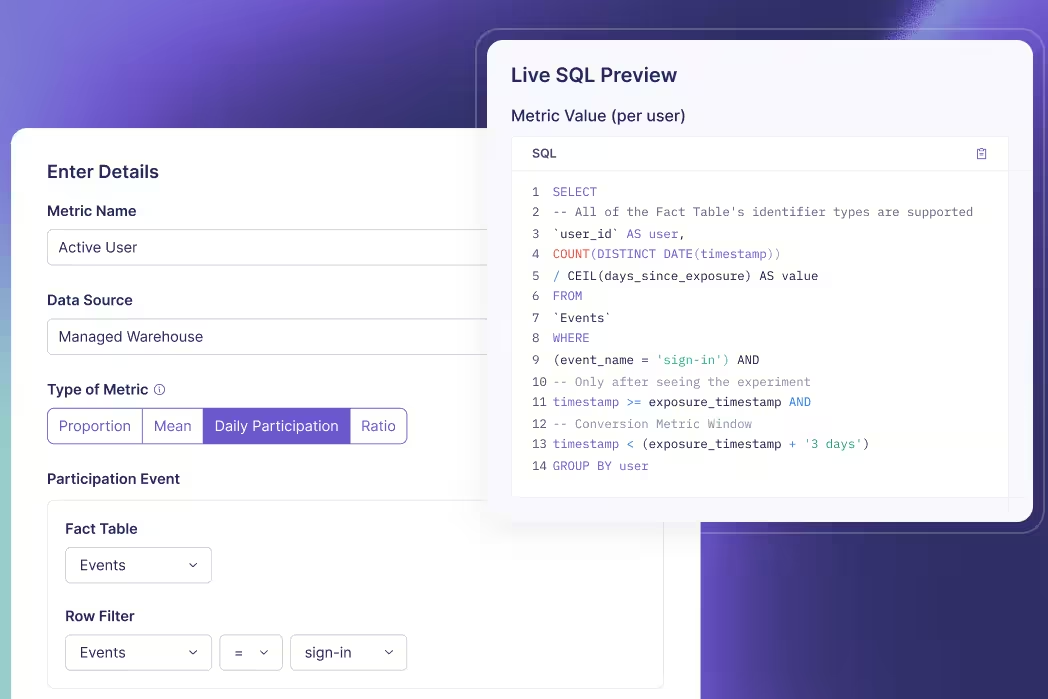
Use standard errors for experiment uncertainty
Distinguish users from estimated means
Standard deviation describes how users' outcomes vary. Standard error describes how an estimator would vary across repeated samples. For an independent sample, the estimated standard error of its mean is s / √n.
Suppose a user-level task-time metric has a sample standard deviation of 20 seconds among 10,000 independent users. The estimated standard error of the mean is 20/√10,000 = 0.2 seconds. Large differences between users coexist with a much smaller uncertainty around their average.
Collecting four times as many independent users would halve this standard error if the outcome variance stayed similar. It would not mechanically halve user-level standard deviation. The individual experience remains variable even as the estimated mean becomes more precise.
Combine arm variances before taking the square root
For independent treatment and control groups, a simple unadjusted difference in means has estimated variance s²ₜ/nₜ + s²꜀/n꜀. Its standard error is the square root of that sum. You do not add the two arm standard deviations and call the result the experiment's uncertainty.
Take a separate synthetic summary with 10,000 independent users in each arm and a 20-second standard deviation in both. The variance of the estimated difference is 400/10,000 + 400/10,000 = 0.08 seconds squared. Its standard error is √0.08, about 0.283 seconds.
If the observed treatment-minus-control difference is −1 second, an illustrative large-sample, unadjusted 95% normal interval is −1 ± 1.96 × 0.283, approximately −1.554 to −0.446 seconds. Negative values mean faster completion under this metric definition.
This example assumes independent groups and an appropriate large-sample approximation. It is not the exact output of GrowthBook's relative-lift, sequential, covariate-adjusted, or ratio-metric methods. GrowthBook's statistical details describe how the platform estimates effects and their uncertainty.
Avoid interpreting intervals as outcome ranges
That interval concerns the mean treatment effect. It does not say that 95% of individual users improved by between 0.446 and 1.554 seconds. An individual user's causal effect is a different quantity, and the experiment does not observe both potential outcomes for the same person.
Likewise, mean ± one standard deviation is not a universal statement about where 68% of users fall. That familiar interpretation depends on an approximately normal distribution. Skewed task times or revenue can look very different.
The frequentist confidence level describes the repeated-sampling coverage of the interval procedure under its assumptions. It is not a posterior probability assigned to a fixed realized interval.
Check what your metric actually measures
Match the variance to the randomization unit
If users are randomized and each contributes many requests, request rows are not automatically independent experimental units. Treating 100 requests from one person as 100 unrelated users can make uncertainty look smaller than it should.
Define the outcome at the intended unit or use a method that accounts for clustering. GrowthBook's aggregate data requirements are relevant when supplying precomputed summaries: the sample size, sum, and dispersion must correspond to the statistic and analysis method.
Two teams can report different standard deviations without either making an arithmetic mistake. One may summarize per-request latency while the other summarizes each user's average latency. They are describing different outcome distributions. Clarify the grain before comparing their numbers.
Paired measurements need another distinction. If the same users provide before-and-after outcomes, the measurements within each pair can be correlated. Analyze each user's difference or use an appropriate paired method; do not apply the independent-arm formula automatically. The paired-means framework treats those differences as the observations of interest. Pairing also does not remove time trends or establish causality by itself; the design still determines which comparison is defensible.
Inspect tails instead of deleting them casually
Large observations influence both variance and standard deviation. A few unusually long tasks can dominate a time metric; a few large purchasers can dominate revenue. Determine whether those values reflect valid behavior, instrumentation defects, retries, or unit errors.
A valid expensive user is not automatically an outlier to discard. Removing high values after seeing an experiment result can change the estimand and introduce selective analysis. Decide justified exclusions or transformations before interpreting the test.
Report complementary summaries when they answer useful questions: a histogram, median, or a relevant tail percentile can show what a single spread measure hides. Those summaries do not replace the mean effect if the mean remains the decision metric.
Keep units consistent across pipelines
Converting seconds to milliseconds multiplies every value by 1,000. Standard deviation also multiplies by 1,000, but variance multiplies by 1,000,000. A dramatic numerical variance increase can therefore be a unit conversion rather than a product regression.
For the four-value example, sample standard deviation becomes approximately 1,633 milliseconds and variance becomes approximately 2,666,667 milliseconds squared. The underlying task times have not changed. Store units with metric definitions and inspect them when comparing dashboards.
A lower variance caused solely by rescaling a metric does not create more statistical information. The effect size rescales too. Separate a numerical change in units from an actual improvement in the precision of your estimate.
Also avoid averaging standard deviations from daily reports and labeling the result a weekly standard deviation. The complete-period spread depends on both variation within days and differences between daily means. Keep the underlying observations or sufficient summaries that support the intended calculation. A simple average of displayed daily values generally loses information needed to reconstruct the full distribution.
Turn spread into a better testing plan
Define the outcome before planning the sample
Start with the metric definition: population, identity, aggregation, window, units, exclusions, and desired effect. Estimate variability from representative historical data at that same grain.
Historical variance is an input, not a guarantee. New traffic, a different user mix, or a changed measurement window can alter it. Explore plausible variance and effect-size assumptions rather than treating one historical number as exact.
Keep the two arm variances separate when appropriate. A treatment can change variability as well as its mean. The simple equal-standard-deviation illustration above is a teaching assumption, not a requirement that production groups have identical spread.
Reduce estimation noise without hiding behavior
CUPED and post-stratification use suitable pre-experiment information and covariates to improve effect estimation. CUPED stands for Controlled-experiment Using Pre-Experiment Data. Its value depends on useful predictive information and a valid implementation.
Adjustment can reduce uncertainty in the treatment effect without making real users' outcomes less variable. That distinction prevents a reporting error: a narrower adjusted interval is not evidence that customers now experience a more consistent product.
Also separate missing data from genuine zeros. A user with no purchase may correctly contribute zero revenue; a missing instrumentation event might represent an unknown outcome. Treating both identically can distort the mean and its variance before any statistical engine sees the data.
Report the right quantity for the decision
| Reader's question | Useful quantity |
|---|---|
| How much do individual outcomes differ? | Standard deviation, with distribution context |
| What enters this uncertainty calculation? | Variance at the correct analysis unit |
| How precisely is the effect estimated? | Standard error and an appropriate interval |
| Is the measured difference worth acting on? | Effect size, uncertainty, guardrails, and decision context |
For a clear experiment readout, show the metric's unit and analysis grain, the estimated effect, and its appropriate uncertainty interval. Add outcome spread when it helps readers understand the population or diagnose a noisy metric.
GrowthBook's experimentation platform brings defined metrics and statistical analysis together. A trustworthy interpretation still starts with your measurement choices: describe spread with standard deviation, calculate with variance where required, and judge precision using the estimator's uncertainty.
Build a clearer experiment readout
Connect your metrics to GrowthBook and evaluate effects with the analysis method and measurement definitions your team has chosen.
Get Started With Experimentation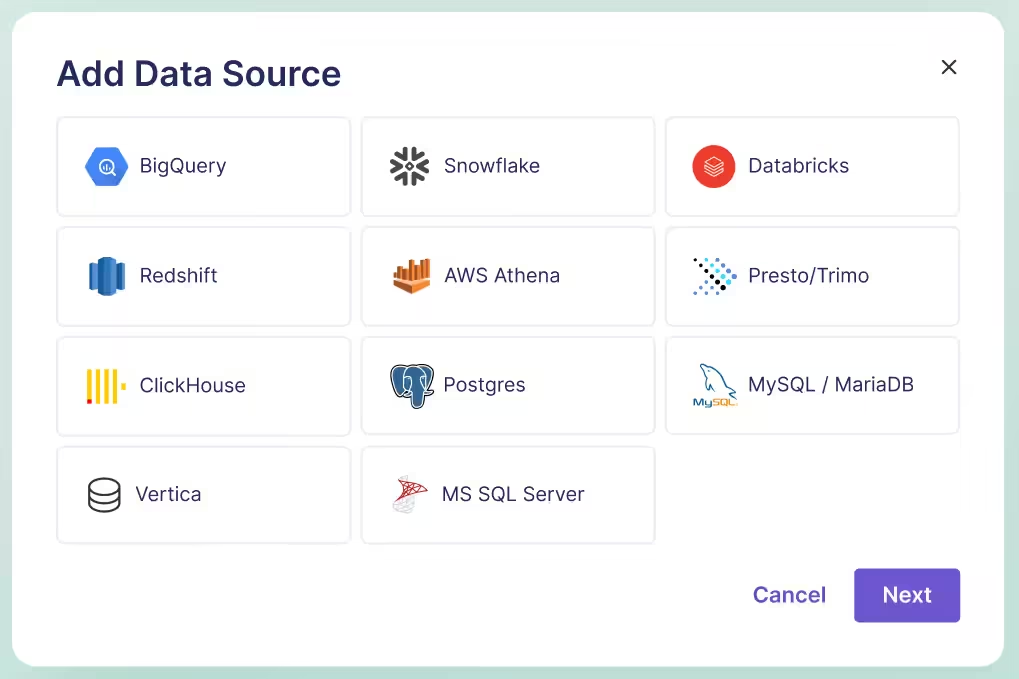
Catching 80 defects means little until you know how many defects existed.
Suppose a detector flags 125 suspicious software changes. Engineers inspect them and confirm 80 real defects. That tells you something about alert quality, but it does not tell you how many defects the detector missed. To calculate true positive rate, you need the actual positives outside the alert queue too.
True positive rate, or TPR, measures the share of actual positive cases that a system correctly identifies. It is also called recall or sensitivity. The formula is TP / (TP + FN), where TP means true positives and FN means false negatives.
The arithmetic is simple. Choosing the right population, labels, threshold, and denominator is the difficult part. This guide works through an engineering example, distinguishes neighboring metrics, and explains what changes when the “test” is an A/B experiment rather than an item classifier.
Start with actual positives, not alerts
Define the positive class
“Positive” means the condition you want to detect. It does not necessarily mean a good outcome. In a defect detector, positive means a real defect. In a spam filter, it means spam. Write that definition before calculating anything.
A true positive is an item that is actually positive and predicted positive. A false negative is actually positive but predicted negative. Those two groups together form the denominator: all actual positives in the evaluation sample.
The recall definition is therefore conditional on actual class membership. TPR asks, “Among the real defects, what proportion did we catch?” It does not ask, “Among the alerts, what proportion were real?”
Fix the unit and observation window
Choose a consistent evaluation unit. A code change, an individual finding, and a repository are different units. If one change generates 12 duplicate alerts, counting alerts in the numerator and changes in the denominator produces a meaningless rate.
For the example, each unit is one code change, evaluated once by one fixed detector version at one fixed threshold. An independent review process eventually labels each change as defective or not defective. The observation window is long enough for those labels to mature.
This resembles the discipline needed when defining experiment metrics: the event, identity, time window, and denominator must describe the same question. A correct formula applied to incompatible counts still gives the wrong answer.
Calculate TPR from the confusion matrix
Put every evaluated item in one cell
Consider an original synthetic evaluation of 1,000 code changes. Reviewers establish that 100 contain a defect and 900 do not. The detector catches 80 defects, misses 20, and incorrectly flags 45 nondefective changes.
| Actual label | Predicted positive | Predicted negative | Total |
|---|---|---|---|
| Defective | 80 true positives | 20 false negatives | 100 |
| Not defective | 45 false positives | 855 true negatives | 900 |
| Total | 125 | 875 | 1,000 |
Read the labels rather than relying on cell position. Libraries and reports can arrange axes differently. The scikit-learn confusion matrix convention uses actual classes on rows and predicted classes on columns, with class order also affecting where each value appears.
Check the totals before calculating rates. The four cells sum to 1,000. True positives plus false negatives sum to 100 actual defects. Predicted positives total 125, which is a different denominator.
Divide detected positives by all actual positives
The calculation is:
TPR = TP / (TP + FN) = 80 / (80 + 20) = 80 / 100 = 0.80 = 80%.
Interpret it in words: the detector caught 80% of the actual defects in this evaluation sample. It missed 20%, so the false negative rate is 20%. For a binary task with complete labels, TPR and false negative rate sum to 100%.
Do not divide 80 by 1,000. That would measure true positives as a share of all evaluated changes, not recall. Do not divide 80 by 125 either. That is precision, which answers the alert-quality question.
The result describes this sample and threshold. It does not establish that every future workload will have the same recall, or that all defect categories are equally detectable. Keep the counts beside the percentage so readers can see the support behind it.
Handle zero positive support explicitly
If the sample contains no actual defects, TP + FN equals zero. Sample TPR is undefined. Returning 0% would imply the detector missed known defects; returning 100% would imply it successfully found them. Neither interpretation is supported.
Software libraries need a practical zero-division convention. That convention can return a placeholder or warning, but it does not create evidence. Report “TPR unavailable: zero actual positives” and preserve the support count. A pipeline can then distinguish an unevaluable slice from measured poor performance.
Check the experiment error risks
See how power, repeated checks, and multiple comparisons affect the reliability of experimental decisions beyond a single classifier score.
Read the False Positives GuideCompare TPR with precision and false positives
Keep the denominators visible
For the same 1,000 changes, the other common metrics tell different stories:
| Metric | Calculation | Result |
|---|---|---|
| True positive rate / recall | 80 / 100 actual positives | 80% |
| Precision | 80 / 125 predicted positives | 64% |
| False positive rate | 45 / 900 actual negatives | 5% |
| Specificity | 855 / 900 actual negatives | 95% |
| Accuracy | (80 + 855) / 1,000 changes | 93.5% |
The classification metric definitions differ because they condition on different populations. Here, 36% of alerts are false, but the false positive rate is 5%. Calling both numbers “the false positive rate” hides the operational distinction.
Accuracy can also look reassuring in an imbalanced population. A detector that labels all 1,000 changes nondefective would be 90% accurate while detecting none of the 100 defects. TPR exposes that failure, though it still needs the false-positive side of the picture.
Choose a threshold for the decision
Suppose a stricter threshold, evaluated on the same labeled changes, catches 60 defects and incorrectly flags 10 nondefective changes. Its TPR is 60%, its precision is about 85.7%, and its false positive rate is about 1.11%.
This threshold reduces the review queue from 125 changes to 70. It also misses 40 defects instead of 20. Whether that tradeoff is acceptable depends on the consequences of a missed defect, the review team's capacity, and what action follows an alert.
A ROC curve plots TPR against false positive rate across thresholds. It helps compare operating points. It does not pick the operational threshold for you, and an area-under-curve summary does not specify the queue size at the threshold you intend to deploy.
If you tune thresholds using the same labels you later report as a final evaluation, the score can be optimistic. Use separate validation and held-out evaluation data, or another defensible evaluation design, and freeze the decision rule before the final assessment.
Specify the action at each threshold too. A low-confidence finding might create a suggestion, while a high-confidence finding might block a merge. Those are different interventions with different error costs. One aggregate recall figure should not imply that every detected item received the same treatment.
Make sure the labels can support the claim
Audit predicted negatives too
If engineers review only alerts, you can estimate precision within the reviewed alert population. You cannot directly count missed defects among unreviewed negatives. Assuming those changes are clean makes FN artificially small and TPR artificially high.
An evaluation may need independent review of a representative sample of predicted negatives, delayed incident labels, or a curated benchmark with known defects. Each approach has limits. Incident labels miss undetected failures; curated examples can differ from ordinary production work.
If the evaluation oversamples suspicious changes or certain repositories, report that design. Use appropriate weighting when estimating performance for the real workload. A simple unweighted confusion matrix describes the sampled dataset, which may not represent the deployed population.
Preserve uncertainty and segment support
An 80% estimate based on 4 detected defects out of 5 is much less precise than one based on 800 out of 1,000. The important sample size for recall is the count of actual positives, not just the total number of changes evaluated.
Report positive support by important slices, such as language, defect category, or repository type. A high pooled TPR can hide weak performance on a rare but expensive failure mode. At the same time, avoid declaring tiny slices definitively better or worse from a few examples.
Counts alone do not make observations independent. Many similar changes from one repository can share a common pattern. Use uncertainty methods that fit the evaluation design rather than assuming every row is an unrelated trial.
Separate label delay from label absence
A recently deployed change might appear nondefective because nobody has had time to find the bug. Treating it as a confirmed negative gives the newest cohort a different labeling standard from older cohorts.
Define when an item becomes eligible for evaluation and track unresolved labels separately. Keep model version, threshold, label version, and observation dates with the result. That makes a later score change interpretable: you can tell whether the detector changed, the workload changed, or the labels matured.
For a warehouse-native measurement workflow, these definitions belong in the underlying data model. Joining model decisions to review outcomes still requires identity and time alignment; a queryable warehouse does not automatically resolve ambiguous ground truth.
Keep comparable populations together
When comparing detector versions, evaluate them on the same held-out cases where possible. Otherwise, an apparent recall improvement could come from an easier mix of defects. Preserve a breakdown of new, removed, and unchanged cases so reviewers can see what changed between evaluations.
When combining reports, add the underlying TP and FN counts for nonoverlapping, consistently defined populations, then calculate the pooled rate. An unweighted average of repository percentages answers a different question because it gives a tiny repository the same influence as a large one. Either summary can be useful, but label the weighting explicitly.
If the same change appears in several reports, deduplicate or model that repeated observation before pooling. Repeated scans do not create additional independent defects. Keep an audit trail from the final counts back to the evaluated item identifiers so a suspicious rate can be investigated.
Connect detection quality to product decisions
Distinguish classifier recall from statistical power
In hypothesis testing, statistical power is the probability that a testing procedure rejects the null when a specified alternative is true. It is a repeated-test detection probability, depending on assumptions such as effect size, variance, sample size, and decision rule.
That is related to the idea of detecting a real signal, but it is not the same dataset as a labeled-item confusion matrix. In an ordinary A/B program, you do not observe the true causal effect of every experiment with certainty. Dividing declared winners by all experiments does not reveal a ground-truth TPR.
Power planning asks how often your procedure would detect a particular real effect under its assumptions. A classifier evaluation asks how many labeled positives were detected in the evaluated sample. Keep those questions separate when discussing GrowthBook's statistical methods.
Evaluate the intervention as well as the detector
An improved offline detector can still create a worse product workflow. More alerts might overwhelm engineers, delay releases, or catch defects too late to matter. Conversely, a modest recall change might be valuable if it catches the failures with the highest operational cost.
When appropriate, use randomized experiments to evaluate the downstream intervention: which review experience helps teams resolve defects, with what delay and cost? Keep detector recall, review workload, and product outcomes as separate measures.
GrowthBook's experimentation platform can analyze defined outcomes from such tests. Your team supplies reliable assignment, exposure, labels, and metric definitions. Neither a high TPR nor a significant product result eliminates the need to inspect the other evidence.
Use a repeatable reporting checklist
Before sharing a TPR number, state the positive class, evaluation unit, detector version, threshold, and label process. Show TP and FN beside the rate. Include precision or false positive rate so readers can assess the workload created by detection.
Then ask whether predicted negatives were evaluated, whether labels had time to mature, and whether the sample reflects the population where you will act. Mark zero-support slices unavailable and explain material gaps in coverage.
The useful result is a statement someone can audit: “At this threshold, the detector found 80 of 100 labeled defects in these 1,000 evaluated changes, while producing 45 false alerts.” That is a clearer basis for a decision than “our model is 80% accurate.”
Measure what the change delivers
Connect your data and defined metrics to GrowthBook to evaluate how a product or workflow change affects the outcomes your team cares about.
Start Measuring With GrowthBookReady to ship faster?
No credit card required. Start with feature flags, experimentation, and product analytics—free.

