

Best 7 A/B Testing Tools for Developers

Best A/B Testing Tools for Developers
Picking the wrong A/B testing tool doesn't just waste money — it creates real engineering problems: duplicate data pipelines, third-party scripts slowing down your pages, and statistical engines you can't inspect or trust.
The market is full of platforms built for marketers that get sold to developers, and the tradeoffs only become obvious after you've already integrated one.
This guide is for engineers, engineering-led product teams, and developers who want to run rigorous experiments without handing control of their data to a vendor or bolting on a tool that fights their existing stack. Here's what you'll find inside:
- GrowthBook — open-source, warehouse-native, self-hostable
- Optimizely — enterprise-grade, two separate products for client-side and server-side testing
- LaunchDarkly — feature flag-first platform with experimentation as a paid add-on
- VWO — CRO suite with bundled heatmaps and session recordings, built for marketers
- Statsig — integrated product analytics and experimentation with advanced statistical primitives
- AB Tasty — client-side optimization platform for marketing-led teams
- Unleash — open-source feature flag management with basic variant support
Each tool is evaluated on architecture, SDK coverage, statistical methods, pricing model, and how well it actually fits a developer workflow. The goal isn't to declare a winner — it's to give you enough specifics to rule out the tools that don't fit your constraints and focus on the ones that do.
GrowthBook
Primarily geared towards: Engineering-led product teams who want full data ownership, open-source flexibility, and warehouse-native experimentation without enterprise SaaS pricing.
GrowthBook is an open-source feature flagging and A/B testing platform that connects directly to your existing data warehouse — Snowflake, BigQuery, Redshift, Databricks, and others — rather than copying your data into a proprietary system.
The result is a full-stack experimentation platform where your data never leaves your infrastructure, your pipelines stay lean, and you're not paying twice for the same information.
With 7,700+ GitHub stars and adoption across 3,000+ companies, it's a platform with genuine developer traction behind it.
Notable features:
- Warehouse-native architecture: GrowthBook queries experiment data directly from your existing data warehouse rather than ingesting it into a separate system. There's no duplicate pipeline to maintain, no PII leaving your servers, and no vendor lock-in on your most sensitive analytics data.
- Zero-network-call SDKs: Feature flags are evaluated locally from a cached JSON file, meaning no blocking third-party calls in your critical rendering path. GrowthBook offers 24+ SDKs covering JavaScript, TypeScript, React, Python, Go, Swift, Kotlin, Flutter, PHP, and more — designed for near-zero latency impact.
- Flexible statistical engines: GrowthBook supports Bayesian, frequentist, and sequential testing frameworks — three different statistical approaches that suit different experiment designs and risk tolerances. It also implements CUPED (Controlled-experiment Using Pre-Experiment Data), a technique that uses pre-experiment data to reduce noise in your results. In practice, this means you can often reach a reliable conclusion with fewer users and less time — sometimes up to 2x faster than a standard test. Every calculation is backed by transparent SQL you can inspect and reproduce independently.
- Multiple experiment implementation methods: Run experiments via feature flags, inline code experiments (no third-party requests required), a WYSIWYG visual editor, or API-driven approaches. Deterministic hashing ensures consistent user assignment across sessions without storing state server-side.
- The platform's modular architecture means teams can start with feature flags and layer in experiment reporting as their program matures — without switching tools or re-instrumenting their codebase. The entire platform is MIT-licensed and deployable via
git clone+docker compose up -d. - Developer debugging tooling: A Chrome extension lets developers inspect active feature flags, see how evaluation rules fired, and manually switch between A/B test variations during local development. An MCP Server integration also enables natural language access to GrowthBook from IDEs like Cursor and VS Code.
Pricing model: GrowthBook Cloud uses seat-based pricing with no per-experiment or per-traffic metering — unlimited experiments and unlimited traffic are included at every tier. The self-hosted open-source version is free with no feature restrictions.
Starter tier: The free Cloud tier supports up to 3 users, includes feature flags, A/B testing, and product analytics, and requires no credit card.
Key points:
- GrowthBook is the only major A/B testing tool for developers in this list that is fully open source (MIT License) and self-hostable with the complete platform available at every tier — no feature paywalling.
- The warehouse-native model is a meaningful architectural differentiator for teams already running Snowflake, BigQuery, or Redshift — there's no need to build or maintain a separate event pipeline into a vendor's system.
- SOC 2 Type II certification and support for fully air-gapped self-hosted deployments make it a practical option for teams with strict GDPR or HIPAA obligations.
- The free tier is genuinely functional for small teams — not a time-limited trial — with a clear upgrade path as team size and feature needs grow.
Optimizely
Primarily geared towards: Enterprise marketing and CRO teams, with a separate API-first product for developers.
Optimizely is one of the oldest and most established names in A/B testing — it's widely credited with helping commoditize experimentation when it launched around 2010–2011. Today it offers two distinct products: Web Experimentation, a client-side platform for UI and content testing, and Feature Experimentation, an API-first product built for developers running server-side, mobile, and backend experiments via SDKs.
The platform is mature, feature-rich, and designed to support large cross-functional teams with enterprise governance needs.
Notable features:
- Feature Experimentation SDKs: An API-first product with SDKs for JavaScript, Python, Java, and other languages, giving developers programmatic control over feature rollouts and backend experiments without relying on a visual editor.
- Web Experimentation: A client-side testing platform installed via a JavaScript snippet, suited for front-end developers and marketing teams running UI, copy, and conversion flow tests.
- Built-in statistical engine: Supports both fixed-horizon frequentist testing and sequential testing (Stats Engine), so teams can analyze results without building a separate analysis layer.
- Audience targeting and segmentation: Experiments can be scoped to specific user segments defined by custom attributes, giving teams precise control over who is exposed to a given variant.
- Multivariate testing: Supports more complex experiment designs beyond simple two-variant A/B tests, useful for teams testing multiple variables simultaneously.
- Enterprise integrations: Connects with analytics platforms, CRM tools, and data platforms, making it easier to fit into an existing enterprise martech or data stack.
Pricing model: Optimizely does not publish pricing publicly — contracts are negotiated directly with sales and are structured around traffic volume (monthly active users), with modular add-ons for different products.
Starter tier: There is no free tier. Optimizely eliminated its free plan in 2018; the platform is now sold exclusively through enterprise contracts negotiated with sales.
Key points:
- Traffic-based pricing creates cost pressure at scale. Because pricing scales with MAU, teams running high-volume experiments can face significant cost increases — which can discourage broad experimentation across the organization.
- Two separate products add operational complexity. Web Experimentation and Feature Experimentation are distinct systems, meaning teams that need both client-side and server-side testing have to manage and integrate two platforms rather than one unified toolset.
- No self-hosting or data ownership options. Optimizely is a closed-source, cloud-only SaaS platform — experiment data lives in Optimizely's infrastructure, with no option to self-host or route results directly into your own data warehouse.
- Strong fit for enterprise, weaker fit for developer-led teams. Optimizely's governance features, visual editor, and enterprise integrations make it well-suited for large CRO programs. Developer teams that prioritize data ownership, self-hosting, or warehouse-native analysis will find the platform less aligned with their workflow.
- Setup time is substantial. Optimizely is generally described as requiring weeks to months to fully configure for an organization, which matters for smaller teams or those without dedicated experimentation program support.
LaunchDarkly
Primarily geared towards: Enterprise engineering and DevOps teams managing feature releases at scale.
LaunchDarkly is a managed SaaS platform that unifies feature flag management, progressive delivery, and experimentation in a single runtime control plane. Founded in 2014, it pioneered the concept of separating code deployment from feature release and now processes more than 40 trillion feature flag evaluations per day across a customer base that includes over a quarter of the Fortune 500.
Experimentation in LaunchDarkly is built directly on top of its feature flag infrastructure — you link flag variations to metrics without additional code deployments, which makes it a natural fit for teams that have already standardized on flag-driven release workflows.
Notable features:
- Flag-native experimentation: Experiments are tied directly to feature flags, so any flag variation can be measured against conversion rates, performance metrics, or custom business events without separate instrumentation.
- 35+ native SDKs: Broad coverage across mobile, frontend, and backend environments, with CLI support and IDE plugins that integrate into existing developer workflows rather than requiring a separate tooling layer.
- Guarded releases and observability: Includes performance thresholds, error monitoring, automated rollback, stack traces, and session replay — a release safety layer built for teams where production incidents carry significant business risk.
- Dual statistical methods: Supports both frequentist and Bayesian analysis, giving data teams flexibility in how they model and interpret experiment results.
- Multivariate flag support: Boolean and multivariate flags allow teams to test simple on/off changes or multiple simultaneous variations within the same experiment framework.
- Advanced targeting and segmentation: Percentage rollouts, audience definitions, and consistent user-context–based randomization ensure the same user always sees the same variation throughout an experiment.
Pricing model: LaunchDarkly uses a usage-based pricing model tied to Monthly Active Users, seats, and service connections. Experimentation is sold as a paid add-on and is not included in the base platform price.
Starter tier: LaunchDarkly offers a free Developer plan, though specific MAU limits and feature restrictions for that tier should be confirmed directly at launchdarkly.com/pricing before making a decision.
Key points:
- Cloud-only deployment: LaunchDarkly has no self-hosted option, which matters for teams with data residency requirements or those who want full ownership of their infrastructure and event data.
- Experimentation is an add-on: Unlike platforms where testing is a core included feature, LaunchDarkly's experimentation layer costs extra on top of an already usage-sensitive base price — teams should model total cost carefully as MAUs and experiment volume grow.
- Pricing predictability is a common concern: Because pricing scales across MAUs, seats, and service connections simultaneously, costs can grow quickly and become difficult to forecast — a meaningful consideration for teams evaluating long-term vendor relationships.
- Enterprise release management is the core strength: LaunchDarkly's guarded releases, automated rollback, and observability features are genuinely mature and differentiated, but teams whose primary need is product experimentation rather than release control may find they're paying for capabilities they don't fully use.
- Warehouse-native experimentation is limited: Based on publicly available documentation at time of writing, warehouse-native analysis appears limited to Snowflake, which may not suit teams running analytics on BigQuery, Redshift, or other data platforms — confirm current data source coverage directly with LaunchDarkly before committing.
VWO
Primarily geared towards: Marketing, CRO, and analytics teams at SMBs focused on website conversion optimization.
VWO (Visual Website Optimizer) is a conversion rate optimization suite that bundles A/B testing with behavioral analytics tools like heatmaps, session recordings, and funnel analysis. Made by Wingify, it's designed primarily for non-technical teams who want to run client-side experiments and understand user behavior without heavy engineering involvement.
It's a reasonable fit for SMB companies in the 50–200 employee range that need a self-contained CRO platform rather than a developer-first experimentation framework.
Notable features:
- Visual editor for experiments: VWO's no-code visual editor lets marketing and CRO teams create and launch A/B tests directly on web pages without writing code — useful for non-developers, but this approach limits server-side and full-stack experimentation.
- Heatmaps and session recordings: VWO's clearest differentiator is its bundled behavioral analytics. Teams get qualitative context alongside experiment results, which helps explain why a variant performed better, not just that it did.
- Frequentist statistics engine: VWO uses a frequentist statistical approach. This is functional for standard experiments but lacks the flexibility of platforms that offer both Bayesian and frequentist options alongside features like CUPED variance reduction and sample ratio mismatch (SRM) detection.
- Funnel analysis: Built-in funnel analysis lets teams identify where users drop off in conversion flows and connect experiment outcomes to specific funnel stages.
- Free standalone calculators: VWO offers a publicly available A/B test significance calculator and a test duration calculator — useful utilities for teams in the planning phase of any experiment, regardless of which platform they use.
Pricing model: VWO uses a MAU-based pricing structure with tiered plans and modular add-ons. There is no permanent free tier, and high-traffic sites should be aware that steep overage fees can apply if annual user caps are exceeded.
Starter tier: VWO offers a 30-day free trial with full features and no credit card required, but there is no ongoing free plan after the trial ends.
Key points:
- Client-side focus limits developer use cases: VWO is built around web-based, client-side experimentation. Teams that need server-side testing, backend SDKs, mobile experimentation, or edge-layer flag evaluation will find VWO difficult to operationalize for those scenarios.
- Performance overhead is a real concern: VWO's experiment delivery relies on external scripts. Third-party performance analyses and vendor comparison data cite measurable LCP and load time increases from VWO's client-side scripts. Run your own performance audit using WebPageTest or Lighthouse in your actual environment before treating any vendor-cited number as authoritative.
- Bundled analytics is a genuine differentiator: For teams that want heatmaps, session recordings, and A/B testing in a single tool without stitching together multiple products, VWO's integrated CRO suite is a legitimate advantage over pure experimentation platforms.
- No self-hosting or warehouse-native data: VWO is cloud-only, with experiment data stored on third-party infrastructure. Teams with data residency requirements or those who want experiment data flowing directly into their own data warehouse will need to look elsewhere.
- Cost scales with traffic: MAU-based pricing with overage fees means VWO's cost can grow significantly as site traffic increases, which is worth modeling carefully before committing to an annual plan.
Statsig
Primarily geared towards: Engineering and data science teams at growth-stage to enterprise companies who want feature flags, experimentation, and product analytics in a single platform.
Statsig is a modern product development platform that combines feature flags, A/B testing, product analytics, session replay, and infrastructure observability into one integrated suite. The platform is built around a core premise: every feature that ships should automatically have its impact measured, without requiring additional instrumentation work.
Teams evaluating Statsig should review its current ownership and funding status as part of any long-term vendor evaluation, as the competitive landscape in this space shifts frequently.
Notable features:
- Advanced statistical engine: Statsig builds sophisticated methods — including sequential testing, variance reduction, power analysis, and multi-armed bandit optimization — directly into the platform rather than reserving them for premium tiers. This matters for teams that need statistical rigor without building custom infrastructure.
- Warehouse-native analysis: Statsig offers a warehouse-native deployment path for teams running analytics on supported data warehouses. Verify current data source coverage before committing, as warehouse support may be more limited than dedicated warehouse-native platforms.
- Advanced experimentation primitives: Beyond basic A/B testing, Statsig includes Layers (a way to run multiple experiments simultaneously without them interfering with each other), Holdouts (a control group held back from all experiments so you can measure their combined effect on your metrics), and Power Analysis (a tool that tells you how many users you need before you start a test, so you don't run it for too long or cut it short). These features are typically found only in enterprise-tier tools elsewhere.
- Feature gates tied to experimentation: Feature flags ("feature gates") are natively linked to the metrics pipeline, so teams can move from a controlled rollout directly into a multivariate experiment without re-integration work. This is a practical workflow advantage for teams shipping frequently.
- Automatic impact measurement: When a feature rolls out, the platform automatically measures its effect on core business and performance metrics and can trigger alerts for regressions — with rollback capability that doesn't require a re-deploy.
- Scale and reliability: Statsig processes over 1 trillion events daily at 99.99% uptime, according to the company's own documentation. For high-traffic applications, this is a meaningful credibility signal.
Pricing model: Statsig offers a free tier alongside paid plans, but specific tier names and pricing figures were not confirmed at time of writing — check statsig.com/pricing for current details.
Starter tier: A free tier is available; exact event volume and seat limits should be verified directly on Statsig's pricing page before committing.
Key points:
- Statsig is a proprietary SaaS platform — there is no open-source version or fully self-hosted deployment path, which matters for teams with strict data sovereignty or vendor lock-in concerns.
- Teams that prioritize open-source transparency and independent governance should evaluate whether a proprietary SaaS platform aligns with those requirements before committing to a long-term contract.
- Statsig's strongest differentiator is its integrated product observability suite — session replay, web analytics, and infrastructure analytics alongside experimentation — which goes beyond what most dedicated A/B testing tools offer.
- For teams that want full data ownership with no PII leaving their own servers, Statsig's managed SaaS model is a structural limitation; a self-hosted, open-source deployment option addresses this directly.
- Community sentiment from practitioners highlights Statsig's statistical rigor and product velocity as genuine strengths, with engineers noting it balances developer speed with statistical correctness effectively.
AB Tasty
Primarily geared towards: Marketing and growth teams running client-side conversion optimization experiments.
AB Tasty is a conversion optimization platform built around A/B testing, multivariate testing, and personalization — primarily for web and mobile surfaces. Its tooling is designed with non-technical stakeholders in mind: marketers and CRO specialists who need to run experiments without writing code.
While it uses a Bayesian statistics engine and supports personalization workflows, it is not architected for backend, server-side, or infrastructure-level experimentation.
Notable features:
- Bayesian statistics engine: AB Tasty uses Bayesian statistics as its core method for evaluating test results. This is the only statistical approach available — teams that need frequentist or sequential testing methods will need to look elsewhere.
- Visual editor: A no-code editor lets marketing teams make front-end changes and launch A/B tests directly on web pages without developer involvement, which is useful for fast iteration on UI and copy experiments.
- Limited SDK coverage: Compared to developer-first platforms, AB Tasty's SDK support is narrower. Teams that need broad language and framework coverage for server-side or full-stack experimentation may find this constraining.
- Personalization capabilities: AB Tasty combines A/B testing with audience segmentation and personalization, making it relevant for teams focused on tailoring front-end experiences to specific user cohorts.
- Web and mobile testing: The platform supports experimentation across web and mobile surfaces, covering the primary channels for client-side conversion optimization work.
Pricing model: AB Tasty uses custom pricing with no publicly listed tiers. Costs can scale unpredictably as usage grows, with potential for add-on charges as teams expand their testing programs.
Starter tier: There is no free tier available — access requires a custom contract.
Key points:
- AB Tasty is built for marketing-led experimentation, not engineering-led programs. Developers looking to run server-side, API-level, or warehouse-native experiments will find the platform's scope limited.
- The platform is cloud-only with no self-hosted deployment option. Teams with data residency requirements or a preference for keeping experiment data within their own infrastructure should factor this in.
- Statistical flexibility is limited to Bayesian methods. Teams that need frequentist or sequential testing — or variance reduction techniques like CUPED — will need a platform with a more flexible statistical engine.
- Feature flagging is not a core capability of AB Tasty. For teams that want to unify feature releases and experimentation under a single system, this is a meaningful gap.
Unleash
Primarily geared towards: Engineering teams that need self-hosted feature flag management with basic A/B testing capabilities layered on top.
Unleash is an open-source feature flag platform that lets developers control feature rollouts, run gradual releases, and implement variant-based experiments without redeploying code. It's one of the more established self-hosted alternatives to managed flag services, and it's recognized in developer communities for its operational simplicity and PostgreSQL-backed architecture.
A/B testing in Unleash is a secondary capability built on top of its flagging system — not a native experimentation engine.
Notable features:
- Variant-based feature flags: Unleash lets you define multiple variants within a single feature flag, splitting users across control and treatment groups. This is the primary mechanism through which A/B testing is implemented in Unleash.
- Impression data for external analytics: Unleash generates exposure events (impression data) that can be piped into external tools like Google Analytics to track conversion outcomes. Statistical analysis happens in that external tool — not in Unleash itself.
- Broad SDK support: Unleash provides SDKs across multiple languages and frameworks, covering server-side, client-side, and mobile application environments.
- Percentage-based gradual rollouts: Developers can expose a feature to a configurable percentage of users, enabling progressive delivery and the kind of controlled exposure that experimentation requires.
- User targeting and segmentation: Targeting rules allow you to assign specific users or user segments to particular variants, giving teams more precise control over experiment audiences.
Pricing model: Unleash is open source and free to self-host. A managed SaaS option and an enterprise tier also exist, though specific plan names and pricing should be verified directly on the Unleash website before making purchasing decisions.
Starter tier: Unleash can be run locally or on your own infrastructure at no cost using the open-source self-hosted option.
Key points:
- A/B testing is not native: Unleash does not calculate whether your experiment results are statistically meaningful — it has no built-in way to tell you if the difference between your control and treatment groups is real or just random noise. You have to pipe the raw exposure data into a separate analytics tool and run that analysis yourself. This adds integration overhead and limits how quickly teams can act on results.
- Feature flags first, experimentation second: Unleash is the right choice when your primary need is toggle infrastructure — kill switches, gradual rollouts, and deployment decoupling. It becomes a limiting factor when your team needs to rigorously measure the statistical impact of those rollouts.
- What to look for when you outgrow this: A warehouse-native experiment platform offers both feature flags and a full built-in experimentation layer — including Bayesian and frequentist statistical engines, warehouse-native metric computation, CUPED variance reduction, and SRM detection — without requiring an external analytics integration to get experiment results. Teams that outgrow Unleash's basic variant flags often need exactly this kind of native statistical infrastructure.
- Self-hosting appeal with operational tradeoffs: The self-hosted model avoids vendor lock-in and managed SaaS costs, but teams take on the responsibility of maintaining the infrastructure and building out the analytics pipeline needed to make experiment data actionable.
- Flag sprawl is a real risk: A common pitfall with lightweight flag tools is that feature flags get repurposed as permanent application configuration, accumulating technical debt over time. Unleash's simplicity doesn't include strong guardrails against this pattern, so teams need their own governance practices.
The fault lines that separate these tools for developer teams
Most of the tools in this list are good at something. The mistake isn't picking a bad tool — it's picking a tool built for a different team's constraints. A visual CRO suite makes sense if your marketing team owns experimentation and wants behavioral analytics alongside results.
A release-management platform makes sense if deployment control is your primary problem and experimentation is secondary. The tools that frustrate developers most are the ones that look like experimentation platforms but are actually marketing suites with an SDK bolted on.
Where your data lives is the most important variable in this decision
The single biggest architectural split in this list is between tools that send your experiment data to a third-party system and tools that analyze it where it already lives. This isn't a minor implementation detail — it determines whether you're building a second data pipeline, whether your PII leaves your servers, and whether you can actually trust the numbers you're looking at.
Tools that ingest your data into their own systems create a structural dependency: you're now maintaining two sources of truth for the same user behavior. Tools that are warehouse-native — querying Snowflake, BigQuery, Redshift, or Databricks directly — let you keep your existing metric definitions, your existing data governance, and your existing trust in the numbers.
For teams that have already invested in a data warehouse, this is the difference between adding a tool and adding a problem.
The performance dimension matters too. Client-side A/B testing tools that load via external JavaScript snippets add latency to every page render. For teams where Core Web Vitals are a real concern, or where page speed directly affects conversion, this is a tradeoff worth quantifying in your own environment — not just accepting from a vendor's documentation.
Two questions that eliminate most of the field
Before evaluating features, two questions will eliminate most of the tools in this list for most developer teams:
Do you need to self-host, or do you have data residency requirements? If yes, you're down to open-source options. Most of the commercial platforms in this list are cloud-only with no self-hosted path. For teams in regulated industries — fintech, healthtech, edtech — or teams with GDPR or HIPAA obligations, this isn't a preference, it's a constraint.
Is experimentation your primary need, or is release management? Some platforms in this list are fundamentally feature flag tools with experimentation bolted on. If you need rigorous statistical analysis — Bayesian or frequentist engines, CUPED variance reduction, SRM detection, sequential testing — you need a platform where experimentation is the core product, not an add-on sold separately.
Answering these two questions honestly will narrow a list of seven tools to two or three candidates worth evaluating in depth.
Where to start depending on where you are now
If you're new to A/B testing and haven't run an experiment yet, start by getting feature flags working in one service. The discipline of separating code deployment from feature release is valuable on its own — it gives you kill switches, gradual rollouts, and the ability to test in production without risk. Once flags are in place, adding experiment measurement is a much smaller lift than starting from scratch.
Already using feature flags but not measuring their impact? That's the gap worth closing now. The most common pattern is teams that have toggle infrastructure but no statistical layer — they're doing gradual rollouts but calling results based on before/after comparisons rather than controlled experiments.
Connecting your existing flag system to a warehouse-native analysis layer, or migrating to a platform that unifies both, is the highest-leverage move at this stage.
Running experiments but hitting limits — slow results, opaque statistics, or cost pressure from MAU-based pricing — is the signal to evaluate whether your current tool was built for your team's actual workflow or just the team that bought it first. The platforms that frustrate engineering teams most are the ones where the statistical engine is a black box, where adding metrics requires re-running experiments, and where pricing scales with traffic in ways that discourage broad testing.
If any of those sound familiar, the constraint isn't your team's appetite for experimentation — it's the tool.
GrowthBook is worth evaluating at any of these stages. The free tier is functional enough to validate whether warehouse-native experimentation fits your stack, the open-source codebase means you can inspect what's actually happening under the hood, and the seat-based pricing model means costs don't scale against you as you run more experiments. You can start for free at growthbook.io or review the documentation to see how the SDK integration works before committing to anything.
Related reading
Related Articles
In healthcare, “Can we randomize it?” is the wrong first question. Start with “Could either experience change care, rights, privacy, or access?”
A/B testing can improve digital intake, appointment access, patient education, clinician workflows, and administrative operations. It can also create unacceptable risk when teams treat a clinical or consent decision like an ordinary conversion funnel.
The difference is not the label on the method. A/B tests are randomized experiments. What matters is the treatment, purpose, affected population, data flow, and oversight required in the organization and jurisdiction. This guide provides a practical product framework, not a substitute for legal, clinical, privacy, security, or institutional review.
Draw the boundary before designing variants
Create an intake step that classifies the proposed change before anyone builds a treatment. At minimum, ask:
- Can the change alter diagnosis, treatment, triage, dosage, or clinical recommendations?
- Can it delay or discourage access to care, accommodations, or urgent help?
- Does it change informed consent, privacy choice, required disclosure, or patient cost?
- Does it use protected or sensitive health information for assignment or measurement?
- Does it include children, people in crisis, or another population requiring added protection?
- Is the purpose internal quality improvement, or is it designed to contribute to generalizable knowledge?
- Could the software function fall within medical-device or clinical decision-support oversight?
The HHS quality-improvement guidance says many activities limited to improving patient care and collecting operational data are not research under the cited human-subjects regulations. It also states that some quality-improvement activities can have a research purpose, in which case human-subject protections may apply. A product team should not make that determination informally; route it to the organization’s authorized office.
Likewise, software that influences clinical decisions is not automatically an ordinary product surface. The FDA’s January 2026 clinical decision-support guidance explains that some software functions are excluded from the device definition while other patient- or caregiver-facing functions can remain subject to digital-health policy. Clinical and regulatory owners need to classify the function before experimentation.
Start with lower-risk operational questions
The safest early program tests reversible changes where both variants meet the same clinical, accessibility, privacy, and disclosure requirements.
Appointment reminder timing
Compare 2 approved reminder schedules or message structures to reduce missed appointments. Keep required details, opt-out behavior, language support, and urgent-contact instructions constant.
Use completed appointments or timely rescheduling as the primary outcome. Track cancellations, patient contacts, message delivery, opt-outs, wrong-recipient risk, and differences across language, age, disability, or access groups. A higher click rate is not enough if no-show rates or trust worsen.
Patient portal navigation
Test whether a clearer information architecture helps people complete a high-value administrative task, such as finding results, updating insurance, or sending a non-urgent message. Preserve emergency guidance and clinical escalation paths in both variants.
Measure successful task completion and time to completion. Guard against repeated navigation, abandonment, accessibility failures, mistaken message routing, and increased call-center burden. Use usability testing before the A/B test to catch failures randomization should never expose.
Administrative form sequence
Compare a long form with a staged flow, or test the order of non-clinical fields. Do not omit information needed for safe care, billing transparency, consent, or legal compliance.
Measure accurate completion, not just submission. Track validation errors, correction rates, staff rework, abandonment, and time to appointment. If the treatment collects sensitive data, confirm necessity and access controls before launch.
Educational content layout
Test 2 ways to present the same clinician-approved information: summary-first versus stepwise, text plus illustration versus text alone, or a clear action checklist versus a dense paragraph. Keep the medical meaning, risks, contraindications, and escalation advice equivalent.
Use a comprehension or appropriate next-action metric when feasible. Page time and clicks can be misleading. Accessibility, language quality, and comprehension across health-literacy levels belong in the guardrail plan.
Review the design before launch
Use a trustworthy experiment-design session to pressure-test metrics, safety checks, and decision rules before exposing patients or clinicians.
Watch the Experiment Design Session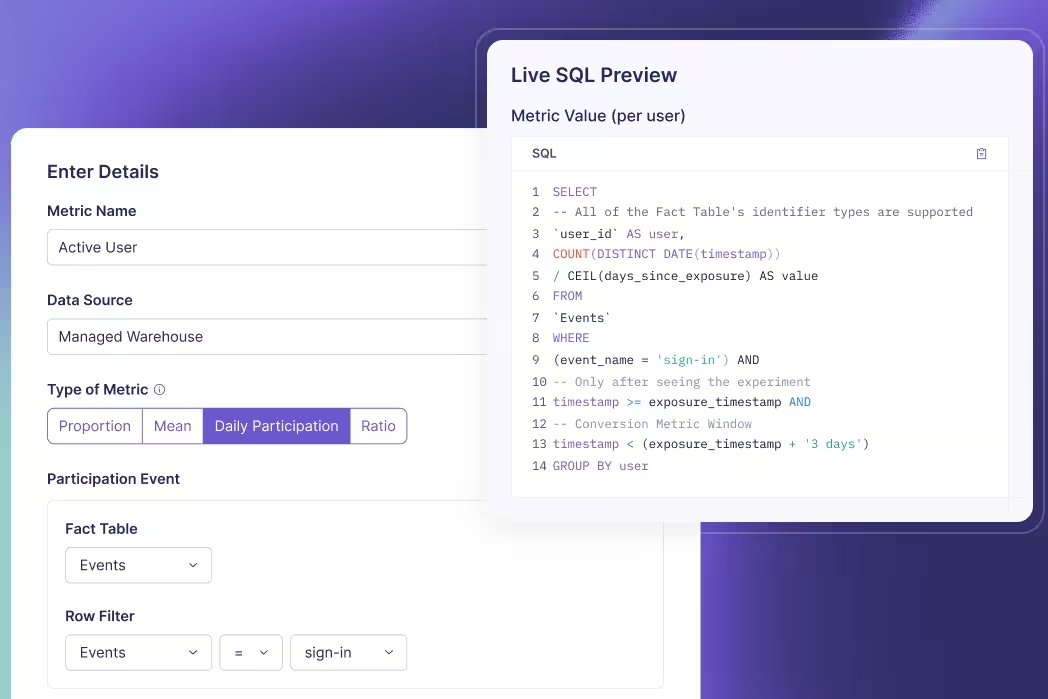
Use stronger controls for care-adjacent products
Some product changes are not clinical interventions but can still influence care. They need clinical ownership, narrower eligibility, conservative ramps, and explicit stopping criteria.
Clinician workflow support
A test might compare how a work queue prioritizes administrative follow-up, how a note template reduces documentation work, or how a non-diagnostic alert is presented. The treatment should not silently alter the clinical standard of care.
Randomize at the unit that prevents contamination. Individual clinician assignment may fail when teams share queues and handoffs; clinic- or unit-level clusters may better match the workflow. Measure task completion and time saved, with guardrails for missed work, overrides, escalations, documentation quality, and staff workload.
Preventive-care outreach
Compare approved outreach content or channels for people already eligible under the same clinical rule. Do not experiment with whether one group receives necessary care or required notice.
Use completed appropriate follow-up as the primary outcome. Track opt-outs, unreachable patients, scheduling capacity, disparities, complaints, and downstream cancellations. If the treatment drives demand beyond operational capacity, a messaging lift can make access worse.
Digital adherence support
Test the presentation or timing of an approved reminder, checklist, or educational cue. Avoid treatment changes that could be interpreted as personalized medical advice without the corresponding validation and oversight.
Measure the intended behavior with caution. Self-reported completion or app engagement is not a clinical outcome. Include adverse-event reporting, escalation pathways, disengagement, and privacy events where relevant.
Feature rollout in health software
Use feature flags to separate deployment from release, start with internal or trained cohorts, and expand only when technical and clinical guardrails remain healthy. GrowthBook’s feature flag platform supports targeted rollouts and kill switches, while the experiment layer measures impact.
The rollback plan must describe more than turning off a flag. Determine whether the old experience remains clinically and operationally safe, how queued work is reconciled, what happens to partial workflows, and who is authorized to stop exposure.
Protect data by design
Do not send a broad event stream to an experimentation vendor and decide later which fields were unnecessary. Inventory the data before implementation:
| Data question | Required decision |
|---|---|
| Assignment | What is the least identifiable stable unit that works? |
| Eligibility | Which sensitive attributes are truly needed? |
| Exposure | What event proves the treatment was delivered? |
| Outcomes | Can metrics be computed inside the governed data environment? |
| Access | Which roles can view assignments, segments, and results? |
| Retention | When are raw records, logs, and exports removed? |
The HHS minimum-necessary guidance describes limiting uses, disclosures, and requests for protected health information to what is needed for the intended purpose, with policies based on roles and recurring versus non-routine access. Apply that principle to experiment attributes, debugging logs, dashboards, and downloaded readouts.
Pseudonymous identifiers reduce exposure but do not automatically make a dataset non-sensitive or outside applicable rules. Review linkability, small cohorts, free-text fields, URLs, device metadata, and combinations that can reveal a condition. Never put clinical details or identifiers in feature names, variation labels, or URLs.
A warehouse-native experimentation approach can query approved metrics where the organization already governs them. Architecture does not create compliance on its own; teams still need contracts, access control, auditability, retention rules, security review, and configuration that matches the approved data flow.
Keep unsafe questions out of product experimentation
An experimentation policy should name prohibited or separately governed categories. Product teams should not discover the boundary only after a proposal reaches launch review.
Do not use an ordinary product A/B test to withhold a clinically indicated service, emergency direction, safety warning, accessibility accommodation, required disclosure, or legally protected choice. Do not reduce the visibility of risks to improve completion. Do not randomize a diagnostic or treatment recommendation without the clinical, regulatory, and research framework appropriate to that intervention.
Avoid treatments that exploit fear, urgency, shame, or uncertainty about health. A message can increase appointment conversion while undermining informed choice. Likewise, do not test whether patients tolerate a harder cancellation, more confusing privacy control, or hidden cost. Both variants must meet the organization’s baseline standard for respectful and comprehensible communication.
Clinical AI and decision-support changes need an evaluation program beyond a click-based A/B test. Validate the model offline, examine performance and failure modes across relevant populations, review human factors, and stage deployment with clinical monitoring. An online comparison may contribute evidence only after both treatments meet the safety threshold for exposure.
When an activity may be human-subjects research, follow the institution’s process before enrolling or exposing anyone. HHS research-oversight training states that covered non-exempt human-subjects research requires the applicable review and that informed consent requirements apply unless the IRB authorizes otherwise. The product team should preserve the determination, protocol version, approved treatment, and reporting obligations with the experiment record.
Finally, do not interpret lack of detected harm as proof of safety. Rare adverse events, small vulnerable groups, and outcomes that occur after the experiment window may be underpowered. Use prior evidence, incident monitoring, qualitative reports, and post-rollout surveillance alongside the randomized estimate.
Define patient-centered metrics and guardrails
Healthcare teams need more than a conversion scorecard. Build a measurement hierarchy:
- Primary outcome: the operational or patient-facing result that answers the decision.
- Process diagnostics: steps that explain why the treatment worked or failed.
- Safety guardrails: outcomes that trigger a stop or clinical review.
- Equity checks: predeclared groups where access or benefit could differ.
- Operational guardrails: staffing, wait time, rework, cost, and downstream capacity.
Define the practical threshold before launch. A statistically detectable change may be too small to justify implementation, and a neutral aggregate can hide meaningful harm in a protected or vulnerable group. At the same time, slicing results across many small subgroups increases false-positive risk and can expose sensitive attributes. Predeclare the equity questions that matter and use appropriate privacy and multiple-testing controls.
GrowthBook supports reusable fact tables and metrics so teams can keep definitions reviewable. Use a power analysis for the primary outcome and critical guardrails. If the required sample or duration is unrealistic, do not weaken the standard; use usability research, simulation, staged quality improvement, or a larger treatment contrast.
Create a healthcare experiment review packet
Before launch, the owner should provide one reviewable packet:
- purpose, hypothesis, and operational decision
- classification and required oversight determination
- affected population and exclusion criteria
- clinical, privacy, security, accessibility, and compliance approvals
- treatment screenshots or workflow diagrams
- assignment, exposure, and data-flow design
- primary outcome, diagnostics, guardrails, and equity checks
- sample plan and stopping rule
- rollout stages, monitoring owner, and rollback procedure
- patient or clinician communication plan, if applicable
- documentation and retention plan
Use an approval matrix that names accountable people. Product approval does not replace clinical approval; a privacy review does not settle human-subjects research status; and an IRB determination does not automatically approve the production security architecture.
The WHO clinical-trial best-practices guidance emphasizes ethical standards, regulatory considerations, patient-centered research, transparency, and stakeholder collaboration. Not every healthcare product experiment is a clinical trial, but high-risk work should inherit the same respect for people and evidence.
Build trust into the experimentation program
Start with reversible operational improvements where both experiences are already acceptable. Prove that the team can classify risk, minimize data, validate assignment, monitor safety, and document decisions before expanding scope.
Publish internal rules for what teams may test, what requires added review, and what is out of bounds. Maintain an experiment registry and audit trail. Record neutral and negative results so a new team does not repeat the same risky idea.
GrowthBook can support the controlled delivery and analysis layer through experimentation, feature flags, permissions, and warehouse-defined metrics. The organization remains responsible for the clinical, ethical, legal, privacy, and operational framework around every test.
In healthcare, speed is valuable only when the learning process protects the people whose behavior creates the data.
Build a governed test workflow
Connect controlled releases to reviewable metrics and decision rules while keeping healthcare data in your approved architecture.
Get Started With GrowthBook
The right statistical test is determined by the question and data-generating process, not by which function is easiest to run. Start with the outcome, groups, and dependence structure; the test name comes later.
Z-tests, t-tests, chi-square tests, and analysis of variance (ANOVA) all compare observed data with a null model. They differ in the kind of outcome they model, the uncertainty they estimate, and the number or structure of groups they can compare.
For a simple product experiment, a useful first pass is:
- continuous outcome, two independent groups: usually a Welch two-sample t-test
- binary proportion, two large independent groups: a two-proportion z-test is common
- categorical counts across groups: chi-square test, if expected counts are adequate
- continuous outcome across three or more groups: one-way ANOVA or Welch ANOVA
Those rules are a starting point. Paired observations, clusters, ratios, repeated measures, heavy tails, covariate adjustment, or sequential monitoring require a model that reflects the design.
Choose from the outcome and hypothesis
Write the estimand before choosing a test. An estimand is the quantity the experiment is trying to estimate: a difference in mean revenue, a difference in conversion probability, or an association between two categorical variables.
| Question | Outcome | Common test |
|---|---|---|
| Did average order value change between A and B? | Continuous | Welch two-sample t-test |
| Did signup probability change between A and B? | Binary | Two-proportion z-test |
| Is plan choice associated with variant? | Categorical, 3+ levels | Chi-square test of independence |
| Do mean task times differ across four variants? | Continuous | One-way ANOVA |
| Did the same users' scores change before and after? | Paired continuous | Paired t-test |
The number of groups alone is insufficient. Conversion in four variants is still categorical data; a chi-square or binomial model may fit. Revenue in two groups is continuous; a t-test or regression is more natural.
The University of Michigan's statistical-test guide uses the same sequence: identify variable types and the relationship being tested before selecting a method.
When to use a z-test
A z-test compares a standardized estimate with the standard normal distribution. The classical one-sample z-test for a mean assumes the population standard deviation is known. That condition is unusual in product analytics, where variability is estimated from the current sample.
Z-tests remain common for proportions. In a two-arm conversion experiment, the estimate is:
Under the null of equal proportions and with adequate counts, the standardized difference is approximately normal. This yields a two-proportion z-test.
Use it when:
- the outcome is a binary count summarized as successes and failures
- assignment groups are independent
- sample sizes make the normal approximation credible
- the hypothesis and one- or two-sided direction were set before analysis
Do not rely on a universal “n greater than 30” rule. For rare events, 30 observations can produce almost no successes; for balanced common events, approximation quality can be good. Inspect expected successes and failures and use an exact or model-based method when counts are sparse.
In high-volume online experiments, a normal approximation is also used for many sample means through the central limit theorem. The important question is whether the estimator's sampling distribution and variance calculation are valid for the metric, not whether the raw user values look perfectly normal.
When to use a t-test
A t-test is designed for inference about means when the variance is estimated from sample data. That extra variance uncertainty produces a t distribution with heavier tails than the standard normal, especially at small sample sizes.
For two independent groups, default to Welch's t-test unless equal variance is justified. Welch's version does not assume the two population variances are equal and handles unequal group sizes. NIST's two-sample t-test reference shows the unequal-variance standard error based on each group's sample variance and size.
Use an independent two-sample t-test when:
- the outcome is numeric and the mean is the target
- the two groups contain different experimental units
- observations are independent within the model
- the mean and standard error behave well enough for the sample size
Use a paired t-test when each value has a meaningful partner: the same user's before-and-after score, or deliberately matched units. The analysis reduces each pair to a difference and tests the mean of those differences. Treating paired data as independent discards information and computes the wrong standard error.
The t-test can be sensitive to extreme values because the sample mean and variance are sensitive to them. Product metrics such as revenue or session duration are often skewed. At scale, the mean may still have a usable sampling distribution, but inspect outliers, data quality, and the estimand. Robust inference, transformations, winsorization policies, or bootstrap methods may be more appropriate when a few observations dominate the result.
Reduce variance before launch
Learn how CUPED and covariate adjustment can sharpen experiment estimates without changing the randomized comparison.
Explore Variance Reduction
When to use a chi-square test
Pearson's chi-square statistic compares observed category counts with counts expected under a null hypothesis. Two common forms are:
- goodness of fit: does one categorical distribution match specified probabilities?
- independence or homogeneity: is a categorical outcome distributed the same way across groups?
Suppose an onboarding experiment records three outcomes: completed, skipped, and abandoned. Cross-tabulate outcome by variant. A chi-square test asks whether the outcome distribution is independent of variant.
The test statistic sums (observed - expected)^2 / expected across cells. NIST's chi-square documentation describes the same comparison of binned frequency distributions.
Use a chi-square test when observations contribute counts to mutually exclusive categories and expected cell counts are large enough for the asymptotic approximation. With sparse cells, combine categories only when substantively justified or use an exact method such as Fisher's exact test for a two-by-two table.
A chi-square result says the distributions differ somewhere. It does not provide the most decision-friendly effect estimate by itself. Report category proportions, absolute differences, uncertainty intervals, and the cells contributing to the pattern.
For a binary two-arm experiment, the Pearson chi-square test and a two-sided two-proportion z-test are closely related: under standard conditions, the chi-square statistic with one degree of freedom equals the squared z statistic. Choose the representation that matches the hypothesis and reporting needs.
When to use ANOVA
ANOVA compares variation between group means with unexplained variation within groups. A one-way ANOVA tests the null that all population means are equal across levels of one factor.
Use it for a continuous outcome across three or more independent groups when the global question is whether any mean differs. Classical ANOVA assumes independent errors, normally distributed residuals within the model, and equal variances. Welch ANOVA relaxes the equal-variance assumption; R's 0 implements that approximation.
ANOVA's F-test is an omnibus test. A significant result means at least one mean differs, but it does not identify which one. Use planned contrasts or multiplicity-aware post-hoc comparisons to answer the product question.
ANOVA is more than a rule for “three or more groups.” Multi-factor ANOVA can estimate main effects and interactions in multivariate or factorial experiments. Repeated-measures or clustered data need corresponding error structures rather than a basic one-way calculation.
Why several t-tests are not a substitute for ANOVA
With four variants there are six pairwise comparisons. Testing each at 0.05 creates multiple opportunities for a false positive. An omnibus ANOVA tests one global null first, and planned follow-ups can use Tukey, Holm, Bonferroni, or another procedure appropriate to the family of claims.
The Bonferroni correction is simple and conservative. The right procedure depends on whether the goal is all pairwise comparisons, treatments versus one control, or a small set of preplanned contrasts. Define that family before looking at the ranking.
ANOVA and regression are also two views of the same linear-model machinery. R's 0 documentation describes aov as a wrapper around linear models for experimental designs. Regression is often more flexible when the analysis includes covariates, interactions, or unbalanced data.
Assumptions that change the choice
Before running any of the four tests, verify:
Independence and assignment unit
If the experiment randomizes accounts but analyzes users as independent observations, standard errors will usually be too small. Analyze at the randomization unit or use cluster-aware inference. If users can appear in both groups, repair the assignment or use a model that represents the dependence.
Paired or repeated observations
The same user measured twice is not two independent users. Use a paired test or repeated-measures model. For experiments with many events per user, aggregate to the user level or use appropriate clustered methods.
Outcome distribution and metric construction
Check missingness, zero inflation, extreme tails, ratio denominators, and censoring. A test can be mathematically correct for the supplied numbers while the metric itself misrepresents the user outcome.
Variance assumptions
Prefer Welch's t-test or Welch ANOVA when group variances may differ. Equal sample sizes do not prove equal variance, and a preliminary variance test can introduce another decision layer.
Sample size and sparse cells
Approximate z and chi-square methods need enough information in the relevant cells. Low-frequency guardrails and small segments may need exact methods or longer collection.
A product experimentation decision tree
Use this sequence before opening a statistics package:
- What unit was randomized: user, account, device, session, or region?
- What is the primary estimand: mean, proportion, category distribution, or model coefficient?
- Are groups independent, paired, repeated, or clustered?
- Are there two groups, several groups, or multiple factors?
- Do expected counts and sample sizes support the approximation?
- Are variances, tails, or outliers likely to break the default model?
- How many confirmatory hypotheses can trigger the decision?
- Was the test direction and stopping rule declared before launch?
Then choose the simplest model that answers the exact question. A two-proportion z-test may be perfect for signup conversion, while a t-test handles mean revenue and a chi-square test handles plan mix in the same experiment. Different metrics can require different tests.
Report effects, not only test names
The test produces a statistic and p-value under a null model. The guide to interpreting a t-test p-value shows why that number needs the effect, interval, and degrees of freedom beside it. The product decision needs more:
- the effect estimate in business units
- a confidence or credible interval
- sample sizes and allocation
- baseline and treatment values
- assumption and data-quality checks
- the planned hypothesis family
- practical thresholds and guardrails
GrowthBook's statistics documentation explains the frequentist and Bayesian engines available for experiment analysis. Whichever framework is used, review effect magnitude and uncertainty together. A small p-value can accompany a trivial lift in a huge sample, while a valuable estimated lift can remain uncertain in a small one.
Choose the test by tracing the data back to the experiment design. For three or more continuous-outcome variants, the deeper ANOVA guide covers the omnibus F-test, planned contrasts, and Welch alternative. When the outcome, assignment unit, dependence, and hypothesis are explicit, the difference between z, t, chi-square, and ANOVA becomes a modeling decision rather than a memorization exercise.
Analyze tests with context
Connect experiment assignments to trusted metrics, inspect uncertainty, and keep decision rules visible to the whole team.
Get Started With GrowthBookAn experiment with control plus three variants creates more than one comparison. ANOVA gives the team one principled global test of whether the variants differ before it starts hunting for a winner.
Analysis of variance, or ANOVA, is a family of statistical models for comparing group means and decomposing sources of variation. In a one-way product experiment, the “factor” is the assigned variant and its “levels” are control, B, C, and D.
The basic ANOVA question is deliberately broad: if all variants had the same population mean, would the observed separation among their sample means be surprising relative to the noise within variants?
That question is useful, but incomplete. A significant ANOVA result does not say which variant won, whether the lift is large enough to ship, or whether assumptions and instrumentation are sound. Those conclusions require planned contrasts, uncertainty intervals, and experiment-quality checks.
How ANOVA compares means through variance
ANOVA separates total variability into components:
- between-group variation: how far each group mean is from the overall mean
- within-group variation: how far individual observations are from their group mean
Each sum of squares is divided by its degrees of freedom to produce a mean square. The F statistic is:
Under the null hypothesis that all group means are equal, both quantities estimate the same underlying error variance, so their ratio should often be near 1. When group means are separated relative to the residual noise, F grows.
NIST's one-way ANOVA explanation describes this as comparing the level mean square with the residual mean square. The p-value is the probability, under the null model and assumptions, of an F statistic at least as large as the observed one.
For k groups and N total observations, one-way ANOVA usually has:
The numerator asks how much the k means vary. The denominator pools information about variability inside the groups.
A four-variant experiment example
Suppose a SaaS team tests four onboarding flows and measures projects created per eligible account during the first week.
| Variant | Accounts | Mean projects | Standard deviation |
|---|---|---|---|
| Control | 1,000 | 2.30 | 1.80 |
| B | 1,020 | 2.42 | 1.84 |
| C | 990 | 2.61 | 1.91 |
| D | 1,010 | 2.36 | 1.79 |
The null hypothesis is:
The alternative is that not all four means are equal. Notice what it does not say: “C is best.” The global alternative includes any pattern where at least one mean differs.
If the F-test rejects the null, the team should evaluate the comparisons it planned. It might compare every treatment with control, or test one contrast between the current flow and the average of three new concepts. The comparison plan should reflect the decision, not the visual ranking in the finished dashboard.
Make multiple tests trustworthy
See how experimentation leaders plan hypotheses, guardrails, and review practices when a result surface contains many possible claims.
Watch the Trustworthy Experiments Talk
Why not run every pairwise t-test?
Four groups create six pairs. If the team runs six independent tests at alpha 0.05 and treats any significant result as proof, the probability of at least one false positive across the family can exceed 0.05.
ANOVA gives one global test of the equality of all means. It also estimates residual variation using all groups, which can be more efficient than estimating it afresh for each pair under the classical equal-variance model.
The global test does not eliminate multiplicity in follow-up comparisons. R's Tukey HSD documentation explicitly notes that ordinary t-tests inflate the probability of a false declaration across a family. Choose the follow-up procedure for the comparisons the decision actually needs:
- every pair: Tukey-style simultaneous comparisons
- every treatment versus control: Dunnett-style comparisons
- a few planned product questions: predeclared contrasts with a suitable adjustment
- a conservative small family: a Bonferroni or Holm correction
An omnibus test can also be nonsignificant while one carefully planned contrast is persuasive, because the hypotheses and power differ. Decide before launch whether the global null or a treatment-versus-control contrast is the primary decision test.
Unequal group sizes do not automatically invalidate ANOVA, but they make the variance assumption and contrast plan more consequential. If allocation is intentionally uneven, power the smallest comparison that drives the decision and preserve the assignment probabilities. When variances and sample sizes both differ, classical pooled ANOVA can behave poorly; Welch ANOVA or a regression with suitable standard errors is usually easier to defend.
Planned contrasts can also use product structure that the global test ignores. Instead of comparing every pair, a team might compare control with the average of three related treatments, or compare two low-intensity treatments with two high-intensity treatments. A small set of predeclared contrasts often answers the business question with more power and clearer multiplicity control than an exhaustive winner search.
ANOVA assumptions in experiments
The familiar one-way fixed-effects model can be written as:
Classical inference depends on the residuals and design, not on a requirement that the combined raw outcome form one bell curve. NIST's model reference assumes independent, normally distributed errors with mean zero and common variance.
Independent observations
The analysis unit must respect randomization. If accounts are assigned but every user within an account is treated as independent, the standard error ignores clustering. Aggregate at the account level or use cluster-robust or hierarchical methods.
Repeated events from one user create the same problem. Ten sessions from one user do not carry the same independent information as ten users.
Appropriate residual behavior
ANOVA is often robust to moderate non-normality with balanced, sufficiently large groups, but severe skew, outliers, censoring, or zero inflation can make the mean unstable or the F approximation unreliable. Diagnose residuals and assess whether the mean is still the business estimand.
Equal variance for classical one-way ANOVA
Classical ANOVA assumes a common population variance. This can fail when a treatment changes both the mean and spread, or when groups serve different traffic mixes. Unequal group sizes make the problem more consequential.
SciPy's 0 supports Welch ANOVA when equal_var=False. Welch's method relaxes equal population variances and adjusts the degrees of freedom.
Correct outcome model
ANOVA targets a continuous mean. Conversion is binary; event counts are discrete; time-to-churn can be censored. Large-sample mean inference can sometimes work, but logistic, Poisson or negative-binomial, survival, or other generalized models may better represent the outcome and produce interpretable effects.
One-way, two-way, and repeated-measures ANOVA
“ANOVA” names a family rather than one calculation.
One-way ANOVA
One categorical factor with multiple levels, such as four assigned onboarding variants. This is the usual A/B/n example.
Two-way or factorial ANOVA
Two controlled factors, such as headline and layout. The model estimates each main effect plus their interaction. The interaction asks whether one factor's effect changes with the other. This is central to a properly designed multivariate test.
Repeated-measures ANOVA
The same units are observed under multiple conditions or times. Dependence is part of the design and must be modeled. A basic independent one-way ANOVA is invalid for repeated measurements.
ANCOVA
Analysis of covariance adds continuous covariates to the group comparison. In randomized experiments, pre-experiment covariates can improve precision when they are chosen and measured without post-treatment contamination. GrowthBook's guide to variance reduction explains the same motivation in online experimentation.
Run one-way ANOVA in Python
At the action boundary, keep one numeric observation per independent analysis unit in each group. In SciPy:
Before running it, confirm that rows match the randomization unit and missing values have a documented policy. Afterward, inspect group summaries and residual behavior. The p-value alone cannot reveal a broken exposure join or a few enormous outliers.
In R, aov(outcome ~ variant, data = experiment) fits the classical model. R documents 1 as a linear-model interface, which helps explain why ANOVA, regression, and contrasts are closely connected.
Interpret the ANOVA table
A standard output contains:
- degrees of freedom
- sum of squares
- mean square
- F statistic
- p-value
Suppose the output reports F(3, 4016) = 6.8, p < 0.001. Under the model, the observed ratio of between-variant to within-variant variation is unlikely if all four population means are equal. It does not mean every treatment beats control or that any effect is commercially important.
Add the quantities the product decision needs:
- each mean and sample size
- differences from control in original units
- simultaneous or comparison-specific intervals
- an effect-size measure when useful
- guardrail and data-quality results
- the follow-up comparison method
Avoid ranking noisy means without uncertainty. The highest observed variant has benefited from both its true effect and sampling variation, especially when many variants were screened.
Common ANOVA mistakes
Treating events as independent users
Repeated events make the nominal sample size huge and uncertainty too narrow. Preserve the assignment unit.
Using ANOVA for every metric shape
The word “variant” does not imply ANOVA. Match the outcome distribution and estimand to a model.
Checking assumptions after selecting a winner
Write the model, outlier policy, transformation, and variance choice before the ranking is visible. Result-driven switching creates hidden researcher degrees of freedom.
Treating a significant F-test as a winner declaration
Follow with the planned contrasts. The omnibus test only rejects equality of all means.
Ignoring practical significance
A very large experiment can detect a tiny difference. Compare intervals with a minimum practical effect and account for implementation cost and guardrails.
Use ANOVA as part of an experiment plan
Before launch, specify the factor and levels, independent unit, primary continuous outcome, minimum effect, sample-size plan, variance assumption, global or contrast hypothesis, comparison family, and stopping rule.
Then verify assignment and exposure before interpreting the model. A sample ratio mismatch can signal that observed group counts no longer reflect the planned randomization. No F-test can repair biased exposure data.
ANOVA is valuable because it turns a field of variant means into a structured model of signal and noise. The broader z-test, t-test, chi-square, and ANOVA guide shows when the outcome and hypothesis call for another member of that family. Use the omnibus test for the global question, planned contrasts for the decision, and effect estimates for practical judgment. That sequence makes a multiple-variant test easier to defend than a dashboard full of uncoordinated p-values.
Compare variants with discipline
Run controlled experiments, connect trusted metrics, and review treatment effects and uncertainty in one shared workflow.
Start With GrowthBookReady to ship faster?
No credit card required. Start with feature flags, experimentation, and product analytics—free.

