

Introducing the first MCP server for experimentation and feature management
Updated October 7, 2026: This post announced our first MCP Server in May 2025. We've refreshed the capabilities, setup, and links for MCP 2.x. For the current architecture, read Why GrowthBook's MCP server is just the interface. For installation, use the current MCP documentation.
AI coding tools make it easy to write code and produce features much more quickly than ever before. But as we increase the amount of code we can create, we still need to ensure those features will work.
Don't let vibe coding become vibe shipping.
With the official GrowthBook MCP Server, you can manage feature flags, safe rollouts, A/B tests, and more without leaving your AI tool. Compatible clients such as VS Code, Cursor, Claude Code, and Codex can connect to GrowthBook, while your coding agent handles the application changes.
When adding flags is this easy, there’s no excuse for risky deployments.
What’s an MCP server?
MCP stands for Model Context Protocol, a standard that lets AI tools (like LLM editors) integrate with platforms like GrowthBook.
Most modern AI tools already support “tool calling,” the ability for an LLM to trigger specific developer-defined actions. MCP standardizes that connection, so you don't need custom glue code for every integration. Your AI client still needs to support the server's transport and authentication.
We launched GrowthBook’s first MCP Server in May 2025 to bring feature flagging and experimentation into AI coding workflows. It’s open source and designed to streamline the way you work with feature flags and experiments.
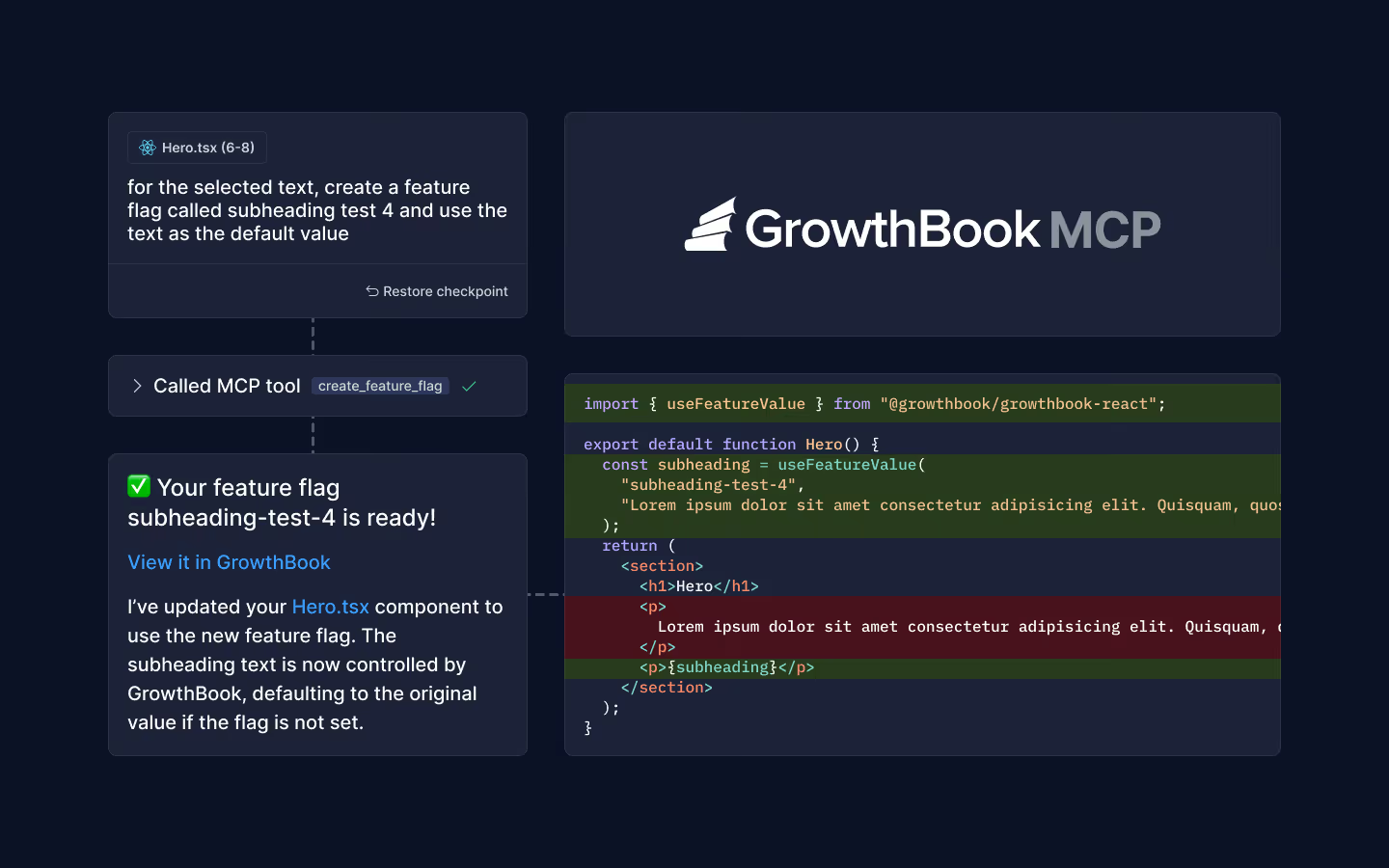
For example, the original demo below shows GrowthBook MCP being used to add a feature flag to a React app. The server creates the flag in GrowthBook, while the AI coding client updates the component using the GrowthBook React SDK. The video shows the original MCP interface; use the current setup below for today's workflow.
What you can do
The original server exposed 14 task-specific tools. MCP 2.x now uses 4 tools: growthbook_list_skills, growthbook_read_skill, growthbook_api_read, and growthbook_api_write. The agent skills provide workflow guidance, and the API tools read or change GrowthBook state. Here are some highlights:
- Create a feature flag and have your coding agent add the SDK check to your app.
- Set up targeting rules, e.g., to restrict a feature to beta testers.
- Plan gradual or monitored rollouts with guardrail metrics.
- Design, launch, and analyze an A/B test.
- Audit stale flags and prepare code cleanup for engineering review, testing, and verification before removal.
- Build and run charts using your existing metrics and fact tables.
Flag type generation uses the GrowthBook CLI. Documentation remains available through the GrowthBook docs; the current MCP server does not expose dedicated type-generation or docs-search tools. Review proposed code changes and release decisions; GrowthBook permissions and configured approval policies still apply.
Setup
For GrowthBook Cloud, connect to the hosted MCP Server at https://mcp.growthbook.io/mcp and sign in through browser OAuth. No API key is needed in the MCP configuration. In Cursor's MCP settings, add:
Save, complete the GrowthBook OAuth flow, and confirm the server shows an active connection. Ask your agent to list the available GrowthBook skills before making a change. Other clients use different configuration formats; follow the client-specific installation instructions.
Self-hosted GrowthBook users can use a local @growthbook/mcp@latest process with an API key or personal access token and their GB_API_URL, or run the official Docker image as their own HTTP MCP endpoint. Follow the self-hosted setup instructions for authentication and prerequisites.
What’s next
Since this launch, GrowthBook has expanded the agent workflows behind MCP. The GrowthBook 5.1 release introduced the hosted MCP and OAuth experience alongside broader AI workflows. The server now connects agents to maintained skills and the REST API instead of a growing catalog of task-specific tools.
GrowthBook’s MCP Server is already useful, but there is always more we can do. Explore the current MCP product overview, or try the Agent Skills plugin if you want the playbooks without an MCP process. Try it, improve it—we’d love to see what you build.
Get started
The GrowthBook MCP Server is live and ready. Use the current setup documentation to connect a compatible client and start with a read-only task before changing flags or experiments.
Have ideas, bugs, or weird edge cases? Open an issue or find us on Bluesky or LinkedIn—we’d love to hear what you build.
Related articles
Ready to ship faster?
No credit card required. Start with feature flags, experimentation, and product analytics — free.

