How to run A/B tests in Webflow

A headline changing on the page proves the code ran. It does not prove the experiment is ready.
A useful Webflow A/B test needs consistent visitor assignment, a controlled content change, and a conversion measurement that follows the same audience. You also need to know what happened when the script did not load, an editor changed the target element, or a preview session fired the production analytics tag.
Webflow has a native testing option through Optimize. You can also use an external experimentation system when you want its assignment rules, measurement workflow, or connection to outcomes outside the website. This guide explains those delivery choices, then builds a narrow GrowthBook browser-SDK experiment that changes one plain-text headline.
The example keeps the normal page usable if the integration fails. It records an experiment display only after the selected text has been applied. It also separates a browser event queue from the warehouse evidence needed to decide whether the new headline actually helped.
Choose the delivery method and the outcome
Match the implementation to the change
Webflow Optimize traditional tests use a fixed traffic allocation across alternatives. Its AI-optimized option adapts delivery to visitors. Those methods answer different questions; do not describe an adaptive optimization report as an ordinary fixed-allocation A/B test.
GrowthBook offers AI Visual Editor experiments, code-based feature experiments, and URL redirect tests. The existing Webflow integration guide demonstrates the visual-editor path. The code below instead uses a manually initialized browser SDK and an explicit text change.
| Method | Where it fits | What needs care |
|---|---|---|
| Native traditional test | A Webflow-owned editing and testing workflow | Keep goals, audience and allocation consistent with that method |
| Visual experiment | Small page changes managed through an experimentation editor | Stable selectors, content changes and preview boundaries |
| Code-based feature test | A precise change owned and reviewed as JavaScript | Identity, DOM delivery and event instrumentation |
| URL redirect test | Substantially different page layouts | Redirect behavior, attribution, destination readiness and URL handling |
Choose one system to own the element being tested. A native optimization and a custom script changing the same heading can overwrite each other, producing content that neither experiment intended. Inventory other page experiments before adding a new one.
This walkthrough suits a small, plain-text change. It is less appropriate for replacing an entire layout, rebuilding an interactive form, or changing content that Webflow interactions continuously recreate. Use a delivery method that can control that larger experience instead of expanding a fragile selector script indefinitely.
Write a hypothesis about a business outcome
For example: an outcome-focused hero headline will increase completed trial signups per eligible landing-page visitor. Keep the destination and the rest of the page consistent if the headline is the intervention. A complete redesign can still be tested, but its result evaluates the package rather than proving which sentence caused the change.
Select one primary outcome and a few relevant guardrails. Clicks on the signup link help diagnose the funnel, while completed or qualified signups answer a different business question. A headline can attract more clicks from people who never finish, so do not replace the downstream outcome merely because clicks arrive sooner.
Estimate the usable audience before writing code. Total site traffic may include visitors who never reach the tested page, employees, previews, or traffic excluded by consent and targeting. Use the eligible population, baseline conversion rate and smallest meaningful effect to judge whether the experiment can answer the question in a useful time.
Confirm access and measurement prerequisites
You need permission to edit the page's custom code, a test audience/environment in GrowthBook, and an existing analytics path that can receive custom events and connect them to outcomes. Check current custom-code availability in your Webflow workspace and site; do not assume every role or plan can make these changes.
The following setup uses a standard Google Tag Manager data layer as an explicit event handoff. An existing container, configured tags, consent behavior and warehouse delivery are prerequisites for real analysis. If you use another tracker, preserve the same event contract through its supported integration rather than installing two competing measurement paths.
Prepare the page and the assignment contract
Keep a complete baseline in the Designer
Create the normal hero headline and signup link in Webflow. The baseline should read correctly without JavaScript. Give the dedicated plain-text heading a custom attribute: name data-gb-hero, value headline.
Use the Element settings panel's custom-attributes control. The resulting markup should resemble this inspection reference; you do not need to rebuild the existing page as a code embed:
The link represents your existing signup destination. Confirm it works and that completed signups are measured before using that outcome. The example changes only the heading, so link tracking and navigation should retain their existing behavior.
Use one deliberate text element rather than a broad class shared across the site. A selector matching several headings is ambiguous. A heading containing nested spans or icons also needs a different implementation: textContent replacement removes child nodes, including their styling and behavior.
Agree on fixed content and experiment identifiers
The example feature key is webflow-hero-copy, returning the string control or variant. Its linked experiment tracking key is webflow-hero-copy-v1. The baseline is Project tools for distributed teams; treatment is Keep your next project moving. The code labels this content package hero-copy-v1.
Create the string feature with default value control, then link a fixed-allocation experiment with those two values and hash attribute id. Select the intended environment, audience and metrics through the experiment configuration. Keep it restricted to your test audience while wiring the page.
The content value and the variation identifier are separate. The value chooses the headline; experiment.key and result.key identify the assignment for analysis. Do not replace a variation ID with the human-readable headline or assume it must equal control.
Freeze the tested strings during the run. If an editor publishes a new baseline or treatment, the meaning of the experiment has changed even if its key has not. Keep the code version, published page state and experiment record together so a later readout can identify what visitors actually received.
Check whether the script belongs to a static page or a Collection template. Template-level code can run across many CMS items, including ones with different headings or audiences. Scope the experiment to the intended page paths and verify each eligible item's content contract. Do not change the visitor identifier to include the page path just to achieve targeting; that changes the assignment unit. Supply path and host as separate targeting attributes when they are needed.
Use page-level custom code for a page-level test
Webflow custom code supports browser HTML, CSS and JavaScript. It does not provide a Node or Python server endpoint. Use Page settings for this page-specific test rather than adding a selector-dependent script to every page.
Add the loader and script below in the page's before-</body> custom-code area. Preserve existing code, save a reviewable copy, and verify on your staging setup before any production publication. Saving code and publishing the site are separate actions.
The example uses the SDK's manual browser distribution pinned to version 2.0.0. It does not also install the automatic HTML SDK. The automatic loader has its own identity, initialization and tracking behavior; combining it with another instance needs a deliberate integration design.
Link the flag and experiment
Open the workflow for connecting an existing flag to an experiment. Configure API access, confirm the variation mapping, and review the draft rule before publishing it.
Open Flag Experiment Instructions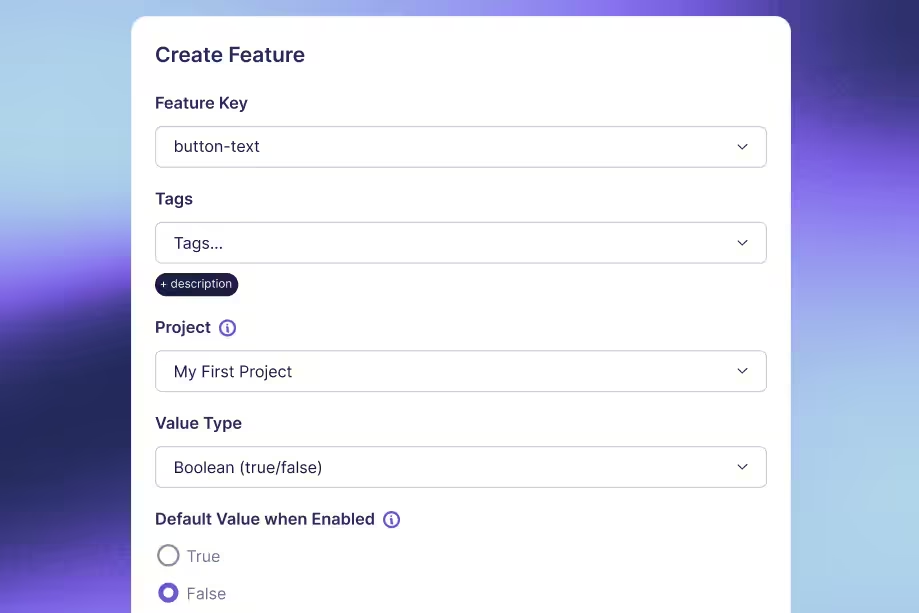
Apply the variation with a browser SDK
Load the SDK and preserve the normal page
Add the pinned bundle before the implementation block. Keeping this loader non-async preserves its dependency order with the following inline script:
If the CDN is blocked, the implementation checks for the missing constructor and leaves the baseline in place. Follow your site's normal third-party-script review and Content Security Policy process. The SDK connection key belongs in browser configuration; an administrative API credential does not.
This footer approach can show the baseline before treatment is applied. It does not guarantee an invisible switch or zero layout movement. Check the actual behavior on slow connections and narrow screens. Avoid hiding the entire page indefinitely to disguise a loading problem; a blank or delayed page can be worse than the visible content change.
Validate the page before enrolling a visitor
Replace www.example.com, the client key, and the approved strings in the following block. Run the integration through your application's existing measurement/consent loader when required, so storage and tracking follow the same policy as your analytics. The exact host allowlist keeps previews and staging out of this production experiment by default.
The DOM-ready check handles both initial parsing and a script inserted after that event has already fired. The selector, baseline text and complete copy pair are checked before SDK evaluation, so missing markup does not selectively exclude one assigned arm.
The contract is checked again after the asynchronous payload load and before evaluation. That catches an interaction or another script changing the heading while this integration waits. If the page regularly replaces the element dynamically, the static-page example needs an explicit rendering lifecycle. Repeatedly applying a mutation observer until the text looks right can conceal competing owners and repeatedly overwrite user-visible content.
Understand the identity and failure boundaries
Local storage persists the identifier for this browser origin. It is not a person-level or cross-device identity, and a different subdomain has a different store. Clearing or blocking storage affects continuity. The example stays on the non-enrolled baseline when persistence throws rather than generating a new experimental identity on every visit.
The current JavaScript SDK supplies detailed feature results through evalFeature. Checking the raw value avoids treating a malformed null assignment as a legitimate fallback treatment. The callback separately validates its assigned value and queues compact metadata instead of immediately declaring a view.
After successful text application, the script hands the matching assignment to the data layer. The defined display boundary is successful application to a connected DOM element. It does not establish that the heading was in the viewport, painted before a navigation, or read by a person. If visibility matters to the hypothesis, define a symmetric visibility trigger rather than renaming a DOM update as proof of attention.
Keep delivery failures separate from clean control exposures. Preserve assignment diagnostics, monitor whether failures differ by arm, and repair or halt an unreliable test. Analyzing only successfully delivered treatment views can select a favorable subset of visitors. Suppressing a misleading event is necessary, but it does not repair the underlying comparison.
Connect display events to completed conversions
Configure the tag that consumes the event
The Google data layer is a handoff to a configured container. The script preserves an existing window.dataLayer and pushes one event with its metadata. It does not install Google Tag Manager, create a tag, send a guaranteed analytics request, or populate a GrowthBook report by itself.
Create a custom-event trigger named for the exact event experiment_viewed. Add data-layer variables for experiment_id, variation_id, gb_user_id, content_version, and event_id. Configure the analytics event tag to use those variables, applying your existing consent and environment controls.
For a GA4 destination, configure a GA4 Event tag with event name experiment_viewed and map the listed fields as event parameters. Your warehouse export and assignment query still need to read the fields from the actual schema produced by that integration.
Keep the mapping explicit rather than relying on similar names in different systems:
| Event field | Source in this example | Meaning |
|---|---|---|
experiment_id | SDK experiment key | Which experiment enrolled the visitor |
variation_id | SDK result key | Which assigned arm the analysis must identify |
gb_user_id | Persisted browser ID | The unit that must connect to outcomes |
content_version | Reviewed copy constant | The content package applied by this code |
event_id | New event UUID | A handle for the collector's delivery policy |
Do not map the content value into the variation-ID field because it looks more readable. Preserve the original assignment metadata and translate display labels separately. Likewise, adding a custom browser identifier to an event parameter does not automatically merge that identity with a destination's existing user identifier.
Avoid an unrestricted trigger that fires the exposure tag on every custom event. Also avoid installing the same event forwarding through both an automatic GrowthBook snippet and this manual callback. Duplicate analytics can make a seemingly healthy event count conceal an incorrect exposure policy.
Follow the identifier through the signup journey
Use the same unit for exposure and outcome analysis. If the signup happens on another origin, gb_webflow_id is not automatically available there. Establish an approved identity mapping or shared first-party identity approach before treating completed signups as attributable to this test.
Do not append identifiers to public URLs casually to make the join work. Use the application's established identity and analytics design, including its handling of anonymous-to-authenticated transitions. Inspect actual exposure and signup rows for a test visitor to prove the mapping, rather than assuming that two dashboards displaying the same campaign name share an identity.
Configure the GrowthBook data source to read the experiment key, variation ID, timestamp and assignment identifier. Define completed signup or another intended business outcome using Fact Tables and metrics. Keep click and pageview events as diagnostics unless they are genuinely the decision outcome.
Verify the queue, network and warehouse separately
In a test environment, inspect the data-layer event, then the tag's evaluation and outgoing request, and finally the ingested warehouse row. These are different pieces of evidence. An event present in the array can coexist with a blocked tag, a failed request, or an export that does not contain the expected identifier.
Use the event ID for the retry/deduplication policy your collector supports. This example guards against repeated initialization in one document; a reload is another page display. Decide whether the experiment analysis uses first exposure, repeated exposures or another defined policy, and make the assignment query implement that policy consistently.
Tracker readiness and consent can also change which observations arrive. Apply the same policy to both arms and monitor losses between assignment, DOM application and warehouse ingestion. A browser queue cannot make blocked or denied analytics lossless, and a favorable result does not excuse unexplained variation-specific missingness.
Verify staging, then publish and maintain the test
Test previews without enrolling production visitors
Current Webflow preview and comment modes can execute custom code when the relevant toggle is enabled. Preview uses a canvas.webflow.com origin; saving custom code still does not publish it to production. Do not rely on old advice that preview never runs scripts.
The production-host check in this example intentionally excludes preview and webflow.io staging. For QA, use a separate GrowthBook environment and a controlled hostname setting with analytics routed to a test destination. Test that configuration as a whole; do not remove the hostname gate and accidentally send employee preview sessions into production results.
On the controlled test page, use the console to inspect the target, applied variant and local diagnostic event queue:
Expect one target, an allowed applied content key, and an exposure event only when an active experiment actually enrolled the visitor. A default feature value can render control without an experiment-view event. Do not add a fake exposure merely to make the array look populated.
Exercise the failure paths and the actual layout
Use a repeat visit with the same stored ID to check stable assignment, then isolated browser storage or controlled test identities to exercise both arms. Forcing a value is useful for rendering QA but does not prove ordinary randomized enrollment. Keep forced sessions outside production analysis.
Block the SDK request, block the feature payload, deny storage access, remove the target attribute, and add a nested child to the heading in your QA copy. The baseline should remain usable and no successful treatment view should be invented. Inspect the diagnostic path rather than accepting silence as proof that everything worked.
Check mobile wrapping, zoom, keyboard navigation, the signup destination and interaction with Webflow animations. Compare slow and normal connections to understand the visible content switch. If you adopt a bounded anti-flicker technique later, test reveal recovery with every dependency blocked; a timeout is a recovery mechanism, not a guarantee of invisible delivery.
Inspect the position of the content below the headline as well as the headline itself. A longer treatment can add a line and move the signup action after the original layout appears. Cumulative Layout Shift concerns movement of existing visible elements, so a small text replacement can have consequences outside the replaced node. Use representative viewport widths and loaded fonts when evaluating it.
Reserve appropriate space only after checking the actual alternatives. A rigid fixed-height box can clip translated or zoomed text, creating a new usability problem. If the content cannot be delivered acceptably with this client-side approach, choose a delivery architecture suited to the experience instead of treating an increasingly aggressive hiding script as the experiment itself.
Keep deployment and the experiment decision reviewable
Before publishing, review the exact page code, hostname, SDK environment, content strings, target selector and tag configuration together. After the authorized production publish, verify the actual public page, repeat-visitor behavior and warehouse events. A successful staging test does not prove the production environment uses the same settings.
Keep a short launch receipt:
| Check | Evidence | Reason to pause |
|---|---|---|
| Content delivery | Correct text and version on both arms | Missing target, overwritten copy or unreviewed revision |
| Identity | Stable ID and tested outcome mapping | Reassignment or a broken cross-origin join |
| Exposure | Expected assignment reaches the intended tag and warehouse | Preview pollution, duplication or missing metadata |
| Outcome | Primary conversion and guardrails use the intended population | Click-only success or unexplained missingness |
Review allocation and data quality before interpreting commercial lift. Agree on duration, outcome maturity and a decision framework before reading the result. An imprecise estimate can leave the copy decision unresolved; a nonsignificant result does not prove equivalence.
Keep experiment keys, traffic rules and identity behavior stable while collecting the comparison you intend to analyze. A persistent browser ID alone does not guarantee the same experience after arbitrary configuration changes. Record changes and decide whether they require a new phase or a new experiment, rather than combining different delivery policies under one apparently continuous result.
When the test ends, stop enrollment, verify that current page loads receive the intended baseline, and publish the selected copy as ordinary Webflow content. Remove the retired mutation and tracking code through a reviewed change, retaining the experiment record and content version. That gives the next test a clean starting point rather than a growing pile of scripts that silently compete for the page.
Build your next website experiment
Connect Webflow changes to consistent assignments and the outcomes your team uses to make decisions. Start with a small test and verify the complete measurement path.
Get Started With GrowthBook
Related Articles
T-statistic explained: What the t-value tells you about your results
An experiment report shows a t-value of 2.4. Is the product change large? Is it beneficial? Does it have a 95% chance of working? That single number cannot answer those questions.
A t-statistic compares an estimated quantity with a hypothesized value, using the estimate’s standard error as the measuring stick. It compresses the size of the observed departure and the precision of the estimate into one signed number. Understanding the two parts is more useful than memorizing a cutoff.
For experiment readers, the essential habit is to unpack the t-value before interpreting it. Establish what was subtracted, which uncertainty estimate sits underneath it, and what reference distribution applies. Then return to the effect in product units and the decision it needs to support.
Read t as a difference divided by uncertainty
Identify the numerator and its direction
The general structure is:
In an independent treatment–control comparison, the estimated quantity might be the treatment mean minus the control mean. With a null difference of zero, a positive t means the estimated treatment mean is higher. Reverse the subtraction order and the sign reverses.
“Higher” does not necessarily mean “better.” More purchases may be desirable; more errors usually are not. A negative latency difference can support an improvement, while a positive error-rate difference can indicate harm. Read the direction in the metric’s own terms before assigning a business meaning to the sign.
The hypothesized value also matters. The usual zero-difference comparison asks whether the population mean difference is zero. Testing another specified difference changes the numerator. Neither calculation independently establishes an equivalence or non-inferiority claim; those require the appropriate hypotheses, margins and decision procedure.
Distinguish standard error from standard deviation
An observation standard deviation describes spread among observed unit outcomes. A standard error describes uncertainty in an estimator, such as a sample mean or a difference between means. They can share units while answering different questions.
For an ordinary mean of independent, identically distributed observations with finite variance, the estimated standard error is the sample standard deviation divided by the square root of the sample size. The standard-error calculation therefore changes when the number of independent observations changes, even if their measured spread stays the same.
This is why dividing a mean difference by the observation standard deviation does not give the usual two-sample t-statistic. It omits how precisely the means were estimated. The distinction between standard error and standard deviation is the first denominator check to make when a t-value looks surprising.
Unit-free does not mean effect size
Both numerator and standard error have the same measurement units, which cancel in their ratio. Converting a revenue analysis from dollars to cents multiplies both by 100 and leaves t unchanged. That is a useful consistency check for a positive linear change of units.
However, t does not describe the size of the product effect independently of precision. An observed difference of one dollar can have a small or large t-value depending on the standard error. Comparing t-values across two experiments is therefore not a reliable way to rank their business impact.
The statistic measures departure from the null in estimated standard-error units. Keep the raw difference beside it so the unit-free summary does not displace the quantity the team actually needs.
The calculation also needs a usable, positive estimated standard error. A zero or undefined denominator is a reason to inspect the data and model, rather than manufacture a finite t-value or call the result certain. Software may reject such inputs; for example, the R t-test reference documents an error for effectively constant input data.
Match the denominator to the study design
Different designs estimate different uncertainty
The formula’s short form hides a substantial choice: how was the standard error calculated? Three common cases illustrate why the design must come first.
| Design | Estimated standard error | Reference degrees of freedom |
|---|---|---|
| Ordinary one-sample mean | Sample SD divided by √n | n − 1 under the classical model |
| Ordinary paired mean difference | SD of within-pair differences divided by √number of pairs | Number of independent complete pairs − 1 under the classical model |
| Independent Welch comparison | √(s² treatment / n treatment + s² control / n control) | Welch–Satterthwaite approximation using both group sizes and variances |
In the paired case, the relevant spread is the spread of differences within pairs. Substituting the two arms’ separate standard deviations discards the relationship the design uses. The paired t calculation treats the differences as its observations; the independent information comes from the pairs.
For two independent groups, Welch’s calculation does not require equal population variances. The pooled Student calculation adds that assumption and uses a different variance estimate. The Welch-versus-Student comparison helps distinguish those cases. A label reading only “t-test” can conceal the choice.
Separate a reference model from an arithmetic ratio
You can calculate a difference divided by an estimated standard error without proving that the resulting statistic has the reference distribution you intend to use. Exact classical one-sample and paired t inference relies on the corresponding independent normal-observation model; in the paired case, this concerns the differences.
Welch’s reference distribution is an approximation with estimated degrees of freedom. It is not generally exact even for unequal-variance normal populations. Non-normal outcomes can support useful large-sample mean inference under appropriate conditions, but there is no sample-size threshold that makes every heavy tail or dependence problem disappear.
If accounts are randomized, individual events from one account are not automatically independent units. A standard error that ignores the account structure may understate uncertainty. More rows in an exported file do not by themselves justify a smaller denominator or larger degrees of freedom.
Plan for more precise estimates
Explore variance-reduction methods and their tradeoffs before your next test. Match each method to the outcome you intend to estimate.
Explore Variance Reduction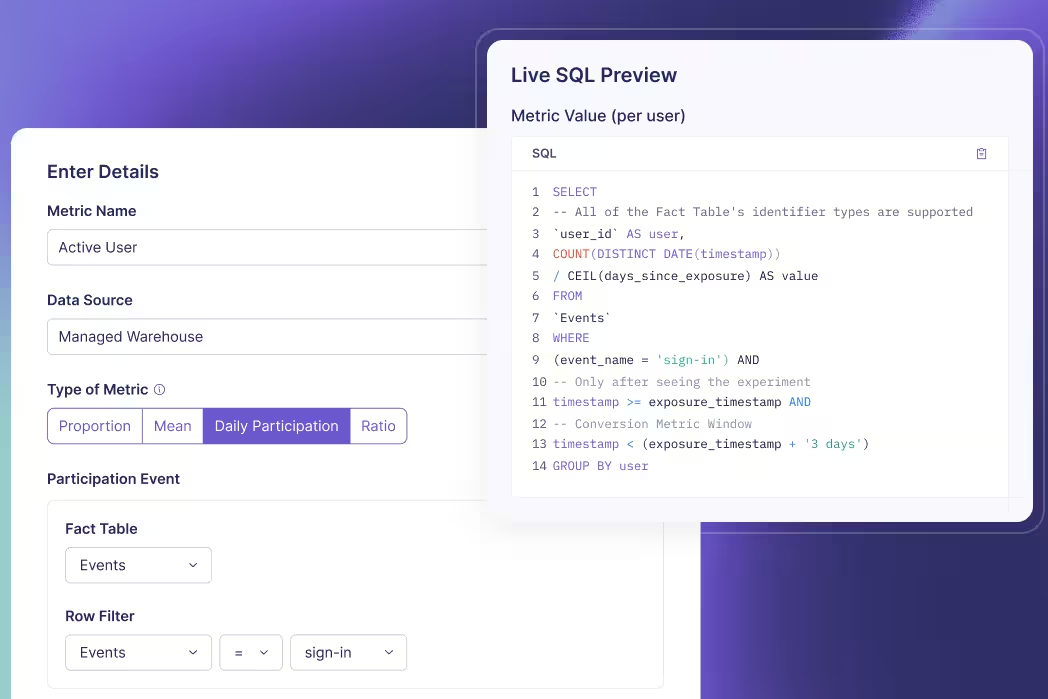
Hold the observed effect fixed and change precision
Work through an independent mean comparison
Consider a hypothetical fixed-horizon experiment with one completed revenue outcome per independent user. Control has mean revenue of $10; treatment has $11. Each arm has sample standard deviation $4 and 100 users. The target is the arithmetic mean difference, treatment minus control, and the null difference is zero.
The estimated effect is $1 per user. Using the independent unequal-variance standard error, square each group’s standard deviation, divide by its sample size, add those terms and take the square root. Here that is √(16/100 + 16/100), or about $0.5657.
Divide the $1 difference by $0.5657 to get t ≈ 1.7678. The estimated difference lies about 1.77 estimated standard errors above the zero-difference null. The sample standard deviation is still $4; the $0.5657 figure measures uncertainty in the difference between the two estimated means.
For these equal sample sizes and equal observed variances, the Welch–Satterthwaite calculation gives 198 degrees of freedom. Under the conventional Welch approximation, the two-sided p-value is approximately 0.07864 and the 95% confidence interval for the mean difference is approximately −$0.1155 to $2.1155.
Compare two hypothetical studies
Now consider a separate hypothetical study with the same group means and standard deviations, but 400 independent users per arm. The observed $1 difference has not grown. Its estimated standard error is smaller.
| Summary | 100 users per arm | 400 users per arm |
|---|---|---|
| Observed mean difference | $1 | $1 |
| Sample SD in each arm | $4 | $4 |
| Estimated SE of the difference | $0.5657 | $0.2828 |
| t-statistic | 1.7678 | 3.5355 |
| Welch reference df | 198 | 798 |
| Conventional two-sided p-value | 0.07864 | 0.0004304 |
| Conventional 95% CI for the difference | [−$0.1155, $2.1155] | [$0.4448, $1.5552] |
Quadrupling each group’s sample size halves the estimated standard error when these observed standard deviations stay fixed. It doubles t for the same observed effect. The larger statistic reflects greater estimated precision here, not a larger observed revenue gain.
These are teaching summaries for separate studies. They are not an instruction to keep extending one experiment until significance appears. In a real extension, means and variances can change, and the stopping rule affects how the inference should be calibrated. An observed t-value also does not directly tell you the power of a future study.
Translate t using the appropriate reference distribution
Degrees of freedom and tails determine the threshold
A t-value needs a reference distribution before you can obtain a p-value or critical value. The Student t family includes a degrees-of-freedom parameter; smaller values generally give heavier tails. The same absolute statistic can therefore produce different tail probabilities at different df.
For a prespecified two-sided 5% test, the relevant critical value is the 97.5th percentile of the reference t distribution. It approaches about 1.96 as df becomes large, but 1.96 is not a universal t cutoff. Nor does every test use n − 1. Degrees of freedom depend on the calculation and may be fractional for Welch.
A one-sided alternative uses a specified tail and a different critical value. A negative statistic is not evidence in favor of an upper-tail alternative simply because its absolute value is large. Choose the direction before seeing outcomes; taking whichever tail looks favorable changes the decision rule.
A p-value conditions on the null model
For a conventional two-sided t-test, the p-value is the probability, under the null model and assumptions, of a statistic at least as extreme in either direction as the observed t. It is not the probability that the null is true, that chance caused the result, or that a future experiment will succeed.
The ASA’s p-value principles also distinguish statistical significance from effect magnitude and practical importance. A threshold crossing does not determine whether the expected benefit pays for the change. If you need the broader conditional-probability interpretation, the t-test p-value guide develops it separately.
Read the interval in the original units
The corresponding conventional interval is the estimated difference plus or minus the relevant critical t-value times its estimated standard error. For the same two-sided procedure at 5%, a 95% interval excluding zero agrees with rejecting a zero-difference null. That agreement requires compatible test, interval and adjustment settings.
Confidence describes the repeated-use coverage of the method under its assumptions. It does not assign a 95% posterior probability to the fixed true effect lying inside the particular computed interval. The confidence-interval construction makes the relationship between standard error, critical value and width explicit.
In the first study, the interval includes a small loss and a substantial gain. In the second, it excludes zero but still spans different levels of business value. A minimum worthwhile effect helps interpret that range. Neither a large p-value nor an interval containing zero proves equality; equivalence requires an analysis designed for that claim.
Audit the inputs before acting on a t-value
Trace an unexpected statistic to its components
Start with the estimated effect and null value. Confirm the subtraction order, currency or time units, eligible population and observation window. A swapped group order explains a sign change; it does not explain a change in a correctly calculated two-sided p-value.
Then inspect the denominator. Check group sizes and sample variances at the actual independent unit. Look for duplicated joins, repeated events counted as independent observations, incomplete follow-up and treatment-dependent missingness. The arithmetic can be internally consistent while the data fail to represent the intended experiment.
Inspect the analysis settings too. A ratio metric, regression adjustment or variance-reduction method can have a standard error different from the simple independent-mean formula above. Do not attempt to reproduce a dashboard by substituting top-line traffic counts into the wrong calculation. GrowthBook’s statistical effect calculations describe its estimators and frequentist reference methods, including distinct metric types.
Keep the decision rule attached to the evidence
The worked examples use conventional fixed-horizon inference. Repeatedly inspecting that calculation and stopping at a favorable threshold changes its false-positive behavior. A planned sequential analysis is a different inferential procedure; GrowthBook documents an asymptotic confidence-sequence approach with its own settings. It does not repair incorrect units or missing outcomes.
Likewise, selecting the largest t among many metrics, variants or segments creates a testing problem beyond a single comparison. Preserve the planned comparisons and applicable corrections rather than treating the most impressive number as an isolated result.
A useful readout names the estimated effect, interval, test, df, direction and sample sizes, followed by the measurement checks and decision threshold. The team can then assess what the evidence supports and whether that effect is worth shipping. Use the t-value to understand precision relative to the null; keep the launch decision grounded in effects on users and the business.
Review the result in context
Open the official experiment-analysis workflow to inspect saved results, health checks and analysis settings with configured API access. It can refresh a result snapshot when needed; stopping or rollout is separate.
View the Analysis Workflow
A published Strapi document is content. An A/B test also needs an assignment, a delivered experience, and an outcome you can attribute.
The integration becomes unreliable when those pieces disagree. An older example may read data.attributes, while your Strapi 5 endpoint returns flat fields. A numeric database ID may be mistaken for a document ID. An internal service call may return a draft even though a similar REST request defaults to published content.
This guide builds an explicit Strapi 5 content test using a small server-rendered Node application and GrowthBook. It validates the complete published content pair before enrolling a visitor, preserves a stable browser identifier, and records an exposure only after browser execution reaches the selected page.
The code also fingerprints the reviewed strings so a later edit can be rejected before assignment. The local event collector demonstrates the measurement boundary; a real experiment still needs your existing signup flow, durable analytics delivery and verified warehouse joins.
Define the Strapi 5 delivery contract
Pick a content model you can inspect
The existing GrowthBook Strapi integration guide demonstrates Dynamic Zone components selected through a frontend SDK. The reference here uses two ordinary string fields and server-side evaluation. It does not require a separately installed Strapi experimentation plugin or depend on an unverified plugin compatibility claim.
Start with a hypothesis about a meaningful outcome: an outcome-focused headline will increase completed trial signups per eligible offer-page visitor. Keep the offer and signup destination consistent if headline copy is the intervention. If the change includes a larger component package, describe that package as the treatment.
A plain-text pair makes the first integration easier to inspect. You can verify the exact response, render the selected value safely, and compare the approved strings. When extending the model to components or Dynamic Zones, validate their full structure and use a reviewed variation mapping. Reordering an array must not silently redefine which experience belongs to control.
For example, an editorial interface might place an alternative card first because it is easier to find, while the frontend still interprets index zero as control. The content can remain valid JSON and render perfectly while the experiment labels have effectively switched. Use explicit variation keys or a constrained, reviewed ordering contract when extending the simple pair. Check the rendered package against the experiment mapping, not just that every component has a title.
Use the document API that your code actually calls
Strapi 5 REST responses expose normal content fields directly under data. The document endpoint uses documentId; the numeric id in a response is not the identifier this guide puts in the URL. Some plugin endpoints have different response conventions, so this contract applies to an ordinary generated collection endpoint.
The production request explicitly sets REST status to published. This is also the REST default when Draft & Publish is enabled. The internal Document Service API defaults differently, to draft. Do not transfer that internal default—or an older v4 parameter—into this REST implementation.
Keep locale explicit as well. The requested document and locale together identify the content version being delivered. This guide checks the returned locale instead of borrowing another CMS's fallback behavior or assuming a valid document ID means every translation exists.
The document concept groups localized and draft/published variations around a document identifier. That does not make the document identifier an immutable snapshot of the text. Keep source identity, publication state and approved content as separate fields in the experiment record. Changing one is a deployment decision even when the others remain familiar.
Define assignment and measurement before launch
Use one stable assignment unit. The example creates an anonymous first-party browser ID; account-level interactions may require account assignment instead. Plan the anonymous-to-authenticated transition so signup measurement does not lose the identifier or enroll one person under several unrelated IDs.
Choose a primary business outcome, a small diagnostic funnel and relevant guardrails. A headline can increase button clicks without increasing completed or qualified signups. Estimate eligible traffic and the effect that would change your decision before starting a test that cannot resolve the question in a useful period.
Separate content ownership from experiment operation. An editor approves the published pair, an engineer owns delivery and fallback behavior, and the analytics owner verifies exposure and outcome data. Name who can change the tested content and how a change starts a new reviewed comparison.
Model, publish and inspect the content pair
Create a localized collection in development
Use an existing Strapi 5 test application with Draft & Publish enabled for the collection. Configure internationalization and the intended locale if the content is localized. The Content-type Builder belongs to the development workflow; deploy schema changes through your normal application process.
Create a collection named Experiment page with singular API ID experiment-page and plural API ID experiment-pages. A minimal schema at src/api/experiment-page/content-types/experiment-page/schema.json is:
For an existing model, merge the relevant changes rather than replacing its other fields. Restart or rebuild according to your development workflow, create a document, enter both approved headlines and publish the intended locale. Copy its actual documentId from the API response or your document inspection workflow.
Review model changes and content changes through their appropriate paths. Adding a field affects application schema and deployment; editing a headline changes a content entry. Give the editor clear field descriptions so control means the approved baseline and variant means the approved experimental alternative. A required field helps authoring, but the renderer still validates the actual response from the deployed endpoint.
With internationalized content, inspect the specific localized pair that will be eligible for the experiment. Translating control but leaving treatment in an unintended language changes more than the hypothesis describes. Keep locale targeting and content approval aligned, and decide in advance whether results across languages belong to one planned analysis or separate comparisons.
Because both alternatives are plain strings, this request needs no relation population. Components, relations and media require an explicit population strategy when added later; populate=* is not a substitute for defining the treatment's dependencies and permissions.
Use a read token on the rendering server
Create a scoped Content API token for the renderer. A read-only token supports find and findOne; a Custom token can narrow the relevant endpoint access. Keep it on the application server. You do not need to expose an admin token or broadly enable public-role access for this authenticated server request.
Read-only describes allowed operations, not a universal guarantee that a caller can never request drafts. Fix production status and locale in trusted code. Keep editor preview routes and any draft-capable configuration separate from live enrollment and analytics.
When extending the endpoint with a language switcher, select from an approved locale set rather than forwarding every browser query parameter to Strapi. A request parameter named status should not turn the production renderer into a draft-content proxy. Keep the collection path and publication choice fixed, and validate the returned document and locale even after constructing a valid request.
Check permissions on the actual route you use. A working admin interface does not prove the rendering token can read the generated Content API endpoint. Conversely, an access problem is not a reason to grant broad public access to the entire model. Confirm the token's scope and the endpoint response independently of experiment assignment.
Create a reference Node project, or integrate the files into your existing application. Use a modern Node runtime compatible with the locked dependencies, such as Node 22 or later:
Add server configuration. STRAPI_ORIGIN is the CMS origin, including a port when needed, without /admin or /api appended:
Use the appropriate HTTPS origin outside your local development setup. Store credentials through your deployment's configuration mechanism, not in public HTML or query parameters.
Validate the published response and reviewed fingerprint
The following reader fetches one document by documentId, with explicit locale selection. It rejects a missing, draft, wrong-locale or malformed pair before the SDK can assign anyone:
Leave the optional expected hash blank for the first read-only inspection, with Strapi running and the document published. Run:
Confirm the actual approved pair, source origin, document and locale. Set STRAPI_EXPECTED_SHA256 to the returned digest before enrollment. The SHA-256 calculation fingerprints those exact strings and source dimensions. It does not retrieve an older Strapi version or grant access to anything.
documentId, updatedAt and publishedAt are useful context, but they do not freeze a treatment. The fingerprint rejects changes to the reviewed pair before assignment. Identical strings can retain the same digest after republication; publication metadata is recorded separately. Extend the fingerprint when additional content becomes part of the treatment.
Treat updating the expected digest as a review step. First inspect the new delivered pair, confirm why it changed, and decide whether the current experiment can continue under a documented phase or needs a new experiment. Copying the latest digest merely to clear an unavailable response defeats the check. Preserve the approved strings alongside the digest so a reviewer can understand the change without reconstructing it from a hash.
The digest covers the two headline strings and source dimensions in this implementation. It does not cover an unrelated image, price, signup destination or application deployment. If those become part of the intervention, extend the reviewed package and its validation. A useful content contract is explicit about both its coverage and the changes that require another review.
Review the experiment before launch
Open the experiment-design workflow to turn your content hypothesis, assignment unit, and metrics into a reviewable specification. Configure API access as directed and review the plan before launch.
Open Experiment Design Instructions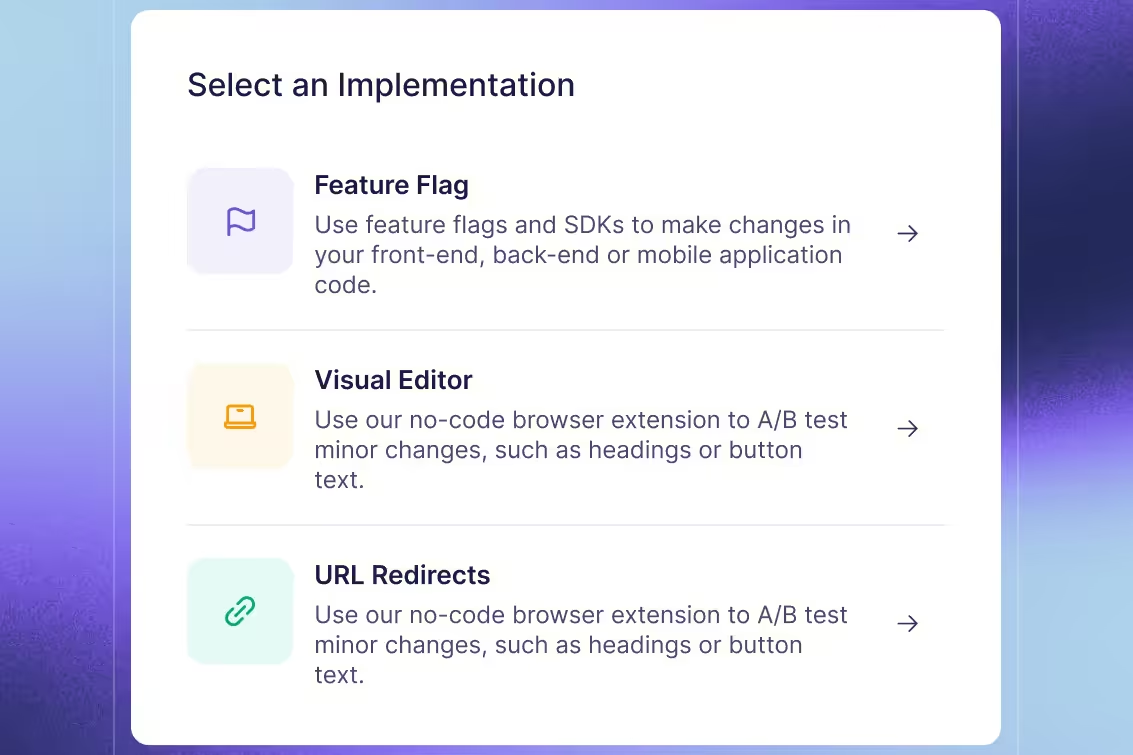
Render the assigned page with request-local context
Link the content values to an experiment
Create a string feature strapi-offer-copy, defaulting to control. Link an experiment with tracking key strapi-offer-copy-v1, mapping the two string values to the intended variations. Set hash attribute id, the correct SDK environment, targeting and goals in the experiment configuration.
The content value chooses a string from the pair. The experiment and variation identifiers describe the assignment for analysis. Preserve experiment.key and result.key; do not substitute the headline or assume a variation key must equal the content value.
The GrowthBook Node SDK can share feature payload data while keeping each visitor's context in a scoped instance. The server initializes through the request path and checks success, using the SDK's caching and refresh policy rather than retaining one startup promise forever. Test stopping and refreshing on warm instances; a shared cache is not an instant global update guarantee.
Keep the browser identity stable and the output safe
Create the server below. The existing /signup application flow is a prerequisite: implement or replace that link before measuring completed signups. The collector is a local diagnostic endpoint until connected to durable analytics.
The cookie parser can produce non-string values, so identity is validated before assignment. Express cookie maxAge uses milliseconds. The redirect establishes the cookie before the offer request; its one-attempt marker avoids looping when persistence fails. Adapt identity and consent behavior to the application's existing policy.
The headline is escaped as HTML text. The JSON data element separately escapes less-than signs so a closing-script sequence cannot terminate it. These are different output contexts. Do not use this plain-string renderer as a general HTML or Rich Text renderer.
Keep failure behavior visible
A missing document, wrong locale, draft payload or changed fingerprint fails before enrollment. A failed feature-payload initialization can retain valid control content outside enrollment. Unexpected raw assignment values are logged and do not become misleading control-view events.
Fetching both alternatives in one validated payload makes this eligibility check independent of the assigned arm. A different architecture that first assigns treatment and then fetches only its content has another failure problem: a missing treatment resource can selectively remove treatment visitors from observed exposures. If larger packages require that architecture, preserve assignment and delivery failures explicitly and design the analysis population before launch. Do not infer that a missing view means the visitor never belonged to the comparison.
Preserve diagnostics and investigate the affected interval. Filtering failed treatment deliveries from analysis can select the comparison population after assignment. A safe display fallback does not make a broken experiment trustworthy; repair or halt it when delivery or configuration is unreliable.
The personalized response uses private, no-store. Shared caching of the complete validated pair is a separate choice from caching a visitor's selected HTML. Verify the actual reverse proxy and CDN behavior rather than assuming a response header alone describes every cache in the deployment.
When adding a shared content cache, include the CMS instance, document, locale, publication selection and reviewed fingerprint in the appropriate cache design. A cached English pair should not satisfy a request for a different locale, and a previously approved pair should not conceal a broken publication process indefinitely. Test invalidation and recovery using the same deployment configuration as the experiment.
The server selects one headline before producing HTML, so the browser does not need to rewrite that headline to implement this treatment. Measure the server response path under realistic load nonetheless: content fetching, payload initialization and application work still consume time. Keep loading and error guardrails appropriate to the page rather than promising that server-side evaluation has no performance cost.
Connect browser exposure to the outcome
Record a defined display boundary
The callback during evaluation queues assignments; it is not proof that HTML reached a browser. Use the deferred-tracking pattern to carry compact metadata into a client script that runs after parsing the page:
This boundary establishes that browser execution reached the rendered page. It does not prove viewport visibility or reading. Use a symmetric visibility condition if that is the intended exposure definition. A successful beacon queue operation also does not prove network acceptance or durable ingestion.
The data-element marker prevents duplicate execution within one document. Reloads can produce additional displays, and collector retries need their own event-ID policy. Define whether analysis uses first exposure or another consistent rule, then make the assignment query match that definition.
Replace local logging with verified ingestion
The diagnostic collector reads identity from the HttpOnly cookie, validates the event/source fields and discards unexpected fields. It still receives browser-supplied observations. Do not use that metadata as an authorization or billing decision, and do not treat a console row as a warehouse record.
Connect your supported analytics ingestion with appropriate validation, origin controls, delivery monitoring, retries and deduplication. Apply consent and tracker-readiness behavior consistently across both arms. Compare assignments, browser events, accepted requests and warehouse rows when investigating loss; those counts represent different boundaries.
Configure the GrowthBook data source to read experiment key, variation ID, timestamp and assignment unit from the actual stored schema. Preserve the document/locale/hash provenance in the event or a linked experiment record so the content behind a result remains identifiable.
Validate that mapping with one controlled event before increasing traffic. Compare the browser request, accepted collector fields and resulting warehouse row. Field names can change through an analytics transformation, timestamps may be stored in different zones, and a custom identifier can be dropped by a tag or export. Finding the row and joining its outcome is stronger evidence than seeing a successful HTTP response from the local collector.
Join the business outcome to the same identifier
Define completed signup or another chosen outcome with Fact Tables and metrics. Verify that it joins to the browser assignment identifier or a tested authenticated-identity mapping. A signup on another origin does not automatically carry this cookie.
Inspect an actual controlled exposure and outcome together, including timestamps, duplicate handling and follow-up window. Recent visitors may not yet have had enough time to complete the outcome. Keep diagnostic clicks and qualified conversions separate so faster but less useful signals do not replace the intended decision.
Verify publication and maintain a clean test
Check HTTP behavior before interpreting results
With the reviewed hash configured, run the application and establish a local cookie jar:
Expect a fixed redirect and consistent selected content for the same identifier while configuration remains stable. These requests inspect server HTML; they do not execute the browser exposure script. Use a real browser to inspect the beacon and collector, then verify the actual analytics and warehouse path separately.
Exercise both arms with controlled identities. A forced value can prove a rendering branch, but it does not prove ordinary randomized enrollment. Keep preview, forced and employee QA traffic outside production analysis.
Persistence is also narrower than sticky assignment across arbitrary configuration changes. The same browser ID can be used consistently while a changed experiment key, rule or allocation alters the experience. Freeze the intended configuration during the comparison, record deliberate changes, and use the platform's supported bucketing behavior when your requirements extend beyond a stable identifier.
Test the modern contract and its failure cases
| Test condition | Expected behavior | What to investigate |
|---|---|---|
| v4-style nested response | Reject missing flat fields | Migration compatibility and parser version |
| Numeric row ID used as document ID | No successful content display | Actual documentId and generated endpoint |
| Draft or wrong-locale payload | Reject before assignment | Status, localization and preview configuration |
| Reviewed string changes | Hash mismatch before enrollment | Publication approval and treatment version |
| SDK, cookie or event failure | Explicit baseline/unavailable/diagnostic path | Identity continuity and delivery loss |
Also test HTML-significant characters and a closing-script sequence in approved QA content. They should remain text, and the data element should remain intact. Repeat cache and identity checks on the actual deployment: local success does not establish proxy behavior, public rendering or warehouse attribution.
Include a schema deployment in the regression check when field names or content structure change. A correct new schema in development can coexist with older published documents or a renderer expecting the previous shape. Verify the deployed model, the delivered payload and the rendering contract together. Keep a clear unavailable/diagnostic result for incompatible content rather than disguising it as a valid control observation.
Close the loop with an owned content decision
Before interpreting lift, investigate allocation anomalies, missing data and variation-specific failures. Agree on duration, outcome maturity, meaningful effect and a decision framework before seeing the result. An imprecise estimate can leave the content choice unresolved, and nonsignificance does not prove equivalence.
When the test ends, stop enrollment, verify payload refresh in deployed instances and publish the chosen headline as ordinary content. Preserve the approved pair, source document/locale, fingerprint and metric definition with the learning. Remove retired assignment and tracking branches through review so future tests begin with a clear owner and a clean content contract.
Coordinate the content promotion with the fingerprint gate. Turning the winning headline into the new control changes the reviewed pair, so approve that resulting baseline and its new digest deliberately. Test the publication/configuration sequence in staging; do not clear a mismatch by copying a new hash without checking what it represents. The final baseline should work independently of the retired experiment rule and its exposure code.
Run a clear content comparison
Connect published Strapi content to consistent assignments and the business outcomes your team already measures. Start with a small test and verify the complete delivery and measurement path.
Get Started With GrowthBookYour randomizer can work correctly while the final experiment comparison becomes unreliable. People can enter different reporting paths, lose their identifiers, or disappear from outcome collection after assignment. The result still looks like an A/B test, but the rows left in the analysis may no longer support the question you meant to answer.
Random assignment is a powerful protection against selection into treatment. It does not guarantee representative recruitment, complete follow-up, or valid post-treatment filters. Understanding that boundary helps you distinguish an allocation problem from a problem observing the people you allocated.
The most consequential question is often what randomization lets you learn when some outcomes remain unknown. A larger sample or a more sophisticated statistical engine cannot supply those missing facts without additional evidence or assumptions.
Understand the protection randomization provides
Assignment should not depend on potential outcomes
Selection bias concerns systematic distortions introduced by how observations enter or remain in the comparison relevant to your question. The selection-bias definition emphasizes the relationship between the studied group and the population of interest. Terminology varies across fields, so name the actual selection process rather than assuming the label explains it.
With a common assignment probability, proper random assignment makes treatment allocation independent of the units’ potential outcomes. When assignment probabilities vary across prespecified strata, that independence is conditional on those strata. Product teams do not have to identify every motivation, prior preference, or unmeasured characteristic before assigning users. The allocation mechanism avoids deliberately routing more promising users into treatment and less promising users into control.
This protection concerns the units eligible for that randomization. It also relies on the implemented experiment matching the design: the assigned treatment must be well defined, identity must support the assignment, outcomes must be measured appropriately, and interference between units must be addressed where relevant.
Balance is an expectation, not a perfect copy
Randomization does not create two identical lists of people. A finite experiment can have chance differences in baseline behavior even when the mechanism is sound. The methodological basis of randomized comparisons is comparability on average under the design, rather than exact equality of every measured or unmeasured characteristic in every sample.
Investigate evidence of implementation failure, but do not repeatedly rerun allocation until the observed outcome looks attractive. Prespecified blocking or stratification can be legitimate design choices; changing allocation in response to favorable results is a different procedure.
Randomization also does not mean the observed difference equals the true effect exactly. Sampling or randomization uncertainty remains even with complete measurement. A confidence interval addresses uncertainty under its assumptions; it does not certify that recruitment, joins, filters, or outcome observation were valid.
There is another limit to what is observed. Each unit receives one assigned experience, so you do not observe that same unit’s outcome under the alternative at the same time. Randomization supports an aggregate comparison under the design; it does not reveal an individual causal effect for every user. Keeping this distinction clear prevents a clean experiment average from becoming an unsupported claim that every customer benefits.
Name the treatment effect you want to estimate. The effect of offering an experience and the effect among people who actually use it are different questions. Random allocation directly supports the first comparison under its assumptions; a user’s decision to adopt is not another random allocation.
Define the population and unit the design covers
Random assignment is different from random sampling
Assignment decides which experience an enrolled unit receives. Sampling concerns which units enter the study from a population. Randomizing a volunteer beta group can support a comparison inside that beta, while leaving a separate question about whether its result applies to customers who did not volunteer.
A narrow study is not automatically a failed study. An Android-only feature may appropriately be tested among eligible Android users. A launch claim about all platforms needs additional support. State the population, setting, and time period in the decision before debating whether the sample is representative enough.
The broader selection-versus-sampling comparison explains these categories and post-treatment subgroup examples. For an experiment review, the immediate task is to identify which population your assignment actually covers and whether the final analysis preserves it.
Choose identity and eligibility before treatment changes them
Eligibility should describe who can meaningfully receive the tested experience, using information that the treatment cannot already have changed. A supported device or an account state measured at entry can define a relevant population. Successfully using the new experience is usually an outcome, not an equivalent entry criterion.
Choose the randomization unit to match the intervention. Assigning individual employees to different collaboration settings may create interference when they work together. Assigning accounts can address some shared-experience requirements, but changes the number of independent units and the analysis needed. Randomization-unit design guidance makes identity stability and network effects part of the experiment design, not merely SDK configuration.
In implementation, preserve the assigned unit and variation through the outcome join. A device identifier that disappears after login can create missing outcomes rather than genuine non-conversions. A changing identity can also expose one person to multiple variations. Record the identity and timing assumptions with the experiment configuration, then verify the delivered data follows them.
Define the denominator first
Use the KPI playbook to distinguish binary, continuous, and ratio metrics, and connect each measurement to the experiment decision it is meant to support.
Read the KPI PlaybookMissing outcomes can defeat an apparently favorable result
Complete-case rates describe the people still observed
Suppose a hypothetical experiment assigns 100 units to each arm. The binary outcome window has ended for everyone, but a collection problem leaves some outcomes unknown. There are 18 known successes in each arm:
| Outcome availability | Control | Treatment |
|---|---|---|
| Assigned units | 100 | 100 |
| Units with observed binary outcomes | 90 | 60 |
| Known successes among observed outcomes | 18 | 18 |
| Units with unknown outcomes | 10 | 40 |
| Success rate among observed outcomes | 20% | 30% |
The complete-case comparison is 18/90 versus 18/60, an observed difference of +10 percentage points. It compares the units whose outcomes were available. It does not establish the success-rate difference for all 100 assigned units in each arm.
The larger missing fraction in treatment is a warning about observation. It is not proof of a particular direction or magnitude of bias. Equal missing fractions would not settle the issue either: equally many missing users could have different outcomes or different reasons for being unobserved.
Missingness does not inevitably create bias in every analysis. Purely random loss can mainly reduce precision; other missingness processes can select people with systematically different outcomes. The missing-value count alone does not identify which process occurred. Record the reasons for loss and what was known about affected units before treatment, rather than treating an arbitrary percentage threshold as a universal certificate of validity.
Intention-to-treat analysis with missing outcomes requires a defensible approach to those unknown outcomes. Keeping everyone’s original assignment preserves the target comparison, but the words “intention to treat” do not recover information that was never observed. Automatically assigning every missing value zero imposes an outcome assumption.
Ask what the unknown values could change
Because the example’s outcome is binary, we can calculate simple logical completion ranges. If none of control’s ten unknown outcomes were successes, its full-cohort sample rate would be 18%. If all ten were successes, it would be 28%.
Treatment has forty unknown outcomes, so its corresponding range is 18% to 58%. Across possible completions of these missing entries, the all-assigned sample rate difference could run from −10 percentage points to +40 points.
These are logical missing-outcome completion bounds, not a confidence interval and not exact bounds on a population causal effect. They hold the observed entries fixed and vary the unknown binary values. Even if every missing outcome were recovered, inference about an underlying effect would retain uncertainty from the experiment’s design.
The exercise reveals how little the complete-case +10-point result establishes without assumptions about observation. Filling all missing values with zero happens to produce 18% in both arms here. That zero difference is one completion, not a demonstrated absence of an effect.
Attrition analysis can use sensitivity checks to make missing-data assumptions visible. A useful next step is to recover outcomes from reliable records, investigate why collection failed, and assess conclusions under plausible alternatives. The most favorable completion is not a substitute for that investigation.
Preserve the comparison after assignment
Different exclusions require different repairs
Distinguish incomplete observation from a known zero. An account that was fully observed and did not purchase can legitimately contribute zero to a purchase metric. An account that no longer joins to the purchase system has an unknown outcome unless other evidence establishes what happened.
Telemetry-loss research shows why lost records can affect power and bias comparisons. Increasing traffic through the same broken collection path need not fix the problem. It may narrow the reported interval around a distorted complete-case comparison.
Inspect the metric and Fact Table definitions, including identifiers, join types, filters, timestamp alignment, and outcome availability. A left join followed by a filter on an outcome-table field can silently become an exclusion rule. A metric name does not reveal which people survived that rule.
Post-treatment filtering is another mechanism. Restricting analysis to purchasers or successful feature users can select different people in each arm when treatment changes those behaviors. Identical SQL applied to both arms does not make selected membership independent of treatment. Use such a view for a clearly limited descriptive purpose or an appropriate causal analysis; do not assume it inherits the original randomized comparison.
Triggering needs a causal and implementation argument
Analyzing a relevant triggered population can be defensible when the trigger identifies comparable eligibility across assignments. The criterion is not simply whether logging happens before or after the assignment timestamp. Ask whether the tested treatment can affect who satisfies the condition or whether that condition is recorded.
GrowthBook’s activation-metric settings explicitly warn that activation should be independent of assignment. Where a feature exists only in treatment, a carefully designed counterfactual logging approach can record who would have encountered it in control. That requires equivalent logic and validation, not just a treatment-only click event with a new name.
Passing a sample ratio mismatch check is useful evidence about allocation counts, not a guarantee that every inclusion rule is valid. Selection can change the composition of two equally sized groups. Review reasons for missingness and baseline characteristics alongside counts, rather than forcing arm sizes to match by discarding extra observations.
No statistical repair is universal. Weighting and imputation require assumptions and relevant observed information. A group absent from the data cannot be studied merely by assigning it a larger weight. A missingness mechanism related to unobserved outcomes cannot be declared harmless because a model returned a precise estimate.
For example, an imputation model may assume observed baseline information is sufficient to account for who has missing outcomes. That assumption needs a substantive argument; the unobserved values themselves cannot be inspected to verify it. Compare plausible departures from the assumption and report whether the practical decision survives. Do not choose the missing-data model because it produces the preferred launch recommendation.
Report the evidence randomization actually preserved
Track assignment separately from outcome observation
Maintain counts for eligible units, assigned units, recorded exposures, observed outcomes, and the final analysis population. Explain losses between stages by arm and by relevant baseline groups. The ledger should distinguish a known outcome from unavailable measurement, and an original exclusion from a later analytic restriction.
The data-quality requirements for online experiments include completeness, consistent assignment records, reliable joins, and timing. An allocation check alone covers only part of that path. A clean A/A test can reveal existing problems but cannot prove a future treatment will leave exposure and outcome collection unchanged.
Preserve the query or metric revision behind the result. If the team repairs a join or recovers delayed records, state whether the correction reconstructs the intended original population. If it does not, explain the resulting scope and whether a new run is needed. Avoid relabeling a selected survivor cohort as the original experiment.
Design outcome observation before increasing exposure. For an important transaction metric, a reliable backend record may allow recovery when a client event fails, provided identity and timing still join correctly. Verify that the recovery method is available in both arms and measures the intended outcome. A second event stream is useful evidence only when its own coverage and meaning are understood.
Make missing-data assumptions part of the launch decision
Alongside the experiment results, report outcome availability and the assumptions used for missing values. Transparent randomized-trial reporting treats participant flow, exclusions, and missing-data handling as information needed to judge a result. The same statistical discipline is useful for product experimentation when the participants are accounts rather than clinical-trial patients.
For the hypothetical experiment, the immediate conclusion is that the favorable complete-case result does not identify the all-assigned sample comparison without more information. The next action is to investigate observation, recover outcomes where possible, and evaluate the remaining uncertainty. It is not to declare a winner from 20% versus 30%, or a tie from zero-filled missing outcomes.
Randomization gives you a defensible starting contrast. Preserving it requires that the data and analysis continue to describe the units and outcomes the decision concerns. Before launching from a randomized result, be able to explain not only how people received a variation, but also whose outcomes are known, whose are missing, and what your conclusion assumes about the difference.
Inspect the metric definition
Open the read-only metric search workflow to find a fact metric and inspect its aggregation, filters, identifiers, and associated fact table. Running the workflow requires configured GrowthBook API access; the instructions do not execute an audit when opened.
View the Metric Search WorkflowReady to ship faster?
No credit card required. Start with feature flags, experimentation, and product analytics—free.