The Uplift Blog

Subscribe
Thank you! Your submission has been received!
Oops! Something went wrong while submitting the form.
GrowthBook Hits 6,000 Stars on GitHub: What’s Driving Our Growth?
News

GrowthBook Hits 6,000 Stars on GitHub: What’s Driving Our Growth?

Sep 13, 2024
x
min read

We’re thrilled to announce that GrowthBook has reached 6,000 stars on GitHub! This milestone means so much to us, and we couldn’t have done it without the amazing support from developers, data-driven teams, our community, and experimenters like you. To celebrate, we wanted to highlight a few of our favorite features that have helped us grow and made experimentation easier for everyone.

Sticky Bucketing: Keeping Experiments Consistent

Imagine running an experiment in which users switch between devices and their test experience remains consistent. That’s what Sticky Bucketing does! Whether they hop from mobile to desktop or if the test is restarted, users stay in the same variant. This consistency means you get cleaner data and more accurate results—no noise, just insights you can trust.

Fact Table Optimization: Smarter Queries, Lower Costs

Running a bunch of experiments at once? No problem. With Fact Table Optimization, your queries get smarter and faster, especially if you’re using data warehouses like BigQuery or Snowflake. This feature cuts down the time (and cost!) of running queries, so you can focus on scaling your experiments and driving growth without stressing about infrastructure.

Edge SDKs: Fast Experiments, No Performance Trade-Offs

We know speed is crucial, and our Edge SDKs deliver exactly that. By running experiments at the edge—on platforms like Cloudflare and Fastly—you’ll eliminate slow page loads and flickering. Plus, our Edge SDKs make it easy to run no-code visual experiments, ensuring your users have a seamless experience while you get results faster.

Quantile Metrics: Get Granular Insights into Performance

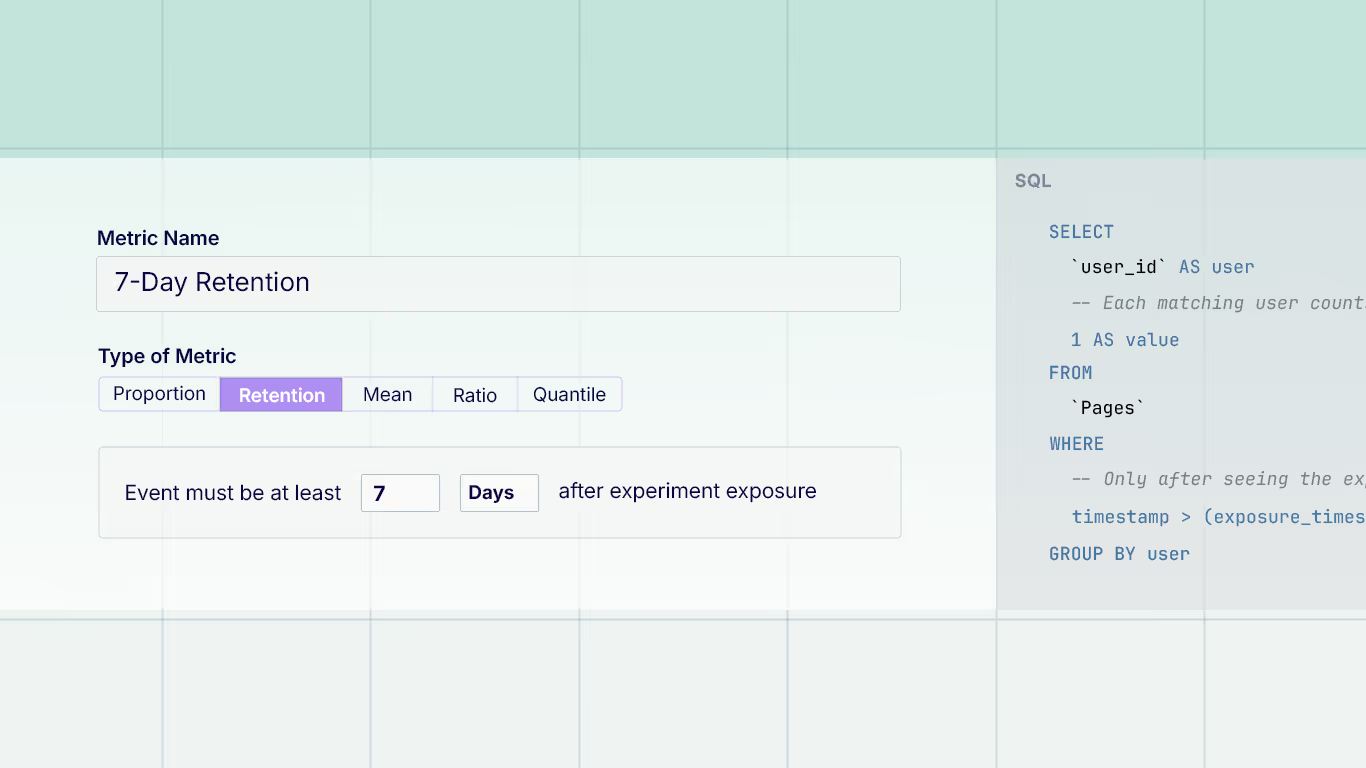
Averages can only tell you so much. With Quantile Metrics, you get a more detailed view of how different user groups experience your experiments. Whether you’re improving load times or optimizing checkout, this feature helps you zero in on outliers and fine-tune performance for every segment.

Thanks for Helping Us Grow

This milestone is just the beginning, and we couldn’t be more grateful for your support and contributions. Every experiment, every bit of feedback, and every GitHub star has pushed us to build something better. If you haven’t already, check out GrowthBook on GitHub—we’d love to see what you experiment with next!

Thanks for supporting us!

9 Common Pitfalls That Can Sink Your Experimentation Program
Experiments

9 Common Pitfalls That Can Sink Your Experimentation Program

Sep 6, 2024
x
min read

Controlled experiments, or A/B tests, are the gold standard for determining the impact of new product releases. Top tech companies know this, running countless tests to squeeze out the truth about user behavior. But here’s the rub: many experimentation programs don’t reach that level of maturity. Many fail to make their systems repeatable, scalable, and above all, impactful. 

While developing the GrowthBook platform, we spoke to hundreds of experimentation teams and experts. Here are eight of the most common ways we’ve seen experimentation programs falter, along with ways to avoid them.

Low Experiment Frequency

The humbling truth about A/B testing? Your chances of winning are usually under 30% - and the odds of large wins are even lower. Perversely, as you optimize your product, these winning percentages decrease. If you’re only testing a few tests a quarter, the chances of a large winning experiment in a year are not good. As a result, companies may lose faith in experimentation due to a lack of significant wins.

Successful companies embrace the low odds by upping their testing frequency. The secret is making each experiment as low-cost and low-effort as possible. Lowering the effort means that you can try many more hypotheses without over-investing in ideas that didn't work. Try to identify the smallest change that will signal whether the idea will affect the metrics you care about. Automate where you can, and use tools like GrowthBook (shameless plug!) to streamline the process and scale the number of tests you can run. Additionally, build trust in the value of frequent testing by demonstrating how even small insights compound over time into meaningful change.

Biases and Myopia

Assumptions about product functionality and user behavior often go unchallenged within organizations. These biases, whether personal or communal, can severely limit the scope of experimentation. At my last company, we had a paywall that was assumed to be optimized because it had been tested years ago. It was never revisited until a bug from an unrelated A/B test led to an unexpected spike in revenue. This surprising result prompted a complete reassessment of the paywall, ultimately leading to one of our most impactful experiments.

This scenario illustrates a common pitfall: Organizations often believe they know what users want and are resistant to testing what they assume is correct—a phenomenon known as the Semmelweis Reflex, in which new knowledge is rejected because it contradicts entrenched norms. 

A big part of running a successful experimentation program is removing bias about what ideas will work and which will not. Without considering all ideas, the potential success is limited. This myopia can also happen when growth teams are not open to new ideas, or cannot sustain their rate of fresh ideas. In these cases, they can start testing the same kinds of ideas over and over. Without fresh ideas, it can be extremely hard to achieve significant results, and without significant results, it can be hard to justify continuing to experiment. 

The key to resolving these issues is to recognize that you or your team may have blind spots. Kick any assumptions to the curb. Test everything—even the things you think are “perfect.” Talk to users, customer support, and even browse competitors for fresh ideas. Remember: success rates are low because we’re not as smart as we think we are.

High Cost

Enterprise A/B testing platforms can be expensive. Most commercial tools charge based on tracked users or events, meaning the more you test, the more you pay. Since success rates are typically low, frequent testing is critical for meaningful results. However, without clear wins, it becomes difficult to justify the ROI of an expensive platform, and experimentation programs can end up on the chopping block.

The goal should be to drive the cost per experiment as close to zero as possible. One way to save money is to build your own platform. While this reduces the long-term cost of each experiment, the upfront investment is steep. Building a system in-house typically requires teams of 5 to 20 people and can take anywhere from 2 to 4 years. This makes sense for large enterprises, but for smaller companies, it's hard to justify the time and resources.

An alternative is to use an open-source platform that integrates with your existing data warehouse. GrowthBook does exactly that. It delivers enterprise-level testing capabilities without requiring an entire infrastructure to be built from scratch. By lowering costs, you can sustain frequent testing and build trust with leadership by showing how your experimentation delivers valuable insights without breaking the bank.

Effort

Nothing kills the momentum of an experimentation program like a labor-intensive setup. I’ve seen teams where it took weeks just to implement one test. And after the test finally ran, they had to manually analyze the results and create a report—a painstaking, repetitive process that limited them to just a few tests per month. Even worse, this created significant opportunity costs for the employees involved, who could have been working on more impactful projects.

Successful programs minimize the effort required to run A/B tests by streamlining and automating as much as possible. Setting up, running, and analyzing experiments should be as simple as possible. Experiment reporting must be self-service, and creating a test should require minimal setup - ideally just a few steps beyond writing a small amount of code. The easier it is to get a test off the ground, the more agile and efficient the experimentation program becomes.

This is where good communication plays a pivotal role. Clear, consistent communication between product, engineering, and data teams is essential for minimizing effort. Everyone involved needs to know what tools and processes are available to them. When teams collaborate effectively, they can anticipate potential roadblocks, avoid duplicated effort, and move faster. Without strong communication, you risk bottlenecks, misaligned priorities, and confusion over responsibilities—all of which slow down the testing process. In short, the easier you make the process—and the better your teams communicate—the more agile your experimentation program becomes.

Bad Statistics

Product manager ignoring data team to chase the one positive experiment metric

There are about a million ways to screw up interpreting data that can sink an experimentation program. The most common ones are: peeking (deciding on an experiment before it's completed), multiple-comparison problems (adding so many metrics or slicing the data until it shows what you want to see), and just cherry-picking data (ignoring bad results). I’ve seen experiments where every metric is down, save one that is partially up, and be called a winner because the product manager wanted it to win and focused on that one metric. Experimentation results used inappropriately can be used to confirm biases rather than reflect reality. 

The fix? Train your team to interpret statistics correctly. Your data team should be the center of excellence, ensuring experiments are designed well and results are objective - not just confirming someone's bias. Teach your teams about common problems in experimentation and related effects such as Semmelweis, Goodhart’s Law, and Twyman's Law.

One of the best ways to build trust in your experimentation program is to standardize how you communicate results. Tools like GrowthBook, offer templated readouts that give everyone a clear, consistent understanding of what really happened in the A/B test. These templates, set up by experts, embed best practices to ensure business stakeholders can follow along and keep everyone on the same page.

With consistent, templated results, your team gets reliable insights that reflect reality, even if the truth stings a little. This clarity fosters a culture where data—not gut feelings—drives decisions.

Cognitive Dissonance

Design teams often conduct user research to uncover what their audience wants, typically through mock-ups and small-scale user testing. They watch users interact with the product and collect feedback. Everything looks great on paper, and the design seems airtight. But then they run an A/B test with thousands of real users, and—surprise!—the whole thing flops. Cue the head-scratching and murmurs about whether A/B testing is even worth it.

This situation often triggers a clash of egos between design and product teams. The designers swear by their user research, while product teams trust the cold, hard data from the A/B test. The trick here is to remove the "us vs. them" mentality and remember that both teams have the same goal: building the best possible product.

Treat A/B testing as a natural extension of the design process. It’s not about proving one team right or wrong—it's about refining the product based on real-world data. However, product teams must also be careful not to use data as a shield to justify dark patterns that degrade user trust, proving that sometimes the designers' intuition is correct.

By collaborating closely, design and product teams can run A/B tests to validate their ideas with a much larger audience, gathering more data to iterate and ultimately improve their designs. Testing doesn’t replace design; it enhances it by providing insights that make good designs even better.

Lack of Trust

The last two issues with experimentation programs highlight the importance of trust in your data and deserve their own section. If the team misuses an experiment or draws incorrect conclusions from it, such as announcing spurious results, you start eroding trust in the program. Similarly, when you have a counterintuitive result, you will need a high degree of trust in the data and statistics to overcome internal bias. When trust is low, teams may revert to the norm of not experimenting. 

The solution, obviously, is to keep trust in your program high. Make sure that your team runs A/A test to verify that the assignment and statistics are working as expected. Make sure you monitor the health of your experiments and the quality of your data as they are being run. If a result is challenged, be open to replicating the experiment to verify the results. Over time, your team can learn to place the right amount of trust in the results.

Lack of Leadership Buy-In

Leaders love to say they’re “data-driven,” but when their pet projects start getting tested and don’t pan out, they’re suddenly a lot less interested in data. When you start measuring, you get many failures and projects that don’t affect metrics. I’ve seen it time and time again: tests come back with no significant results, and leadership starts questioning why we’re testing at all.

It’s especially tough when they expect big, immediate wins, and the incremental nature of testing leaves them cold. When only ⅓ of all ideas win, this is a huge barrier, as oftentimes, leadership is focused on timely delivery.

Educate leadership on the long game of experimentation. Data-driven decision-making doesn’t mean instant success; it means learning from failures and iterating toward better solutions. Admitting you don’t always know what’s best can be tough—especially for highly paid leaders. It can bruise egos when a beloved idea flops in a test, but that’s part of the process. There's plenty written about the HiPPO problem (Highest Paid Person’s Opinion), where decisions are driven by rank rather than data.

The trick is to build trust in the experimentation process by showing that most ideas fail—and that’s okay—because you still benefit from the results. To demonstrate your program's value, focus on long-term impact and cumulative wins. Even small, incremental improvements lead to major gains over time. Insights from each test, even the "failures," inform smarter decisions, improving the organization's ability to predict what works. Highlight that if you had not tested an idea, it might have had a negative impact, so it should be seen as a win or “save.” As you learn what users like and don’t like, future development will include these patterns, making future projects more successful. This can be difficult to communicate, but it’s essential.

Poor Process

Prioritization is hard. Most experimentation programs try to rank projects using systems like PIE or ICE, which assign numerical scores to factors like potential impact. The impact of a project is notoriously hard to predict, and it doesn’t become objective just because one puts a number on it.  However, these systems often oversimplify the complexity of experimentation, making it harder to get tests running quickly. The effect of a bad process, as well-intended as they are, can reduce the experiment velocity and the chance of a successful program. 

One solution to this is to give autonomy to teams closest to the product. Let them choose what experiments to run next, with loose prioritization from above. The more tests you run, the more likely you are to hit something big, so focus on velocity.

Conclusion

Experimentation can be a game-changer if you avoid these common pitfalls. Hopefully, this list will give you some points to consider that can improve your chances of having a successful experimentation program. If any of these failure modes sound familiar, try experimenting with some of the solutions mentioned for a month or two—you might be surprised by the results.

How We Built WebLens: Creating an AI-Powered Hypothesis Generator
News
Experiments
AI

How We Built WebLens: Creating an AI-Powered Hypothesis Generator

Aug 8, 2024
x
min read

Background

With the advent of generative AI, companies across all industries are leveraging these models to enhance productivity and improve product usability.

At GrowthBook, we have the unique opportunity to apply generative AI to the challenges of experimentation and A/B testing as an open-source company.

After careful consideration of the various applications of generative AI within the experimentation and A/B testing space, we decided to focus on creating an AI-powered hypothesis generator. This project not only allowed us to quickly prototype but also provided a rich roadmap for further innovation as we explore the potential of large language models (LLMs) in online controlled experiments.

An AI-powered hypothesis generator

Problem: New users often struggle to identify opportunities to optimize their websites, while experienced users may need fresh ideas for experiments.

Solution: Our AI-powered hypothesis generator analyzes websites and suggests actionable changes to achieve desired outcomes. It can generate DOM mutations in JSON format, making it easier to create new experiments in GrowthBook. For example, on an e-commerce site, the generator might recommend repositioning the checkout button or simplifying the navigation menu to boost conversion rates.

Overview

In our first iteration of the AI-powered hypothesis generator, we focused on a straightforward approach using existing technology. Below, we outline our process, the challenges we encountered, and how we plan to improve in future iterations.

Hypothesis generation steps

To accomplish the task of generating hypotheses for a given web page, there were a few discrete steps that the application would need to accomplish:

  1. Analyze the web page by scraping its contents.
  2. Prompt an LLM for hypotheses using the scraped data and additional context.
  3. If feasible, prompt the LLM to generate DOM mutations in a format compatible with our Visual Editor.
  4. Onboard the generated hypothesis and visual changes into GrowthBook.

Hypothesis generator tech stack

The hypothesis generator is built on a Next.js App supported by several services:

System Architecture for WebLens

Here's a visual overview of our hypothesis generator architecture

Scraping the page

To provide the LLM with the context it needs to form hypotheses, we needed a way to serialize a web page into data that it could understand, that is, text and images.

We were lucky to partner with another YC company, Firecrawl, for web scraping. Initially, we used Playwright, but switched to Firecrawl for its simpler API and reduced resource usage.

Firecrawl helps us:

  • Provide a markdown-representation of the page’s contents
  • Deliver the full, raw HTML of the page.
  • Capture a screenshot of the page.

Prompting the LLM

Now for the fun part - we had to learn how to prompt the LLM to get accurate and novel results. A number of challenges arose in this area of the project.

In the beginning, we experimented with OpenAI GPT 4, Anthropic Claude 2.1, and Google Gemini Pro. We also made sure to acquaint ourselves with established prompting techniques and leveraged those that seemed to improve results.

In the end we decided to go with Google Gemini Pro chiefly for its large context window of 1 million tokens. The difference in quality of hypotheses was negligible but we thought OpenAI’s GPT-4 did slightly better.

Prompt engineering

We experimented with a variety of novel prompting techniques (as well as a bit of sorcery and positive thinking) to produce hypotheses of suitable quality. Here are a few of the techniques that we found useful:

  • Multi-shot prompting: We combed through examples of successful A/B tests targeting different disciplines and segments of a website (ex: changing CTA UI and colors, altering headlines for impact, implementing widgets for user engagement, etc.) and reduced them to discrete test archetypes, which we fed into the prompt context. We also gave examples of failed A/B tests, as well as types of hypotheses that wouldn’t translate easily into good tests. This helped tighten up the variety of hypotheses produced, as well as subjectively improved the quality of hypotheses.
  • Contextual priming: We extended our multi-shot context-building strategy to include priming. Specifically, we included phrases in our prompts such as ”You are a UX designer who is tasked with creating hypotheses for controlled online experiments…” or ”Try to focus on hypotheses that will increase user engagement.” We also found it helpful to break down the hypothesis-generation task into steps and provide details on how to carry them out.
  • Ranking and validation: We asked the model to rank its output on various numerical and boolean scores (quality, ease of implementation, impact, whether or not there was an editable DOM element on the page, etc). This allowed us to rank and filter hypotheses, ensuring a good mixture of small, medium, and moon-shot ideas, as well as those that would translate well to a visual experiment.

Context window limits

Context window limits quickly became a challenge when trying to provide full web page scrape data to the LLM. This was a hard problem to compromise - there was no way around providing the full payload of scrape data. For example, it could be possible that crucial <style> tags were included near the bottom of the page. In general, there could be important details anywhere throughout the DOM that could affect the LLMs ability to formulate reliable hypotheses.

We came up with ideas on how to approach this problem in the long-term, but for now, we decided to take advantage of Google Gemini’s large context window to allow us to provide a nearly-full scrape of a webpage (with irrelevant markup removed) and still have enough token space left over for our prompt and the resultant hypotheses.

Generating DOM mutations

To take things one step further, we wanted to add the ability to use a generated hypothesis to prompt the LLM to generate DOM Mutations in a JSON format used by our Visual Editor. These mutations could then be used to render live previews in the browser.

We encountered some amazing results along with some pretty disastrous ones while experimenting with this. In the end, we had to narrow the focus of our prompt to modifying only the text copy of very specific elements on a page, so that the live previews were reliably good. We also implemented iterative prompting to ensure the generated mutations were usable, testing them out on a virtual DOM and suggesting fixes to the LLM when possible.

Future iterations could improve accuracy and power by refining this process.

Scalability

To ensure reliability and support increased traffic from platforms like Product Hunt and Hacker News, we used Upstash’s QStash for a message queue. This system provides features such as payload deduplication, exponential backoff retries, and a DLQ.

On the frontend, we used Supabase’s Realtime feature to notify clients immediately when steps are completed.

Challenges

Context window limits

One of the major challenges we faced was dealing with context window limits. Scraped HTML pages can range from 100k to 300k tokens, while most models' context windows are under 100k, with Google Gemini Pro being an exception at 1 million tokens. While large context windows simplify the developer experience by allowing us to create a single, comprehensive prompt for inference, they also come with the risk of the model focusing on irrelevant details.

Long context windows offer both advantages and disadvantages. On the plus side, they make it easier for developers by consolidating all necessary data into a single prompt. This is particularly useful for use cases like ours, where raw HTML doesn't align well with techniques such as Resource-Augmented Generation (RAG). However, larger prompts can lead to unexpected inferences or hallucinations by the model.

Despite these challenges, our tests showed that Gemini Pro consistently produced relevant and innovative hypotheses from the scraped data. Looking ahead, we plan to enhance this process by using machine learning to categorize web pages and group them into common UI components, such as "hero section" or "checkout CTA" for e-commerce sites.

By creating a taxonomy of web pages, we can use machine learning to extract essential details from each UI grouping, including screen captures and raw HTML. This approach reduces the amount of HTML from 300k+ tokens to less than 10k per grouping. Such optimization will enable faster, more accurate, and higher-quality inference across a broader range of models, even those with smaller context window limits.

Naming

We had a tough time coming up with a name for the tool - at one point, considering “Lenticular Labs.” We ultimately chose WebLens to emphasize the tool's ability to analyze websites through a focused lens. Plus, we secured the domain weblens.ai.

Conclusion

We hope you enjoyed reading this high-level overview of how we came to build the hypothesis generator at GrowthBook. Our current implementation is straightforward and uses readily available tools, yet it can generate novel insights for any web page on the internet. Give it a shot with your website of choice at https://weblens.ai and let us know your thoughts via our community Slack.

GrowthBook Version 3.1
Releases
Product Updates
3.1

GrowthBook Version 3.1

Jul 25, 2024
x
min read

In version 3.1, we focused on three key areas: GrowthBook is now easier to use with Auto Fact Tables, more powerful with Impact Analysis, and faster thanks to deep optimizations made under the hood. In addition to these highlights, we've introduced several other exciting features and enhancements. Read on to discover everything new in this release.

Auto Fact Tables UI showing one-click generation of fact tables from GA4, Segment, RudderStack, or Amplitude event data

Fact Tables are the new and preferred way to define metrics within GrowthBook, but creating them for all of your analytics events can be a tedious process. With Auto Fact Tables, GrowthBook can now auto-generate these for you with the click of a button! Once these fact tables are created, you can easily define a whole library of metrics on top of them without needing to write any SQL.

Auto Fact Tables are supported by any SQL data source in GrowthBook that is being populated by Google Analytics 4, Segment, Rudderstack, or Amplitude event trackers.

Learn more about Auto Fact Tables.

Impact Analysis

Impact Analysis dashboard showing cumulative experiment impact on revenue filtered by project and quarter

You can now view the cumulative impact of multiple experiments on your metrics. For example, let’s say you ran 50 experiments last quarter. You can now view the total combined impact those experiments had on your revenue. You can also filter by project to see the impact each team’s experiments had in isolation.

This Impact Analysis is a great way to demonstrate the value of experimentation to leadership. It highlights not only your wins, but also all of the money saved by NOT shipping something that was worse for your users.

Impact Analysis is available on the ManagementDashboard page and requires a valid Enterprise license.

New REST Endpoints for Projects, Environments, and SDK Connections

You can now programmatically create projects, environments, and SDK Connections via the REST API. This is especially useful for those who want to integrate GrowthBook deeply into their CI/CD pipelines.

For example, whenever a PR is opened, create an ephemeral Environment for it, along with a dedicated SDK Connection. Now, every PR can have its own set of feature flag rules that can get cleaned up automatically when the PR is closed.

Our REST API documentation contains all of these new routes with example code.

Major App Performance Improvements

We’ve made significant behind-the-scenes improvements to deliver a faster, more responsive experience when using GrowthBook. These changes include reducing network calls, optimizing database queries, caching frequently accessed data, and more.

These improvements are most noticeable for large enterprises with hundreds of users and thousands of experiments. We have a lot more planned here in the future, so stay tuned!

Advanced Search Filter Syntax

Searching within GrowthBook just got a lot more powerful. Here are some example searches you can use now for experiments:

  • tag:back-end
  • is:stopped result:won has:screenshots variations:>2
  • updated:>2024-07-17
  • owner:jeremy has:!hypothesis metric:~revenue

And some more for feature flags:

  • key:^main_
  • on:dev off:production has:prerequisites
  • is:!stale has:experiment created:<2024-07-10

In our docs, find a comprehensive list of available operators and fields, along with several more helpful examples to get you started.

Multi-Org Improvements

Large enterprises that have enabled GrowthBook’s “Multi-Org Mode” now have a new option for user provisioning.

Previously, all users had to be manually invited to the relevant organizations within GrowthBook. This was very tedious to maintain at scale.

Now, you can let users self-select organizations during sign-up.  When a user authenticates via SSO and visits GrowthBook for the very first time, they will be shown a list of all organizations and can pick one or more to join.  After joining, they can easily switch between organizations and join additional ones at any time.

Of course, this behavior is completely customizable.  Each organization can decide if it wants to enable auto-joining or not.  If disabled, users can still self-select the organization, but they will be blocked from joining until an administrator approves their request.

Learn more about the many benefits of multi-organization mode.

When Companies Adopt Feature Flags
Feature Flags

When Companies Adopt Feature Flags

Jul 19, 2024
x
min read

In the wake of recent worldwide outages, the importance of robust deployment strategies has never been more apparent. These incidents serve as stark reminders of the potential consequences of failed deployments, affecting millions of users and businesses globally.

The Wake-Up Call: Learning from Crisis

Feature flags are often a game-changer for many companies, but it's often a crisis that highlights their necessity. At a previous company, we learned this lesson the hard way when a single deployment brought down our site, leading to a frantic 30-minute scramble to revert and redeploy. This incident was a wake-up call, underscoring the value of feature flags.

Startups: Speed and Flexibility

Startups must often release features quickly to stay competitive and respond to market and customer demands. Feature flags are perfect for this—deploy code quickly, then toggle features on or off without additional deployments. Plus, you can easily tie feature flags to user states, making it simple to introduce tiered products and personalized experiences while mitigating risk by testing new features with a subset of users.

Scaling Up: Managing Complexity

As companies grow, their codebases become more complex, and the stakes are higher. Unfortunately, many companies wait for a catastrophic failure before realizing the benefits of feature flags. Incident retrospectives can highlight better deployment methods, like controlled feature rollouts and phased releases.

Feature flags allow you to perform canary releases by targeting a small user segment first, which reduces the risk of widespread issues. Integrate them with Application Performance Monitoring (APM) systems to log errors and trace issues back to specific features. You can also create a subset of “beta users” to gather feedback and further mitigate risks.

At this stage, A/B testing becomes crucial. Platforms like GrowthBook make it easy to serve feature flags and conduct A/B tests, allowing you to measure the impact of new features and iterate based on real data. When multiple teams are working on different features, feature flags ensure smooth collaboration and prevent disruptions to ongoing work. They also support trunk-based development, streamlining your development process.

Mature Organizations: Stability and Innovation

For mature organizations with robust Continuous Integration/Continuous Deployment (CI/CD) pipelines, feature flags are essential for separating deployment from release. This ensures that new features integrate smoothly and can be released when ready. Timing is critical; enabling feature flags provides the flexibility needed to get it right.

For large companies, downtime is not an option. Feature flags offer a safety net, allowing quick rollbacks of problematic features without affecting the entire application. This capability is crucial for maintaining uptime and delivering a reliable user experience.

Conclusion: A Call to Action

The adoption of feature flags is driven by a blend of business needs, technical challenges, and growth stages. From nimble startups to seasoned enterprises, feature flags offer the flexibility, control, and safety needed to innovate rapidly and reliably.

Don't wait for a crisis to strike. Assess your current deployment strategies and consider implementing proactively. Start with these steps:

  • Develop clear policies for creating, managing, and retiring feature flags.
  • Gradually expand usage across your application.
  • Start small by implementing feature flags for non-critical features.
  • Research feature flag management tools that integrate with your tech stack.
  • Evaluate your current release process and identify pain points.

By understanding when and why to adopt feature flags, companies can enhance their development processes, improve user experiences, and maintain a competitive edge in the market. The question isn't whether you'll need feature flags, but when you'll implement them to safeguard your applications and users.

Client-Side Feature Flagging
Feature Flags
Platform

Client-Side Feature Flagging

Jun 7, 2024
x
min read

Feature flags are a powerful tool for building products that unlock significant advantages. With feature flags, you can do staged rollouts, focused releases to specific user groups, remote configuration, A/B testing, and quickly turn off any feature if required. All of these benefits apply regardless of where you are running your feature flags. However, when using feature flags on the client side of a website/application, there are technical aspects to consider.

When using feature flags with a JavaScript SDK, there are a few ways these systems can work. Features can be sent down to the SDK for local evaluation, or the SDK can make a network call to a service with a user attribute and have that service return a list of feature states for that user. This latter way is called remote evaluation. There are pros and cons to both local evaluation and remote evaluation.

Local Evaluation

With local evaluation, the feature flagging payload can come from anywhere, including a network call, a cache server, or even served statically from the file itself. One advantage of this is that the payload is the same for all users, so it can be cached. As a result, feature flags evaluated with local evaluation are much faster than remote evaluations, even if a network call is required.

The downside of local evaluation is that the rules must be transferred to the client running your SDK—in this case, the browser. As a result, you have to be careful not to disclose sensitive data, such as your targeting information.

GrowthBook has some built-in ways to help you avoid leaking information.

GrowthBook SDK Payload Security settings showing Plain Text, Ciphered, and Remote Evaluated options

Payload Encryption: The entire payload will be encrypted before being sent to the browser. This will prevent most people from seeing the payload's contents, and anyone inspecting the network request will not see anything meaningful. However, as the SDK on the client is decrypting, the contents can be visible with sufficient effort. You can learn more about setting this up with GrowthBook here.

Hash Secure Attributes: With this option, you can hash the attribute values marked as 'secure' in the GrowthBook UI. The targeting conditions referring to these attributes will be anonymized via SHA-256 hashing. Values will be matched based on their hashed results, so the actual values are not visible. Hashed values, however, are not a perfect solution as they can be brute forced with enough effort and time, and they make targeting with regex impractical.  When evaluating feature flags in a public or insecure environment (such as a browser), hashing provides an additional layer of security through obfuscation. You can read more about setting this up in GrowthBook here.

Hiding Experiment and Variant names: With this option selected, users will not be able to see helpful experiment names or variant names. This helps remove any context around the features or experiments you're adjusting.

Using these settings, you can help protect sensitive information that you may inadvertently expose to the browser. For the highest level of protection, however, it's best not to pass that information to the browser at all. You can achieve this by not just targeting based on sensitive information, or for cases where this cannot be avoided, you can use remote evaluation.

Remote Evaluation

With Remote evaluation, the SDK passes a user identifier to a service to determine which features to enable for that user. The advantage is that the rules around which features are exposed are completely hidden from the browser. It also enables you to use more dynamic lookups based on that user.

Using remote evaluation requires a network call and is, therefore, slower than local evaluations. If your site or application requires feature flag states to show correctly for this user, it can cause moments where the default cases are shown. Finally, setting up a remote evaluation is slightly more complex than using local evaluation.

The remote evaluation server can be any endpoint that returns the state. To make this easier to implement, GrowthBook supports remote evaluation via our proxy server. You can also use an edge worker on the CDN for this.

Using client-side feature flags adds valuable functionality to your site or application. Hopefully, this article helps you understand the advantages and pitfalls of client-side flagging.

Better Visual Editor Experiments
Experiments
Product Updates
3.0

Better Visual Editor Experiments

Jun 4, 2024
x
min read

Experimenting on websites with a visual editor always has its pros and cons. But what if you could get all the positives of visual editors with none of the negatives? That’s what we’ve enabled with our new Edge SDKs. This article goes over some of the problems and how our new Edge worker SDKs solve them.

A video summary of this article

Client-side experimentation with a visual editor enables non-technical users to experiment with changes to a website. It makes optimizations super easy to launch. Open up the website with your visual editor, click on the elements you want to change—like headlines, CSS, images, and even Javascript—and launch the experiment. The experiments are instantly live with no code changes required.  

Changes are applied while the page is loading or after the page completely loads. This leads to the first problem with visual editors- they can cause the page to flicker or flash as the experiment is loaded. While this might seem pretty minor, it can affect the validity of the results. If the page loading is very slow, the user may not even see the experiment variant, or even with normal loading, the flashing can cause users to pay more attention to that area, or get irritated about the flickering, which may affect the validity of the results.

The second problem is that some of the visual experiment scripts can slow down page load speeds. In some cases, the visual experiment Javascript that is loaded onto the page can be quite large and possibly even load other frameworks like jQuery, which can further increase load time. 

Furthermore, many visual editors, including GrowthBook's editor, have an 'anti-flicker' feature. This feature actually hides the entire page as it loads in the background, and then when the experiment has loaded or it's taken more than N seconds (where N is typically 3 to 5 seconds), it will show the page. This will slow down the apparent page rendering time for your users. Slower connections can cause users to stare at a white page instead of seeing the page start to load, which may increase bounce rates or other behaviors affecting results.

Finally, some of the most popular experimentation javascript libraries can be blocked by ad-block scripts, resulting in users never seeing your experiment. As a best case, this can cause experiments to be underpowered, but since ad-block users tend to be more technical, it's not a random sampling of users and can bias results.

Pro Con
Extremely easy Flickers as it loads
WYSIWYG editor Slows page rendering
No engineering required Ad-blocked

So how do we fix this?

We take advantage of CDN edge workers. CDNs, or content distribution networks reduce latency and increase performance by caching your site on a global network of servers. In this context, the edge is the closest cache server to your client. Many CDNs let you run code on these edge servers; these code runners are called ‘edge workers’. 

With edge workers, we can render our experiment variants directly to the HTML served from the edge to the client. This means that the webpage delivered to the client has the experiment baked into it, so when the client receives the page, there is no flickering, the page loads without any delays, and the experiment is not susceptible to ad-blockers. 

Diagram showing GrowthBook Edge Worker SDK rendering experiment variants directly in HTML served from the CDN, eliminating flickering and ad-blocker issues

Our edge worker SDKs not only unlock visual experiments without compromise but also enable URL redirect experiments and the use of feature flags on the edge. It really is quite magical. 

Example for Cloudflare Workers

Here is an example of just how easy it is to set up GrowthBook's Edge SDK with Cloudflare.

  1. Set up CF project. Based on CF’s Getting Started  guide
npm create cloudflare@latest
npm i --save @growthbook/edge-cloudflare

Then you can test locally with:

npx wrangler dev
  1. Add our turnkey Edge App as your request handler:
import { handleRequest } from "@growthbook/edge-cloudflare";

export default {
  fetch: async function (request, env, ctx) {
    return await handleRequest(request, env);
  },
};
  1. Set up environment variables to integrate GrowthBook with your worker and to specify your destination site’s URL in the `wrangler.toml` file:
PROXY_TARGET="https://internal.mysite.io"  # The non-edge URL to your website
GROWTHBOOK_API_HOST="https://cdn.growthbook.io"
GROWTHBOOK_CLIENT_KEY="sdk-abc123"
GROWTHBOOK_DECRYPTION_KEY="key_abc123"  # Only include for encrypted SDK Connections
  1. OPTIONAL: Further optimize by implementing caching for the GrowthBook API:
    1. Eliminate all calls to the GB API by caching the API payload using a Cloudflare KV store and pointing our SDK Webhook to populate the KV store when things change
    2. Or… Keep it simple and have the Edge app use a KV store for payload caching
  2. Running it on Cloudflare.
    For testing:
npx wrangler dev

Or when you're ready to deploy:

npx wrangler deploy

Then adjust the DNS if needed to point to the right location.

GrowthBook Version 3.0
Releases
Product Updates
3.0

GrowthBook Version 3.0

May 22, 2024
x
min read

We’re super excited to announce the release of GrowthBook 3.0! This is a huge release and includes brand-new Edge SDKs (Cloudflare, Fastly, and Lambda), support for custom priors and CUPED in our Bayesian stats engine, and much more! Full details below.

A/B Testing on the Edge

GrowthBook Edge SDK architecture showing HTML modification at the CDN before reaching users with zero flickering

We’re proud to announce dedicated SDKs for Cloudflare Workers, Lambda@Edge, and Fastly Compute! These new integrations allow you to easily run A/B tests on your website with zero compromises. Combine the crazy-fast load times and reliability of a CDN with the power and flexibility of client-side A/B testing, all with zero flickering and a dead-simple setup.

How does it work? Our Edge SDKs sit in front of your website and modify the HTML before it reaches your users. No blocking script tags, no flickering, no AdBlock issues, and no need to write any custom code.

Our Edge SDKs support Visual Editor experiments, URL Redirect tests, and Feature Flags.  Check out the docs for Cloudflare, Fastly, Lambda, and other Edge platforms.

Bayesian Priors and CUPED Support

For this 3.0 release, we completely overhauled our Bayesian stats engine, resulting in some exciting new features and improvements in accuracy and reliability.

You can now configure informative priors on a per-metric and organization-wide basis. Instead of starting each test from zero, we can start with some prior beliefs - for example, the knowledge that most of your experiments only change revenue by at most +-5%. Picking good priors can help reduce your false positive rate and give you more confidence in your results.

CUPED is a powerful technique that analyzes user behavior in the weeks leading up to an experiment to control for variance during the test. In some cases, this can cut the required running time in half! We’ve supported CUPED since version 2.0 in our Frequentist engine, and now, in version 3.0, we’re excited to bring support to the Bayesian engine.

Read more about these updates on our blog.

Custom Roles

GrowthBook Custom Roles UI showing fine-grained permission policies for enterprise team management

Our long-awaited Enterprise feature - Custom Roles - is finally live!  Want an `engineer` role but without the ability to modify saved groups? Or an `admin` who can do everything except invite new team members? Both of these are now possible, along with whatever other crazy combos you can come up with. We’re starting with a “small” list of 35 permission policies to mix and match from, but we plan to add more fine-grained options in the future, so let us know what you’d like to see!

View the Custom Role docs for more details.

OpenFeature Support

GrowthBook official OpenFeature provider for Web and React SDKs

We’re excited to join the OpenFeature ecosystem as an official GrowthBook Provider.  This initial release adds support for the Web and React SDKs, but we plan to add providers for all supported languages soon, so stay tuned!

GrowthBook JSON feature flag editor with schema builder and auto-generated UI for structured feature values

Experiment Slack/Discord Alerts

We have big plans for alerting and webhooks and to kick us off, we’re launching a new `experiment.warning` event that is triggered when there’s a Sample Ratio Mismatch (SRM) error, results fail to update, or if we detect Multiple Exposures (users seeing multiple variations).

As with all of our events and webhooks, you can filter these alerts by project, environment, and tag and route them to Slack, Discord, or any other custom destination.

Stay tuned for many more events and updates coming soon!

JSON Feature Flag Editor

GrowthBook JSON feature flag editor with schema builder and auto-generated UI for structured feature values

Way back in version 2.2, we added Enterprise JSON Schema validation for feature flags. This was great for avoiding typos and ensuring consistency in your JSON feature values. However, there were two big drawbacks. First, you had to write a JSON Schema from scratch, which can be very tedious and time-consuming. Second, users still had to type raw JSON when setting the feature value, which is not the most user-friendly.

In this release, we set out to solve both of these problems. There’s a brand new “Simple” validation option with an easy-to-use schema builder - no need to write JSON Schema from scratch. More excitingly, we now use this schema to generate a user-friendly UI throughout GrowthBook! With these changes, you now get JSON validation and a better UX, all without writing any code.

New Next.js Examples

GrowthBook Next.js App Router examples showing React Server Components and hybrid feature flagging strategies

We’ve updated our Next.js examples to include all the new rendering strategies available with the Next 14 App Router.  We show how to use GrowthBook within React Server Components, how to integrate with the built-in fetch cache (with webhook revalidation), and a powerful hybrid strategy that lets you do client-side feature flagging without any client-side network requests!

Check out the new App Router examples, along with our updated Pages Router examples.

SDK Updates

GrowthBook SDK ecosystem showing updated and new SDKs including React Native, Elixir, GoLang, and C#

The GrowthBook team and community have worked hard to create and improve our SDKs. We’ve added a new React Native SDK, completely refreshed the Elixir, GoLang, and C# SDKs, and improved the Java, Python, Ruby, JS, React, Flutter, Swift, and Kotlin SDKs.

Measuring A/B Test Impacts on Website Latency: Using Quantile Metrics in GrowthBook
Experiments
Analytics
2.9

Measuring A/B Test Impacts on Website Latency: Using Quantile Metrics in GrowthBook

May 21, 2024
x
min read

Traditional A/B testing compares the mean of a treatment variation to the mean of a control variation. However, for many features or improvements, the average effect may be less important than the impact on outliers. For example, many times the goal of a feature is to reduce request latency for the slowest requests rather than just the average request latency. In such cases, quantile testing can be the solution, and GrowthBook now supports it for Pro and Enterprise customers.

This content is also in video format if desired.  

What is quantile testing?

In quantile testing, quantiles are compared across variations. For example, you may want to compare P99 web page latency across different variations, where P99 is defined as the 99th percentile (i.e., the value below which 99% of website latencies fall). This is in contrast to mean testing, where the population means of variation A is compared to the population mean of variation B.

Setting up your quantile metric

Quantile metrics are built on Fact Tables.

  1. Create a Fact Table that points to your data warehouse that has one row per request with a column for the latency of that request.

On the left-hand side of the home page, select Fact Tables (located under Metrics and Data), and then select Add Fact Table. Your Fact Table will have a few key columns such as session_id, user_id, timestamp, and latency.

Below is the SQL code for the Fact Table.

SELECT
  user_id,
  timestamp,
  latency
FROM
  requests


  1. Create a quantile metric that builds a quantile for that latency column

After creating your Fact Table, click Add Metric on the page for your Fact Table. Select Quantile for Type of Metric.

GrowthBook fact table metric modal showing quantile metric type selection for latency measurement

You can create a mean metric for the average latency, as well as different quantile metrics, such as P99.

Running your quantile test

Now that you have created your metrics, add them to your experiment just like any other metric. Quantile metrics can be analyzed alongside mean metrics. Below are your quantile metric results.

Screenshot example of quantile metric results in GrowthBook
GrowthBook quantile metric results showing P99 latency reduction from 1460ms to 464ms alongside mean and revenue metrics

Suppose you want to answer the question, “Did I improve the worst website latency experiences for our users?” The first metric to look at is latency, which is a mean metric. There is a 40 ms reduction from 239ms to 199ms. While this reduction is helpful, quantile metrics can better answer this question. The metric latency_p_99 estimates P99 latency for a variation. Treatment reduced P99 latency from 1460 ms to 464 ms. So treatment had a big impact on the worst latencies!

Suppose you also want to answer the question, “did improving latency also improve revenue, and if so, on which users?” The mean metric revenue shows a 10% increase in mean spend from $0.80 to $0.88. You created three quantile metrics (revenue_p_50, revenue_p_75, and revenue_p_90 ) to examine which subgroup of users is benefitting. That is, are gains coming from typical users (median revenue, represented by revenue_p_50), moderately high spenders (represented by revenue_p_75), or the highest spenders (represented by revenue_p_90)? The table above shows no improvement for typical spenders, who have spend of $0. Further, the table also shows roughly 9% improvement for both moderately high and high spenders. Finally, you can see that in both groups at least 50% of customers have 0 spend, and you can see P75 and P90 spend. So quantile testing provides a more complete picture of the distributions of both groups, as well as the feature impact along the distribution.

Ready to ship faster?

No credit card required. Start with feature flags, experimentation, and product analytics—free.

Simplified white illustration of a right angle ruler or carpenter's square tool.White checkmark symbol with a scattered pixelated effect around its edges on a transparent background.