

Best 8 A/B Testing Tools for Mobile Apps

Picking the wrong A/B testing tool for your mobile app doesn't just slow you down — it can quietly drain your budget through per-MAU pricing, lock your experiment data inside a vendor's infrastructure, or saddle your engineering team with a platform built for marketing teams running web tests.
The best A/B testing tools for mobile apps aren't interchangeable, and the differences that matter most — pricing model, data ownership, SDK weight, statistical rigor — only become obvious after you've already committed.
This guide is for engineers, product managers, and data teams evaluating their options. Whether you're just getting started with mobile experimentation or outgrowing your current tool, here's what you'll find inside:
- GrowthBook — open-source, warehouse-native, no per-event or per-MAU pricing
- Firebase A/B Testing — free and fast if you're already in the Google ecosystem
- Optimizely — enterprise full-stack with significant setup overhead
- Apptimize — mobile-first visual editor, now under Airship's ownership
- PostHog — all-in-one analytics and experimentation for smaller teams
- VWO — CRO-focused with bundled heatmaps and session recordings
- LaunchDarkly — feature flag-first with experimentation as a paid add-on
- AB Tasty — marketing and e-commerce personalization with server-side support
Each tool is covered with the same structure: who it's built for, what it does well, how it's priced, and where it falls short. By the end, you'll have a clear enough picture to match a tool to your team's actual workflow — not just a feature checklist.
GrowthBook
Primarily geared towards: Engineering and product teams that want full data ownership, open-source flexibility, and warehouse-native A/B testing without per-event pricing penalties.
GrowthBook is an open-source feature flagging and experimentation platform built around a core principle: your experiment data should live in your existing data infrastructure, not in a vendor's proprietary pipeline.
GrowthBook connects directly to your data warehouse or analytics tool — whether that's a SQL database, Mixpanel, or Google Analytics — so there's no duplicate event pipeline to maintain and no PII leaving your servers.
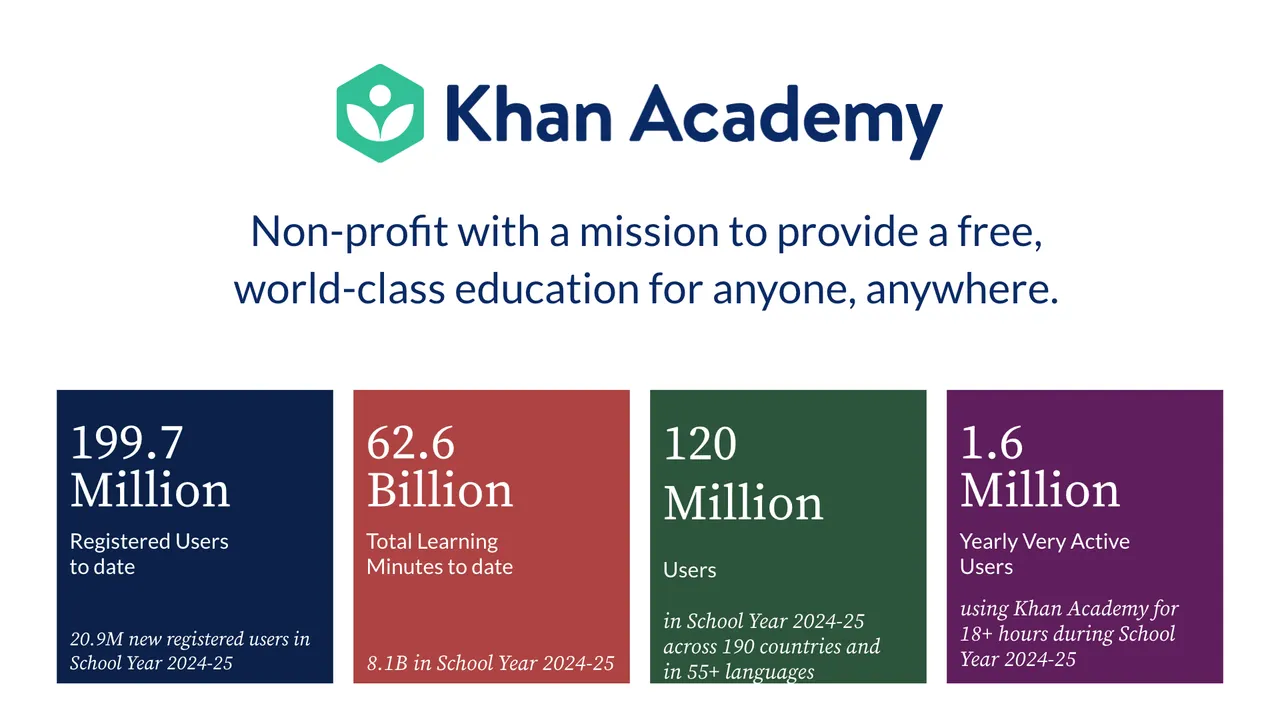
Teams including Khan Academy, Upstart, and Breeze Airways use GrowthBook to run experiments at scale across web, server-side, and mobile environments. As Khan Academy's Chief Software Architect John Resig put it: "We didn't have a fraction of the features that we have now. GrowthBook is much better and more cost effective."
Notable features:
- Native mobile SDKs with local flag evaluation: Lightweight SDKs for iOS/Swift, Kotlin/Android, React Native, and 20+ other languages. Feature flags are evaluated on-device from a cached JSON payload — no network call is needed at the moment a user opens your app, which means flags work even when the device is offline and there's no added latency at app load.
- Warehouse-native architecture: GrowthBook queries your existing data warehouse directly to compute experiment results. No per-event or per-MAU charges, which means mobile teams can scale to high traffic volumes without pricing friction.
- Feature flags as experiments: Any feature flag can be converted into an A/B test instantly, letting mobile teams ship, roll back, or adjust exposure without waiting for an app store release cycle.
- Advanced statistical engine: Supports Bayesian, Frequentist, and Sequential testing methods, along with CUPED variance reduction (a technique for detecting real effects faster with less data), post-stratification, and Benjamini-Hochberg corrections for multiple comparisons (a safeguard against false positives when running many experiments simultaneously). All underlying SQL queries are exposed and exportable to Jupyter notebooks.
- Multi-arm bandits and holdout groups: For teams optimizing at scale, GrowthBook supports dynamic traffic allocation via multi-armed bandits and long-term holdout groups to measure cumulative experiment impact.
- Self-hosting option: GrowthBook can be deployed fully on your own infrastructure, giving teams with compliance or data sovereignty requirements complete control. A cloud-hosted option is also available.
Pricing model: GrowthBook uses per-seat pricing with no caps on experiments, traffic volume, or feature flag evaluations — supporting over 100 billion feature flag lookups per day across the platform. There are no per-event or per-MAU charges at any tier.
Starter tier: GrowthBook offers a free plan on both Cloud and self-hosted deployments, with no credit card required to get started.
Key points:
- The warehouse-native approach is GrowthBook's most distinctive architectural choice — it eliminates the need to instrument a separate event pipeline and avoids the compounding costs that per-event pricing models impose at mobile scale.
- Because GrowthBook is open source, teams can inspect the codebase, self-host for full data sovereignty, and contribute to or extend the platform — a meaningful differentiator for organizations with strict compliance requirements.
- The statistical engine is unusually transparent: every query used to generate experiment results is visible and auditable, which supports collaboration between engineering, product, and data science teams.
- GrowthBook is developer-centric by design. Teams that want a visual, no-code experiment builder as their primary workflow may find the experience less intuitive than tools built for non-technical marketers, though a visual editor is available.
- The unlimited experiments and unlimited traffic model makes GrowthBook particularly well-suited for organizations scaling from dozens to thousands of experiments per month without renegotiating contracts or hitting pricing ceilings.
Firebase A/B Testing
Primarily geared towards: Mobile development teams already embedded in the Google/Firebase ecosystem who need zero-cost experimentation without building custom infrastructure.
Firebase A/B Testing is Google's built-in experimentation layer for the Firebase mobile development platform. It lets iOS, Android, Unity, and C++ teams run experiments on app behavior, UI variants, and push notification campaigns — all without standing up separate experimentation infrastructure.
The tool is tightly coupled to Firebase Remote Config and Google Analytics, meaning it works best when you're already using those services. If you're outside the Google ecosystem, its utility drops off quickly.
Notable features:
- Remote Config-powered testing: Experiments run through Firebase Remote Config, so you can test changes to app parameters, feature toggles, and UI variants without submitting a new app store build — a meaningful time-saver for mobile teams constrained by release cycles.
- Push notification experiments: Beyond in-app changes, you can A/B test push notification copy and messaging settings directly through Firebase Cloud Messaging, making it one of the few tools that covers both surfaces natively.
- Unity and C++ SDK support: Native SDK support for Unity and C++ is relatively rare among A/B testing platforms, making Firebase a practical option for game developers or cross-platform teams working in those environments.
- Google Analytics integration: Out-of-the-box tracking covers retention, revenue, and engagement metrics. Connecting to Google Analytics unlocks custom event tracking and audience-based targeting (e.g., specific app versions, languages, or user properties).
- Granular audience targeting: Experiment audiences can be defined using multiple criteria chained with AND logic — app version, platform, language, and custom Analytics user property values — giving teams reasonable control over who sees each variant.
- Statistical significance analysis: Firebase performs backend analysis to determine whether results are statistically significant before surfacing a rollout recommendation, reducing the risk of acting on noise.
Pricing model: Firebase A/B Testing is free to use within the Firebase platform. Firebase itself offers a free Spark plan and a pay-as-you-go Blaze plan, but A/B Testing is not listed as a paid add-on — any costs at scale would likely relate to underlying Firebase service usage rather than experimentation directly.
Starter tier: Free with no publicly documented caps on experiment count or variants, though you should verify current limits on the Firebase pricing page before committing at scale.
Key points compared to GrowthBook:
- Data ownership: Firebase stores all experiment data in Google's infrastructure. GrowthBook is warehouse-native — experiment data stays in your own data warehouse (Snowflake, BigQuery, Redshift, etc.) and never leaves your infrastructure.
- Ecosystem lock-in: Firebase A/B Testing is tightly coupled to Google Analytics for metric tracking and has limited integrations with non-Google analytics tools. GrowthBook works with any existing analytics stack — Segment, Mixpanel, Amplitude, or a custom warehouse.
- Statistical methods: Firebase's statistical methodology isn't publicly detailed. GrowthBook offers Bayesian, Frequentist, and Sequential testing with CUPED variance reduction, post-stratification, and sample ratio mismatch checks.
- Platform scope: Firebase is mobile-focused. GrowthBook supports mobile, web, server-side, and edge experimentation from a single platform.
- Self-hosting: Firebase is Google-hosted only. GrowthBook can be fully self-hosted, which matters for teams with data governance or compliance requirements.
Firebase A/B Testing is a strong choice if you're already in the Google ecosystem and want to start experimenting at no cost with minimal setup. The trade-off is real: your experiment data lives in Google's infrastructure, your metrics depend on Google Analytics, and your options outside that stack are limited.
Optimizely
Primarily geared towards: Enterprise marketing and CRO teams running multi-platform experimentation programs.
Optimizely Feature Experimentation is one of the most established names in the A/B testing space, offering a full-stack platform that covers web, server-side, and mobile experimentation from a single dashboard. It's built with large organizations in mind — teams that need mature governance controls, broad platform coverage, and a recognized enterprise vendor.
For mobile specifically, it supports feature flags and gradual rollouts that let teams deploy changes without waiting on app store approval cycles, which is a genuine pain point for mobile development.
Notable features:
- Full-stack mobile experimentation: Run A/B tests across mobile apps alongside web and server-side experiments without needing separate tooling for each platform.
- Feature flags and gradual rollouts: Decouple feature deployment from app releases, enabling controlled rollouts and instant rollbacks without pushing a new app store update.
- Remote configuration: Toggle functionality on or off without deploying new code, giving mobile teams more control over release cadence.
- A/B and multivariate testing: Supports both A/B and multivariate test formats with a sequential Stats Engine option for experiment analysis.
- Unified dashboard: Manage feature flags, experiments, and rollouts across multiple platforms from one interface.
Pricing model: Optimizely uses traffic-based (MAU) pricing with modular add-ons, and typically requires a direct sales conversation for specific pricing details. The modular packaging means costs can increase over time as new use cases require additional modules.
Starter tier: There is no free tier available — Optimizely is a paid, closed-source SaaS platform with no self-hosted option.
Key points:
- Setup time is significant: Optimizely typically requires weeks to months to get fully configured and generally needs a dedicated team to operate effectively — worth factoring in if your organization is moving quickly or has limited experimentation infrastructure.
- Traffic-based pricing can constrain experimentation at scale: For mobile apps with high MAU counts, per-traffic pricing creates a real cost ceiling that can discourage running more experiments or testing at higher volumes — the opposite of what a mature experimentation program needs.
- Cloud-only deployment: Optimizely is SaaS-only with no self-hosting option, which matters for teams with data residency requirements or those that want full control over where experiment data lives.
- Primarily built for marketing and UI testing: Optimizely's roots are in front-end and content experimentation for marketing teams; engineering teams running feature-level experiments across mobile backends may find it less naturally suited to their workflows compared to developer-first platforms.
- SDK footprint: For mobile specifically, SDK size and performance overhead matter — Optimizely's SDKs are heavier than some alternatives, which can be a consideration for latency-sensitive mobile applications.
Apptimize
Primarily geared towards: Product managers and mobile marketers at mid-size to enterprise companies who need to run native mobile experiments without heavy engineering involvement.
Apptimize is a mobile-first A/B testing and feature management platform built specifically for native iOS and Android apps. It's now owned by Airship, a mobile customer engagement company, which is worth noting when evaluating its long-term roadmap and whether it's sold as a standalone product or bundled into the broader Airship platform.
Its core value proposition is enabling non-technical teams to create and launch mobile experiments through a visual editor — without filing engineering tickets for every test.
Notable features:
- Visual drag-and-drop editor: Non-technical users can create experiment variations by directly manipulating UI elements, reducing the developer dependency that typically slows down mobile experimentation cycles.
- Native iOS and Android SDKs: Purpose-built mobile libraries designed to integrate without compromising the native app experience — not a web tool retrofitted for mobile.
- Device preview before launch: Teams can preview experiment variations on real devices before pushing them to users, reducing the risk of shipping broken UI changes to production.
- Real-time experiment dashboards: Shows which experiments are running, variation distribution across users, and results as data is uploaded — supporting faster decision-making.
- Visitor and conversion drill-down reporting: Results can be broken down per variation to support goal-based analysis.
Pricing model: Pricing is not publicly disclosed — you'll need to contact Apptimize or Airship sales directly to get current tier details and costs. No free tier has been confirmed in available sources.
Starter tier: No confirmed free or self-serve starter tier; pricing appears to be quote-based.
Key points:
- Apptimize's visual editor is its clearest differentiator — it genuinely reduces engineering dependency for mobile UI experiments, which matters for teams where developer time is the bottleneck. However, teams that prefer code-driven, server-side experimentation workflows may find this approach limiting.
- The Airship acquisition adds uncertainty: it's worth verifying whether Apptimize is actively developed as a standalone product or increasingly positioned as a component of the Airship engagement platform, which could affect support, roadmap, and pricing direction.
- Cross-platform support beyond native iOS and Android (e.g., React Native, Flutter) is not confirmed in available documentation — teams with hybrid or cross-platform stacks should verify compatibility before committing.
- Apptimize is a closed-source, proprietary SaaS product, meaning your experiment data lives in the vendor's infrastructure. Teams with strict data governance requirements or those who want warehouse-native experimentation will need to evaluate whether that tradeoff is acceptable.
- For teams that need both web and mobile experimentation in a single platform, Apptimize's mobile-only focus may require pairing it with a separate tool.
PostHog
Primarily geared towards: Small to mid-size engineering and product teams who want analytics and A/B testing in a single platform without managing multiple tool integrations.
PostHog is an open-source, all-in-one product analytics suite that includes A/B testing, feature flags, session recording, and funnel analysis under one roof. The appeal for mobile teams is straightforward: experiment results live in the same platform as your behavioral data, so you don't need to export results or rebuild metrics in a separate analytics tool.
That said, experimentation is a feature within PostHog's broader analytics platform — not the core product — which shapes how far the tooling goes for teams running high-volume or statistically rigorous testing programs.
Notable features:
- Mobile SDK support for iOS, Android, React Native, and Flutter — covering both native and cross-platform development environments.
- Integrated product analytics including funnels, retention, and session recording, so experiment results can be viewed alongside user behavior data without leaving the platform.
- Feature flags for controlled rollouts and gradual exposure, enabling safer mobile releases without requiring app store redeployment.
- Bayesian and frequentist statistical methods for experiment analysis, with both options available depending on your team's preference.
- Self-hosting option for teams that want to run PostHog on their own infrastructure, though this requires hosting the full PostHog analytics stack — not just the experimentation layer.
- Open-source codebase with a free tier, lowering the barrier to entry for teams evaluating the platform.
Pricing model: PostHog uses usage-based pricing tied to event volume and feature flag requests, meaning costs scale as your product traffic grows. Teams that also maintain a separate data warehouse may end up paying to capture and store the same data twice.
Starter tier: PostHog has a free tier with usage-based limits; verify current thresholds and paid tier pricing at posthog.com/pricing before making budget decisions.
Key points:
- PostHog requires sending product events into its own platform to measure experiments — it is not warehouse-native. GrowthBook takes the opposite approach, running experiment analysis directly in your existing data warehouse (Snowflake, BigQuery, Redshift, Postgres, etc.), which avoids data duplication and can reduce costs significantly for high-traffic mobile apps.
- Sequential testing and CUPED variance reduction are not documented as PostHog capabilities — both matter for teams running experiments at scale or wanting to stop a test as soon as results are statistically reliable rather than waiting for a fixed sample size. GrowthBook supports both, along with automated sample ratio mismatch (SRM) detection.
- Event-based pricing scales with traffic, which can become expensive for mobile apps with high event volumes. Per-seat pricing with unlimited experiments and unlimited traffic makes costs more predictable as usage grows.
- For teams that primarily need lightweight experimentation layered on top of analytics, PostHog's integrated approach reduces tool sprawl. For teams where experimentation is a core discipline — or where data ownership and warehouse architecture matter — the platform's analytics-first design may be a constraint rather than an advantage.
VWO
Primarily geared towards: Marketing, CRO, and analytics teams at SMBs who want a bundled platform combining A/B testing with qualitative UX research tools.
VWO (Visual Website Optimizer) is a conversion rate optimization platform that pairs quantitative A/B and multivariate testing with qualitative tools like heatmaps and session recordings — primarily for web, though it also offers native mobile SDKs. Its clearest differentiator is this bundled approach: teams that would otherwise pay separately for an experimentation tool and a session recording tool can consolidate both into one platform.
VWO is designed to be accessible to non-engineering teams, with guided implementation, visual editors, and a video library to reduce setup friction.
Notable features:
- Native iOS and Android SDKs with support for cross-platform frameworks including Flutter, Cordova, and React Native — useful for teams building on a single codebase across platforms.
- Mobile-specific testing use cases including in-app messaging optimization, UI copy testing, layout changes, and user flow experiments.
- Heatmaps and session recordings bundled into the platform (note: these features are primarily documented for web; verify with VWO directly whether they extend to mobile apps before relying on them for mobile use cases).
- Collaborative experiment management allowing multiple team members to contribute to and review running experiments.
- Guided onboarding and documentation including a video library, which lowers the barrier for teams without dedicated experimentation engineers.
Pricing model: VWO uses a MAU-based (monthly active users) pricing model with tiered plans and modular add-ons. Pricing scales with traffic volume, and plans reportedly include annual user caps with overage fees that can significantly increase costs for high-traffic applications.
Starter tier: VWO does not offer a free tier; all plans are paid, and specific pricing requires contacting VWO or visiting their pricing page directly.
Key points:
- VWO's bundled heatmaps and session recordings make it a stronger fit than pure-play experimentation tools for teams that want qualitative and quantitative insights in one place — though confirm mobile app support for these features before purchasing.
- The MAU-based pricing model with overage fees can become expensive at scale; teams with high-traffic mobile apps should model costs carefully against their expected user volume before committing.
- VWO is a cloud-only platform with no self-hosting option, which may be a constraint for teams with strict data residency, GDPR, or SOC compliance requirements.
- VWO's experimentation scope is primarily client-side; teams needing server-side, backend, or edge experimentation at scale may find the platform limiting compared to more developer-centric tools.
- The platform is well-suited to CRO and marketing workflows but may require significant vendor support to operationalize more advanced or full-stack experimentation use cases.
LaunchDarkly
Primarily geared towards: Enterprise engineering and DevOps teams managing controlled feature releases at scale.
LaunchDarkly is an enterprise-grade feature flag and release management platform that layers experimentation on top of its core flag infrastructure. It's built primarily for engineering organizations that need safe, auditable, and progressive feature delivery — with A/B testing available as an add-on capability rather than a primary focus.
Teams that already run feature flags through LaunchDarkly can extend those same flags into experiments without adopting a separate tooling layer.
Notable features:
- Feature flag-native experiments: A/B tests are built directly on top of existing feature flags, making it straightforward to experiment on any flagged feature — onboarding flows, push notification timing, UI changes — without additional instrumentation.
- Broad SDK support: LaunchDarkly offers 23 SDKs covering mobile (iOS, Android) and other platforms, enabling consistent flag and experiment behavior across your mobile stack.
- No-redeploy updates: Experiment variants, targeting rules, and metrics can be modified in real time without pushing a new app release — a meaningful advantage given mobile app store update cycles.
- Multi-armed bandit support: Automated traffic reallocation toward winning variants is available for teams that want to optimize continuously rather than wait for a fixed experiment to conclude.
- Statistical flexibility: Both Bayesian and frequentist methods are supported, along with sequential testing with CUPED variance reduction.
- Segment slicing: Results can be broken down by device type, OS version, geography, or custom attributes — useful for mobile teams analyzing behavior across a fragmented device landscape.
Pricing model: LaunchDarkly uses a Monthly Active Users (MAU)-based pricing model with additional charges for seats and service connections. Experimentation is sold as a paid add-on and is not included in base plans, which means your total cost scales with both user volume and the features you unlock.
Starter tier: LaunchDarkly offers a free trial, but there is no confirmed permanent free tier — verify current plan availability and limits on their pricing page before committing.
Key points:
- LaunchDarkly is feature flag-first; experimentation is a bolt-on add-on at extra cost. If running experiments is your primary goal rather than release management, you may be paying for significant platform overhead you won't use.
- MAU-based pricing can become difficult to forecast as your mobile user base grows. One reviewer described the dynamic bluntly: "They can literally charge any amount of money and your alternative is having your own SaaS product break" — worth factoring in for cost-sensitive teams or those with large, growing audiences.
- LaunchDarkly is cloud-only with no self-hosting option, meaning all experiment data flows through their infrastructure. Teams with strict data residency or sovereignty requirements should evaluate this carefully.
- Warehouse-native querying is limited to a single data warehouse provider, whereas GrowthBook supports Snowflake, BigQuery, Redshift, Postgres, and others — a meaningful difference for teams that want full flexibility in their data stack.
- The stats engine is a black box — experiment results cannot be independently audited or reproduced, which may be a concern for data teams that want full transparency into how significance is calculated.
AB Tasty
Primarily geared towards: Marketing and e-commerce teams focused on conversion rate optimization and personalization.
AB Tasty is a digital experience optimization platform that combines A/B testing, personalization, and e-merchandising in a single cloud-based product. It's explicitly positioned for marketing-led experimentation rather than engineering-driven, full-stack testing — making it a strong fit for CRO specialists and e-commerce managers who want to run experiments without heavy developer involvement.
The platform supports both web and mobile app testing, with teams able to integrate via an agnostic API or native SDK depending on their setup.
Notable features:
- Mobile app experimentation: AB Tasty supports testing mobile app ideas before full release using either an API or SDK integration, giving teams flexibility in how they connect the platform to their app.
- Server-side testing: Beyond client-side (browser-based) tests, the platform supports server-side experimentation, which enables mobile app experiments without flickering and allows testing of backend logic across channels and devices.
- EmotionsAI personalization: AB Tasty offers AI-driven segmentation based on a user's emotional engagement with a brand — a differentiated approach to audience targeting for mobile personalization campaigns.
- Progressive rollouts with KPI-triggered rollbacks: Features can be released incrementally, with automatic rollback triggered by KPI thresholds — useful for mobile teams managing release risk.
- Evi AI marketing agent: An AI assistant designed to translate experiment data into actionable strategies, aimed at non-technical users who need faster decision-making without deep data analysis skills.
- E-merchandising suite: Includes AI-powered search, personalized product recommendations, and real-time merchandising controls — relevant for mobile e-commerce teams running conversion experiments.
Pricing model: AB Tasty uses custom pricing only; no pricing tiers or specific figures are published publicly. Based on available information, costs can increase unpredictably as usage scales, so teams should request a detailed quote and clarify what's included before committing.
Starter tier: AB Tasty does not appear to offer a free tier — teams should verify this directly with AB Tasty, as no free or trial plan was confirmed in available documentation.
Key points:
- AB Tasty is built primarily for marketing and e-commerce buyers; if your experimentation program is engineering-led or requires deep backend and API-level testing as a primary workflow, the platform may feel limited compared to developer-first tools.
- The platform is cloud-only with no self-hosted deployment option, which matters for teams with data residency requirements or those who want full control over their infrastructure.
- Mobile SDK specifics — including confirmed support for iOS, Android, React Native, or Flutter — are not clearly documented publicly; verify platform coverage directly with AB Tasty before assuming compatibility with your mobile stack.
- Statistical methodology is Bayesian only, which may be a constraint for teams that require frequentist or sequential testing approaches.
- The personalization and e-merchandising capabilities are genuinely differentiated for retail and e-commerce use cases, but teams running product experiments across a broader surface area may find the feature set narrower than expected.
Architecture and pricing model are the only filters that actually matter
Side-by-side comparison: Mobile A/B testing tools at a glance
The table below summarizes the key dimensions that separate these tools. "Warehouse-native" means the platform queries your existing data warehouse directly to compute experiment results, rather than requiring you to send events to a proprietary pipeline.
Two questions that narrow the field before you evaluate a single feature
The most useful filter isn't feature count — it's architecture. Ask yourself two questions before anything else: where does your experiment data need to live, and how does your pricing model hold up as your user base grows?
Most of the tools covered here store your data in their own infrastructure and charge you more as your MAU count climbs. That combination — vendor-controlled data plus traffic-sensitive pricing — creates two compounding problems for mobile teams. First, your experiment results become harder to audit and cross-reference against other business data. Second, the cost of running more experiments increases precisely when you want to be running more of them.
Question 1: Does your experiment data need to stay in your own infrastructure?
If your team operates under GDPR, HIPAA, SOC 2, or other compliance frameworks — or if you simply want a single source of truth across your product and experiment data — then warehouse-native architecture isn't optional. It's the only architecture that keeps your data where it already lives, avoids duplication, and lets you audit every result. Of the tools in this guide, only GrowthBook is fully warehouse-native. Firebase keeps data in Google's infrastructure. Every other tool in this list runs analysis inside its own platform.
Question 2: Will your pricing model punish you for experimenting more?
MAU-based and event-based pricing models create a perverse incentive: the more you experiment, the more you pay. For mobile apps with large or growing user bases, this becomes a real constraint on experimentation culture. Per-seat pricing with no traffic caps is the only model that lets you scale your experimentation program without scaling your bill at the same rate.
If your answer to both questions points toward data ownership and predictable pricing, that narrows the field considerably before you evaluate a single SDK or statistical method.
Where to start based on where you are now
The right starting point depends less on which tool has the longest feature list and more on where your team is today.
If you're an engineering or product team that owns your data infrastructure: Start with GrowthBook. The warehouse-native architecture means your experiment data stays in your existing stack — Snowflake, BigQuery, Redshift, Postgres, or wherever you already store product data. The open-source codebase means you can self-host with no vendor lock-in, and the per-seat pricing means you can run unlimited experiments without watching your bill climb as your user base grows. GrowthBook's free plan requires no credit card, so you can evaluate it against your actual mobile stack before committing.
If you're already fully embedded in the Google/Firebase ecosystem: Firebase A/B Testing is the lowest-friction starting point. It's free, already connected to your analytics, requires no additional infrastructure, and covers the most common mobile experimentation use cases — in-app UI variants, push notification copy, and Remote Config-driven feature toggles. The trade-off is real data ownership and limited statistical transparency, but for teams that are already Google-native, those trade-offs are often acceptable.
If you're a marketing or CRO team running primarily front-end experiments: GrowthBook vs VWO or AB Tasty are worth evaluating depending on your primary need. VWO makes sense if you want heatmaps and session recordings bundled alongside your A/B tests. AB Tasty makes sense if personalization and e-merchandising are core to your mobile conversion strategy — particularly for retail and e-commerce apps.
If your primary need is release management with experimentation as a secondary capability: GrowthBook vs LaunchDarkly is the most mature option for engineering teams that need enterprise-grade feature flag governance. Model the MAU-based pricing carefully against your expected user growth before committing, and factor in that experimentation is a paid add-on rather than a core capability.
If you're a small team that wants analytics and experimentation in one place without managing multiple integrations: PostHog's free tier and open-source codebase make it a reasonable starting point. Understand that you'll be sending events into PostHog's platform rather than querying your existing warehouse, and that advanced statistical methods like sequential testing and CUPED variance reduction are not currently documented capabilities.
The best A/B testing tools for mobile apps are the ones that fit your team's actual workflow — not the ones with the most features on a comparison page. Start with the two architecture questions, use the comparison table to eliminate tools that don't fit, and then evaluate the remaining candidates against your specific mobile stack, compliance requirements, and experimentation maturity.
Related reading
- GrowthBook vs ABsmartly | Compare for A/B Testing
- GrowthBook vs Statsig
- GrowthBook vs Optimizely
- GrowthBook vs Adobe Target
- GrowthBook vs VWO | Compare Experimentation and ...
Related Articles
Ready to ship faster?
No credit card required. Start with feature flags, experimentation, and product analytics—free.

