

GrowthBook version 1.5
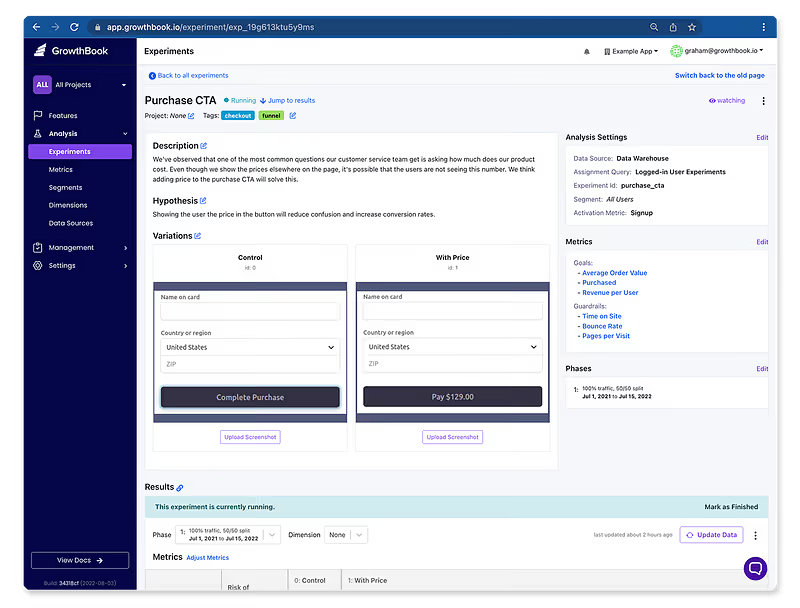
We are pleased to announce the release of GrowthBook 1.5! In this version, we redesigned the experiment page, added a CSV export, and a lot more. As always, please let us know if you have any feedback!
New UI for experiments
The redesigned experiment page now features everything in a single view instead of needing to switch back and forth between different tabs and menus. Also, you can now quickly see whether or not an experiment has an activation metric or segment applied, as well as a history of all the experiment phases. We’d love to know what you think!
New “How To” guides

We have created step-by-step guides for setting up GrowthBook with Mixpanel, RudderStack, BigQuery, GA, and Next.js, with more coming soon. You can check out the guides at https://docs.growthbook.io/guide and let us know what other ones you think we should have!
Export experiment results as CSV
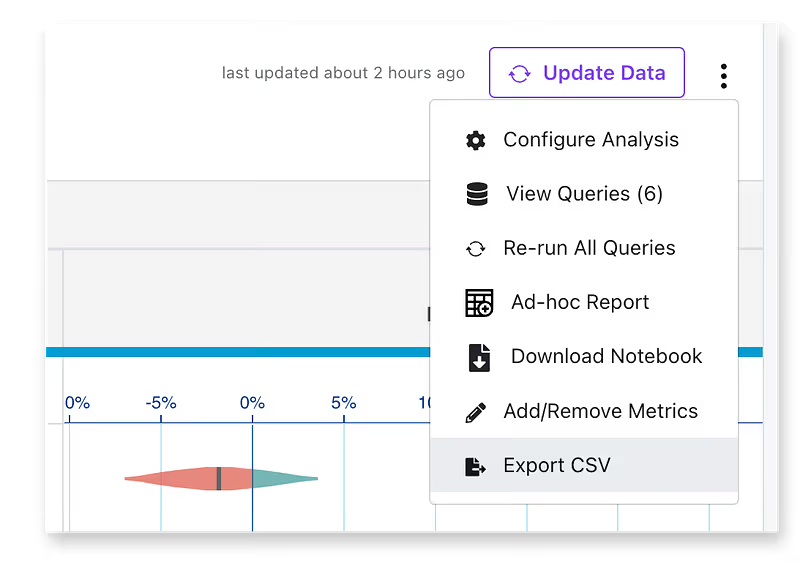
Way back in version 0.5, we added the ability to download results as a Jupyter Notebook. This was great for data teams to dive in and perform deeper analyses, but less technical users were out of luck. Now you can also download the results as a CSV file, which you can open in any spreadsheet tool. This furthers our quest for data transparency and lowers the barrier to truly owning your own data.
Support Google Cloud Storage

Screenshots and images are an important part of documenting features and experiments. Almost exactly 1 year ago, we added the ability for self-hosted deployments to use Amazon S3 to securely store uploaded images. In this release, we added support for Google Cloud Storage for all of you hosting GrowthBook in a GCP environment.
Activity log
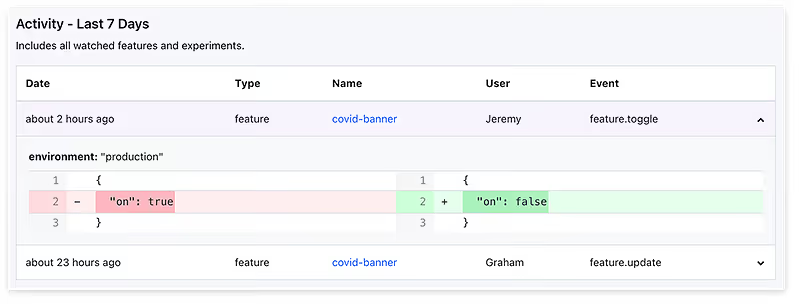
You can now watch specific features for changes by clicking on the Eye icons on the feature list. Then, you can see a list of all their recent activity by clicking the Bell in the top navigation bar. Coming soon, you’ll be able to set up email notifications for all your watched features, so you can easily stay up to date on what’s happening.
Owners
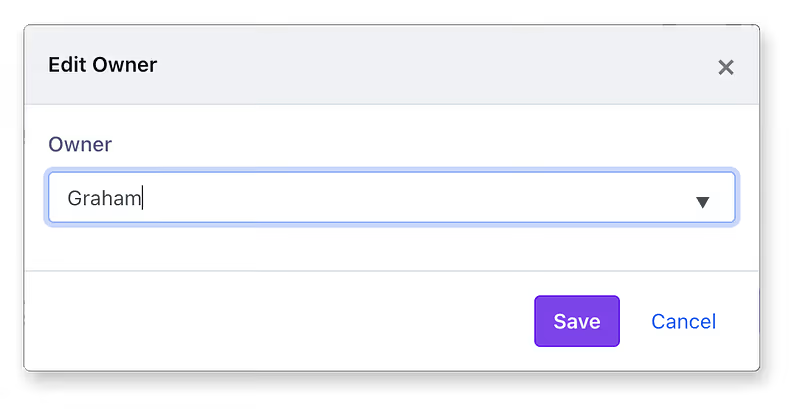
We added an “Owner” field for features, metrics, segments, and dimensions. Use this to keep track of which team or individual is responsible. This is great when onboarding new employees to your GrowthBook account since it’s an easy way for them to know who to ask if they have any questions about how something is defined or implemented.
Miscellaneous other features and fixes
- Clickhouse error caused by missing SQL aliases #446
- Control the default environment toggle states for new features #428
- Metric tooltips on experiment results with helpful info #417
- Sort projects dropdown alphabetically #456
- Update dependencies — React 18, Next.js 12, Tailwind 3, Typescript 4.7 #459
And many more changes and bug fixes, which you can read about here: https://github.com/growthbook/growthbook/releases
Related articles
Ready to ship faster?
No credit card required. Start with feature flags, experimentation, and product analytics — free.

