

Rebuilding the GrowthBook AI Visual Editor
Visual editors are a staple of experimentation platforms. The promise is simple: let anyone change a website and launch an A/B test without writing code or waiting on engineering. In practice, most visual editors fall short. They break on modern sites, cause flicker, and quietly push you back into writing CSS or HTML the moment anything gets tricky.
We designed the GrowthBook AI Visual Editor from a blank slate to fix these issues. The result is an AI-first editor that lives in your browser's side panel, and it finally lives up to the full potential of a visual editor. This post walks through what is new and why each piece matters for running A/B tests without engineering overhead.
AI first
Most visual editors are visual right up until they are not. The moment you need to nudge spacing or fix a layout, you are back in a CSS box. GrowthBook’s AI Visual Editor moves the editing into an AI prompt by default, so any change you can describe, you can build.
Ask it to change the background color, rewrite a headline, generate a few alternative CTAs, or restyle a section. The editor applies the change on the page instantly, and you approve it, reject it, or ask for something different. Nothing is saved to your variation until you accept it.
The AI also reads the live page, including the real elements and their computed styles, so its suggestions are grounded in your actual site rather than guesses. If it is unsure which section you mean, click to select one or more elements and the prompt uses them as context.
AI image editing and generation
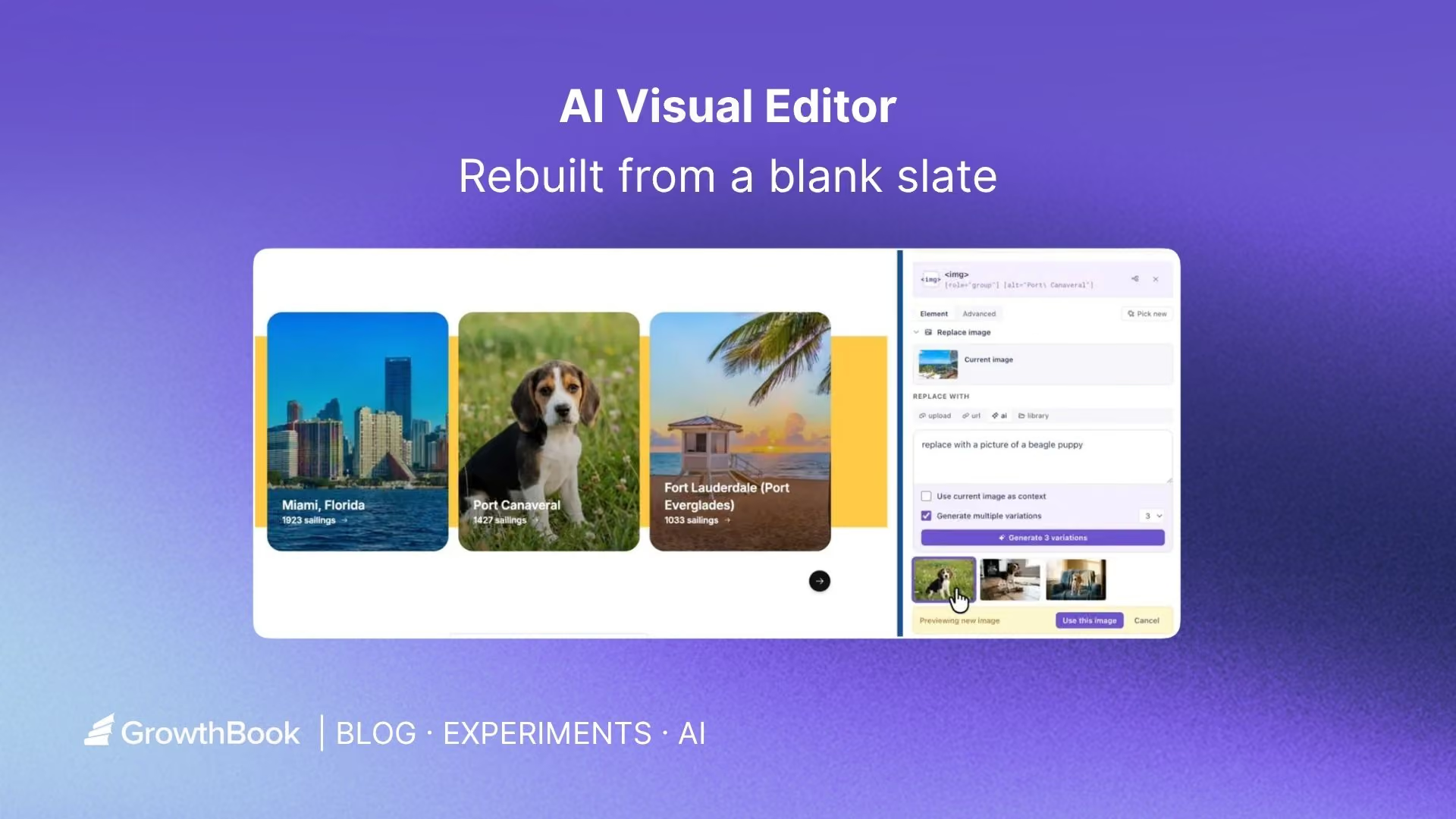
Images are often the highest-impact thing to test and the hardest to change without a designer. GrowthBook builds image editing and generation directly into the editor.
Ask the AI to generate a brand new image from a description, replace an existing image, or produce variations based on the image already on the page. Generated images are automatically cropped to the exact dimensions of the slot they replace, so nothing stretches or distorts. You can generate several options at once and pick the one that fits.
Import from Figma or a mockup
Designs usually start in Figma or as a static mockup, and getting them into an experiment has meant a manual rebuild. GrowthBook can import directly from either.
Connect your Figma account and point the editor at a frame, or hand it an image of the design you want. It analyzes the design and turns it into a variation you can preview and refine, so a mockup can become a running test without rebuilding it by hand. You can also add additional context about how you want the design implemented.
Built for modern web platforms
This is where most visual editors quietly fail. Modern frameworks and site builders generate class names like css-1x9f3k that change on every deploy. A visual editor that targets those names will silently break the next time your site ships, and the experiment stops running with no warning.
GrowthBook builds durable selectors instead. It ignores hashed and build-generated class names, prefers stable attributes, and anchors to elements in a way that survives redeploys. Your variations keep working after the next release.
Manual mode and global code
When you want precise control, manual mode gives you a full WYSIWYG editor for any element you pick. Edit text, typography, layout, background, visibility, and classes, with each control pre-filled to the element's current values so you are adjusting from where the page actually is. This is also where the most advanced image editor lives. Select any img element to see the options. For changes that span the whole variation, the global CSS and JavaScript editors let you drop in custom code without leaving the panel (or let the AI generate this for you).
No flicker
Flicker is the flash of original content that appears before a variation loads, and it is one of the fastest ways to bias an experiment. GrowthBook avoids it by applying changes before the page renders. Serve the GrowthBook SDK and your feature definitions from your own CDN or edge, and the variation is applied on the initial render rather than after it. Visitors see the variant immediately, with no flash of the control. If you don’t use a CDN, you can still enable the usual no-flicker scripts. See the docs on avoiding flicker for setup.
Edit in 4 languages, and even in dark mode
The editor speaks more than English. Switch the interface into German, Spanish, or Portuguese so teams outside English-first organizations can work in their own language. And if you prefer a darker workspace, dark mode is one click away.
Complete transparency
Every change the editor makes is listed in one place. You can see each edit, preview it on or off, jump straight to the affected element on the page, and edit or delete anything you no longer want. Nothing happens in a black box. You can also test your targeting before launch: the built-in URL tester tells you whether a specific URL would be included in the experiment, using the exact same logic the SDK uses in production.
Try it out!
The rebuilt GrowthBook AI Visual Editor is AI-first, works on modern sites, and keeps you in control of every change. It makes launching an A/B test faster for everyone on the team, not just the people who write CSS. Get started with GrowthBook to create your first visual experiment, or read the AI Visual Editor docs to see how it fits your setup.
Related articles
.png)
Ready to ship faster?
No credit card required. Start with feature flags, experimentation, and product analytics — free.

