Behind the scenes: GrowthBook’s internal support console

I recently returned from a half-term holiday sunbathing in the Caribbean with my daughter to find that our internal super admin console had had quite the makeover.
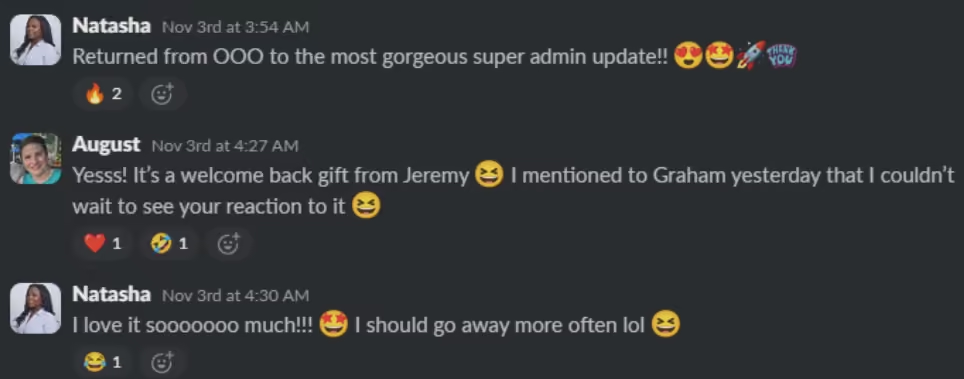
The revamped super admin console arrived at the same time as a big product launch, GrowthBook 5.2, courtesy of our CTO and co-founder, Jeremy. Seems the launch had goodies for our customers, and our internal team alike!
The super admin console gives GrowthBook’s internal support teams more information and more ways to help our Cloud customers directly. To explain why that made me quite so happy, here’s a little look at life on the other side of your support conversation.
What it takes to support GrowthBook customers
Over the past 12 months, I’ve been the first point of contact for more than 1,000 customer queries—excluding escalations, email support and our community Slack. Our Support team covers EMEA, the US and APAC, providing 24/5 support coverage to all our customer base and internal team too.
Enterprise customers can reach us through their shared Slack channels. In practice, we respond to nearly all of enquiries within an hour during the working week, oftentimes much sooner. Pro and Enterprise customers on GrowthBook Cloud also have in-app chat and email support. Email is particularly handy for customers who are self-hosted or want to bring colleagues into a conversation.
Our community Slack is open to everyone, including Starter and self-hosted customers. We encourage people to share what they’ve learnt and help each other, and you’ll often find the GrowthBook team joining in. If you’re new to our Slack, #ask-questions is a good place to start.
Some questions need one reply: A sales enquiry might involve understanding what a customer wants to achieve, collecting their contact details and introducing them to the right person.
Others may need a proper investigation: Checking configuration, reviewing logs and code, reproducing unexpected behaviour and working through possible causes. A niche implementation issue in a less commonly used SDK can take several conversations, especially when we’re helping someone who isn’t deeply technical so we need to loop in various teams.
We also connect customers with engineering, product, design, sales, finance or marketing when their expertise is needed. Gathering useful context first helps those colleagues pick things up without asking the customer to start again.
A little help from AI
We use two AI tools across support: Pylon in our in-app chat and Kapa AI on our documentation site. Both draw on GrowthBook-specific knowledge to help customers find useful answers.
Pylon is connected to our in-app widget and the Slack channels we use for support, bringing those conversations into one place. Our documentation is also connected as a knowledge source, so its AI can take the first pass at a live-chat question and point the customer towards relevant guidance, complete with links.
Every AI response in live chat is monitored by a human. We step in when an answer needs correcting, a conversation needs more context, or the next step calls for a proper investigation. Customers can also always speak to us directly.
On our documentation site, the chat widget is powered by Kapa AI. Its knowledge sources include our documentation, GitHub repository and Slack Community. That gives it access to official guidance, the code behind the product and questions that people have already worked through in the community.
A customer can ask a question in their own words and get an answer drawn from those sources, with links they can follow to explore further. They don’t need to know which page to search for, or whether the answer happens to live in a community thread. If you want to give it a go, try asking “How do I create a feature flag?”
For the support team, having connected documentation and a record of previous conversations gives us useful context when we pick up a question. We can see what has already been asked and explained, then focus on the details that still need investigating.
That helps customers get answers sooner and gives us more time for the cases that need closer attention. It also takes some pressure off remembering every detail of an ever-growing product. With this many SDKs and configuration options, a little assistance there is very welcome.
We still check the guidance against the customer’s setup. A helpful starting point can save a lot of searching, but working out whether it actually explains someone’s issue still needs care.
Who holds your customer data?
A CRM, a support desk and an analytics tool can each hold a copy of customer data. Graham McNicoll explains how to cut down on those copies.
Read Graham’s Article
What the super admin console does
The super admin console is an internal administration tool we use to support organisations hosted on GrowthBook Cloud. It gives us a view of how an organisation is set up, alongside controls for carrying out authorised account and configuration changes.
We can search for an organisation using details such as its name or ID, then review its owner, members, plan type, status and usage. Our separate billing tools provide subscription details such as seat counts, start and expiry dates, and the history of plan changes.
The console also shows settings that can matter during an investigation, including the statistics engine, sticky bucketing, environments, default roles and approval settings. That helps us understand which features and workflows an organisation is using before we start suggesting next steps.
We can review information about data sources and Managed Warehouse, along with single sign-on and login configuration. For example, when a customer is having trouble signing in, knowing how their organisation’s authentication is configured helps us narrow down what to check.
There are practical controls here too. Support can update organisation details and plans, help with changes to user email addresses or sign-in methods, and manage SSO settings where appropriate. These are tasks we carry out in response to an authorised request.
With written authorisation, we can also open a read-only view of a customer’s organisation to help troubleshoot. Seeing the setup they’re describing is particularly useful when an issue is difficult to explain over a message.
Security note: We can’t use this view to change your experiments or the flags your app receives. If you connect your own warehouse, the raw events behind your experiment reports stay there.
Having that information and those controls together means we can ask more useful questions and carry out more of the work needed to resolve a request.
Why the super admin revamp made my week
The biggest improvement, though, is what we can now do. Before this new release, many routine account or authentication changes by the GrowthBook Support team needed help from a colleague with access to the database or our authentication provider. Prior to the update, we could understand the request and know what needed to happen, but still have to wait for someone else to make the change.
The revamped console lets support handle more of those authorised tasks directly, including plan updates, organisation details and certain sign-in changes. If a customer needs help with an account issue, we can investigate and carry out more of the work within the same support conversation.
For customers, this means fewer handoffs and less waiting on routine changes. For support, it means being able to follow more requests through to resolution. It also saves colleagues from being interrupted for tasks we can now handle ourselves.
So yes, I was delighted with the sleek new look. Being able to get more done for customers was what really earned the enthusiastic Slack message.
What else is GrowthBook support up to?
We also spend time on projects that make future support conversations easier.
My latest project focused on becoming a subject matter expert in Managed Warehouse and sharing that knowledge with the team. I mapped setup and data flows, investigated common problems, and created a central knowledge hub with troubleshooting guides and internal training. For example, if someone sets up a Managed Warehouse in the EU and no events appear, one thing to check is whether their app is still sending them to the default US endpoint.
The value is in making that work easy to find and reuse. When a similar question comes up, a teammate can search for the relevant guide, understand the background and follow the investigation steps we’ve already documented. That helps us give consistent answers and makes it easier for someone new to the topic to get up to speed.
Well-structured guides can also provide useful context for AI-assisted investigations. An assistant has a better starting point when it can work from a documented process or known solution. That connects back to the tools we use earlier in the support journey: the quality of the knowledge available to them matters.
Other support projects might mean improving documentation, turning recurring questions into reusable guidance, refining a workflow or bringing customer feedback to the product team. Those improvements help customers and make the team’s day-to-day work easier.
And sadly, most customers will never see our super admin console—but they will experience the difference when we have the context to help, can handle their request sooner and keep them moving.
Which is a shame, because it’s gorgeous.
Have a GrowthBook question?
Ask other GrowthBook users in #ask-questions, or find the support channel for your plan.
Find Support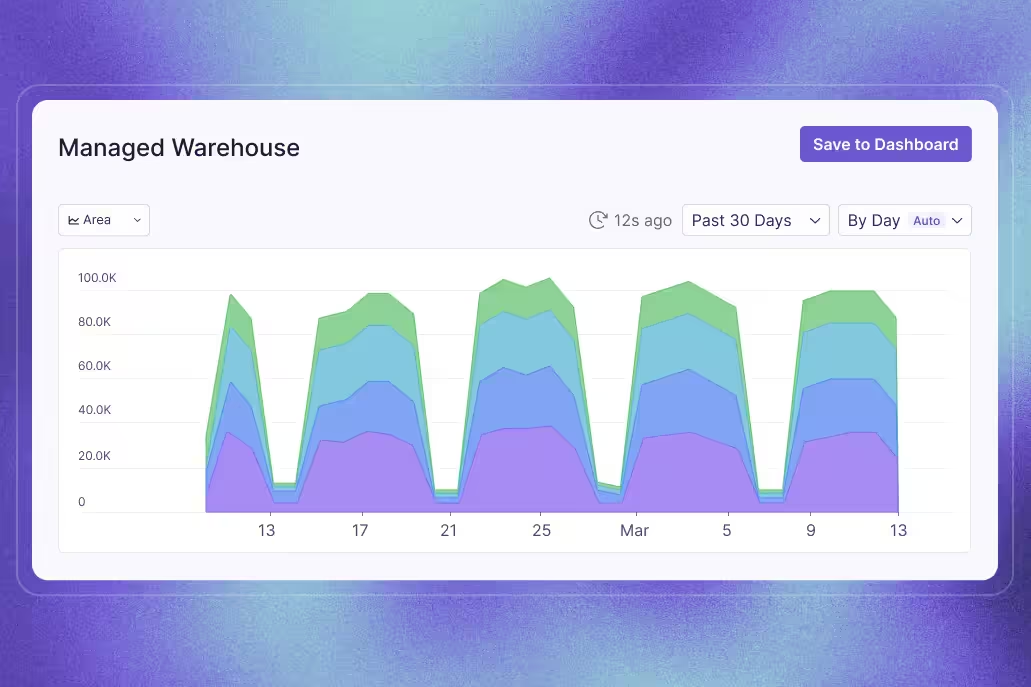
About the author
I’m Natasha, a Staff Support Engineer at GrowthBook. I’ve been here for two and a half years and have worked in support for over a decade. I like getting stuck into a technical puzzle, and I’m equally happy having a good chat. Support gives me space for both.


Get The Uplift in your inbox
Experimentation tips and a new game, once a month.

Related articles
Ready to ship faster?
No credit card required. Start with feature flags, experimentation, and product analytics — free.